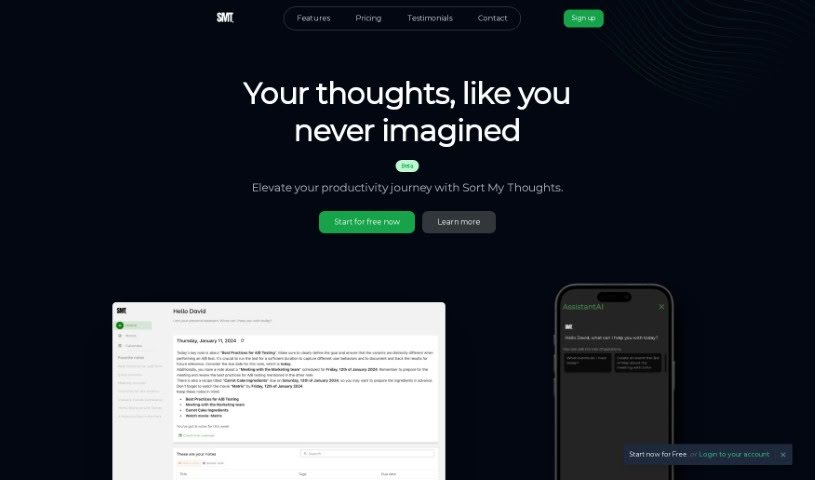
Screenshot of Sortmythoughts

Sortmythoughts

Discover what Sortmythoughts is and how to use it effectively in 2025. We'll explore its features and see how it stacks up against other AI note-taking tools.

Screenshot

What is Sortmythoughts?

SortMyThoughts is a handy productivity tool that uses artificial intelligence to help you get organized. It is your personal assistant and scheduler, all rolled into one. It lets you take notes with all sorts of formatting options, tag them, color-code them, and it has a really powerful search function. Plus, you get smart notifications, your notes sync across all your devices, and you can even export them to PDF. What’s neat is that SortMyThoughts learns how you work. It can give you daily summaries, suggest tasks based on what you’ve written, and fine-tune reminders and suggestions to make you more productive. You can really express yourself with its rich syntax, and it makes organizing and scheduling tasks a breeze.

Who created Sortmythoughts?

A team of developers started Sortmythoughts because they wanted to give people an AI-powered tool to organize their thoughts and make their workflow smoother. They launched it on January 23, 2024. Since then, it’s offered features like smart notifications, habit learning to help optimize your day, and a rich syntax for expressing yourself. The goal was to create something user-friendly and adaptable to your personal style, ultimately boosting your productivity and organization.

What is Sortmythoughts used for?

Sortmythoughts is great for a bunch of things:

  • Scheduling: Plan out your day and week.
  • Task management: Keep track of what you need to do.
  • Smart Notifications: Get timely alerts for tasks and priorities.
  • Note-taking: Jot down ideas, meeting minutes, or anything else.
  • Personal organization with AI: Let AI help you manage your life.
  • Detailed Note-taking: Use formatting tools, tagging, and color-coding to make your notes clear.
  • Habit Learning: The AI learns your patterns to help manage tasks better.
  • Daily Summaries: Get a quick overview of your notes and tasks each day.
  • Great Search: Find exactly what you need, fast.
  • Sync Everywhere: Access your notes and schedules on any device.
  • PDF Export: Save your notes in a common format.
  • Express Yourself: Use a versatile rich syntax for your notes.
  • Easy Organization: Tagging and color-coding make finding things simple.
  • AI Assistant: Get help with managing your tasks.

Who is Sortmythoughts for?

This tool is perfect for:

  • Freelance Designers
  • Project Managers
  • College Students

How to use Sortmythoughts?

Here’s a simple guide to getting the most out of SortMyThoughts:

  1. Get Started: First, download and install SortMyThoughts on your computer or device.
  2. Create Notes: Open the editor and start writing down your thoughts or tasks. You can use formatting like bold, italics, bullet points, and even code snippets to make your notes stand out.
  3. Organize Your Thoughts: Make your notes easy to find later by tagging them and using color-coding. This helps you quickly retrieve important details.
  4. Use the Search: Need to find something specific? The robust search feature lets you locate information within your notes in a flash.
  5. Sync Across Devices: Make sure to sync SortMyThoughts on all your devices. This way, you can access your notes and schedules wherever you are.
  6. Enable Smart Notifications: Turn on smart notifications so you get timely reminders and alerts about what’s most important.
  7. Personalize Your Experience: Let the AI learn your habits. This helps it optimize how it manages your tasks and suggestions.
  8. Export Notes: If you need to share your notes or save them for later, you can easily export them to PDF.
  9. Learn Keyboard Shortcuts: Speed up your workflow by getting familiar with the keyboard shortcuts available. They can really streamline your note-taking.

By following these steps, you’ll be able to use SortMyThoughts effectively to boost your productivity and stay organized.

Related AI Tools

Discover more tools in similar categories that might interest you

Stay Updated with AI Tools

Get weekly updates on the latest AI tools, trends, and insights delivered to your inbox

Join 25,000+ AI enthusiasts. No spam, unsubscribe anytime.