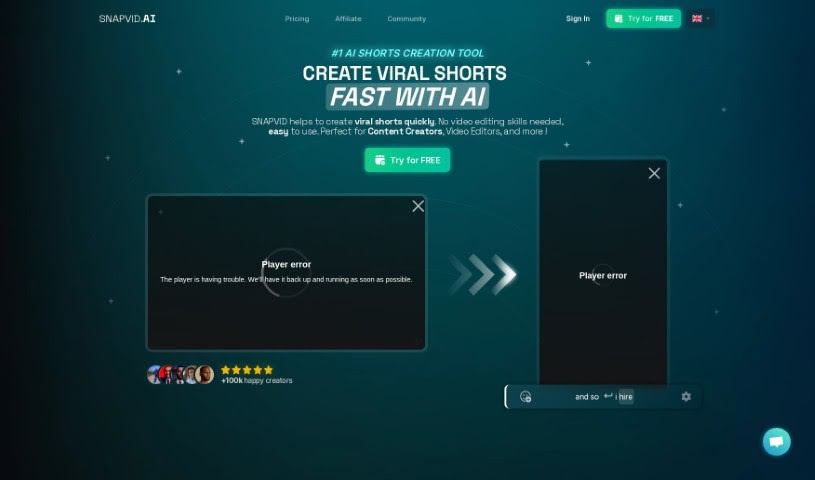
Screenshot of Snapvid

Snapvid

Discover what Snapvid is and how to use it effectively in 2025. We'll explore its features and see how it stacks up against other short video makers.

Screenshot

What is Snapvid?

Snapvid is a really neat tool that makes creating videos much simpler. It’s got some cool features, like automatically picking out the best bits of your footage for videos. It also cleans up those awkward “uhm”s and silences, and can even chop long videos into shorter, shareable clips. Plus, you can dub and translate videos into pretty much any language you want, and there’s a credit system to manage your video creation. If you’re a content creator or video editor, you’ll find Snapvid super helpful, especially with its library of over 100,000 stock videos and images. SNAPVID™ is also serious about protecting your data, and they offer different subscription plans to fit what you need.

Who created Snapvid?

Snapvid was actually started by Adam Pomposelli, who’s the Founder & CTO, and his brother Abram Pomposelli, who’s the Co-Founder & CEO. They launched the platform back on June 28, 2023. Snapvid offers a bunch of handy features for folks who make videos, whether you’re a content creator or an editor. Think of an AI that automatically grabs the best footage, tidies up takes that didn’t quite work out, adds subtitles, and turns long videos into shorter clips. On top of that, Snapvid uses a credit system for making videos and gives you access to a huge library of over 100,000 stock videos and images to make your content even better.

What is Snapvid used for?

  • You can import videos straight from YouTube into SNAPVID™.
  • Export all your finished clips with just one click.
  • It automatically cleans up bad takes, “uhm”s, “ah”s, “err”s, and silences in your videos.
  • It can automatically cut long videos into short, potentially viral clips.
  • You can dub and translate any video into any language.
  • It helps you scale your content globally in just minutes.
  • It really streamlines your video editing process.
  • You can generate potential viral clips from longer videos.
  • Add a personal touch with animated subtitles and moving emojis.
  • Export videos efficiently, complete with your branding settings.
  • It automatically cleans up bad takes, “uhm”s, “ah”s, “err”s, and the silences in videos.
  • Dub and translate videos into any language you need.
  • Scale your content globally in minutes to reach more customers.
  • Efficiently generate potential viral clips from longer videos.
  • The Smart Cut feature really helps streamline the video editing process.
  • You can create customizable subtitles for your videos.
  • It uses AI technology to select the best footage for your videos.
  • Import videos directly from YouTube into SNAPVID.
  • Share your projects with clients for their review before you export the final version.
  • Share projects with your team members for easier collaboration.
  • Export multiple finished clips all at once with a single click.
  • Automatic cleanup of bad takes, “uhm”s, “ah”s, and silences in videos.
  • Dub and translate videos into any language.
  • Scale content globally in minutes to reach more customers and grow your audience.
  • Add customizable subtitles and animated emojis for a personal touch in your videos.
  • Efficiently generate potential viral clips from longer videos using AI technology.
  • It helps increase video views, engagement rates, and watch time.
  • Automatically cleaning up bad takes, ‘uhm’s, ‘ah’s, ‘err’s, and silences in videos.
  • Automatically cutting long videos into short viral clips.
  • Dubbing and translating videos in any language.
  • Scaling content globally in minutes to reach more customers and grow your audience.
  • Inserting the best footage for videos at the right moments.
  • Sharing projects with team members and clients.
  • Importing videos from YouTube directly into SNAPVID.
  • Exporting finished clips in one click.
  • Creating engaging short-form content.
  • Customizing subtitles, adding animated emojis, and using multi-export features.

Who is Snapvid for?

  • Content creators
  • Video editors
  • UX/UI designers
  • UX/UI Designers

How to use Snapvid?

To get the most out of Snapvid, here’s a simple breakdown:

  1. Pick a Subscription Plan: First, choose a plan that fits what you need. They have options like Basic, Pro, or Creator, each with different features and benefits. Some plans even let you share workspaces and have different credit systems.
  2. Import Your Media: You can easily bring in videos from YouTube or other places, even videos up to 4k resolution. Feel free to add images and audio files to your projects too.
  3. Use the AI Features: Snapvid’s AI tools are pretty great! You can use Smart Cut, Customizable subtitles, Animated emojis, and Multi-export to make your videos shine. The AI can trim out bad takes, get rid of pauses, and even automatically create short viral clips from your longer videos.
  4. Add Your Personal Touch: Make your videos uniquely yours by adding animated subtitles, moving emojis, and custom branding settings so everything looks consistent.
  5. Let the AI Enhance Your Content: SNAPVID AI automatically makes videos better by adding relevant footage, background music, and improving engagement with features like silence removal and face tracking.
  6. Understand the Credit System: It’s pretty straightforward: 1 credit equals 1 video. Just pick a plan that matches how often you plan to create videos. Your credits usually reset each month based on your subscription.
  7. Work Together: If you’re working with others, you can invite team members to your workspace, share projects, and even manage credits together. Plans like Pro and Creator offer options for multiple workspaces and more team members.
  8. Export and Share Easily: Export all your clips with just one click. You can also share projects with clients for their feedback, and translate your videos into different languages to reach a wider audience.

By following these steps, you’ll be able to use Snapvid really effectively to make your video editing process smoother and create engaging short-form content without a hassle.

Related AI Tools

Discover more tools in similar categories that might interest you

Stay Updated with AI Tools

Get weekly updates on the latest AI tools, trends, and insights delivered to your inbox

Join 25,000+ AI enthusiasts. No spam, unsubscribe anytime.