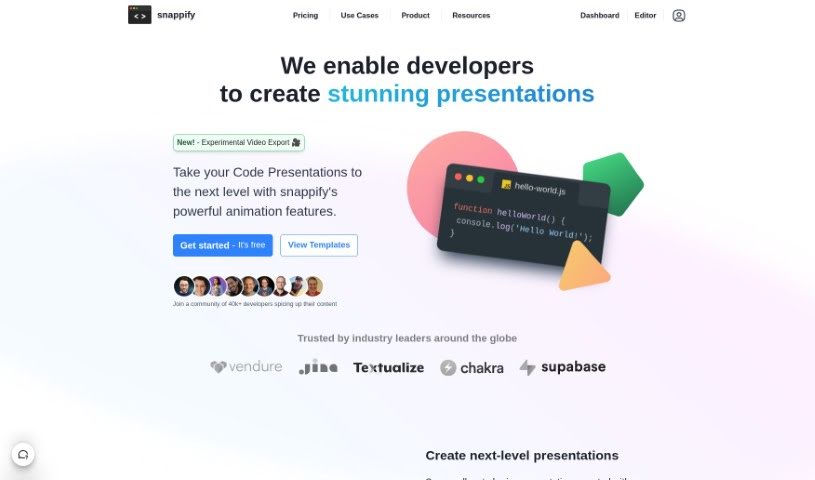
Screenshot of Snappify

Snappify

Discover what Snappify is and how to use it effectively in 2025. We'll explore its features and see how it stacks up against other code generators.

Screenshot

What is Snappify?

Snappify is a really handy tool that helps you animate your code snippets. It is a way to make your code presentations and videos much more engaging. It’s pretty neat because it supports interactive slides, which means people watching can easily copy code directly from your presentation or click on links. This really boosts how much people interact with your technical content. Plus, Snappify offers cool, eye-catching infographics perfect for social media. These make explaining technical stuff much simpler, and they’re a great help for teachers who want to make complex ideas easier for students to understand.

Who created Snappify?

Michael Bromley is the person behind Snappify. He’s also the co-founder and CTO of the company. The platform officially launched on May 2, 2023. His goal was to give developers a way to create really impressive presentations and videos. Snappify comes with features like interactive slides, ways to present code, infographics for social media, and tools for creating educational content. You can animate code snippets, tweak how things look, and even work with others to make your content more engaging.

What is Snappify used for?

Snappify is super versatile, and you can use it for a bunch of things:

  • Spice up your social media: Create visually appealing infographics that grab attention.
  • Make learning easier: Develop educational content that simplifies complex technical concepts.
  • Add visuals to your writing: Embed interactive infographics right into your blogs or internal company documents.
  • Work with your favorite platforms: It supports sites like Hashnode, Notion, and Medium, making it easy to add visuals.
  • Show code side-by-side: You can add multiple code windows to compare different snippets in your presentations.
  • Explain code clearly: Use the built-in rich-text editor to add explanations to your code.
  • Personalize your content: Upload your own images to make your visuals unique.
  • Make it interactive: Let viewers easily copy code snippets or interact with links directly from your slides.
  • Create polished presentations and videos: Animate your code snippets to make them look great.
  • Boost engagement: Make your technical content more visually appealing to keep people interested.
  • Help students learn: Make it easier for students to grasp difficult concepts.
  • Embed visuals anywhere: Put interactive infographics on your website or blog.
  • Smooth animations: Create professional-looking animations for your technical talks.
  • Engaging social media: Make your social media posts stand out with great visuals.
  • Visuals for developers: Help developers create eye-catching visuals for their technical ideas.
  • Content for educators: Assist teachers and course creators in making their educational materials more engaging.
  • Easy code copying: Make it simple for people to copy code snippets from your embedded visuals.
  • Better company docs: Improve your internal company documentation with informative infographics.
  • Platform support: It works well with platforms like Hashnode, Notion, and Medium.
  • Visual code comparison: Easily compare different code snippets visually.

Who is Snappify for?

Snappify is a great tool for:

  • Developers
  • Teachers
  • Course Creators
  • Web Development Facilitators
  • Web Developers
  • Python Educators
  • Co-founders & CTOs

How to use Snappify?

Here’s a simple guide to get the most out of Snappify:

  1. Get Started: First, sign up for an account and log in to the Snappify platform.
  2. Pick Your Purpose: Decide if you’re creating content for Education, Embedding, or Product presentations, and choose the category that fits best.
  3. Explore What It Offers: Take some time to check out the features. You can create amazing slides, use ready-made templates, and even use the API to grab code screenshots.
  4. Find Inspiration and Help: Visit the blog for technical tips, check out the tutorials for step-by-step instructions, and read user stories to get ideas.
  5. Use Templates to Save Time: Jumpstart your project by picking from Snappify’s wide range of templates.
  6. Build Your Presentation: Start creating your presentation, whether it’s with smooth animations, interactive infographics, or clear explanations of technical concepts.
  7. Make It Your Own: Add your own images, manage your code snippets effectively, and creatively highlight code elements within your presentation.
  8. Work Together and Share: You can invite team members to collaborate. Present your slides with unlimited slides per presentation, and customize how you export them for sharing.
  9. Stay in the Loop: Sign up for newsletters to get the latest news and updates on Snappify’s new features and changes.
  10. Polish Your Design: Use the powerful editor to add multiple code windows, add notes and arrows, and keep your branding consistent.

By following these steps, you’ll be able to use Snappify effectively to create engaging and visually appealing presentations that are perfect for what you need.

Related AI Tools

Discover more tools in similar categories that might interest you

Stay Updated with AI Tools

Get weekly updates on the latest AI tools, trends, and insights delivered to your inbox

Join 25,000+ AI enthusiasts. No spam, unsubscribe anytime.