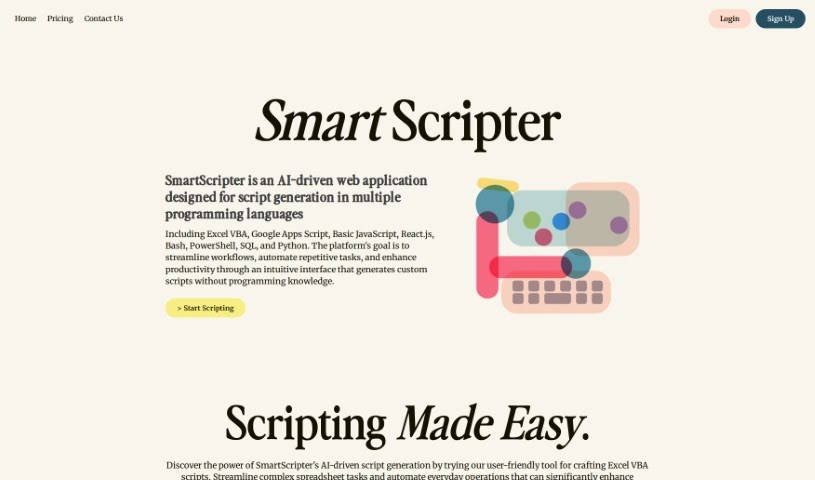
Screenshot of SmartScripter

SmartScripter

Discover what SmartScripter is and how to use it effectively in 2025. We'll explore its features, pricing, and how it stacks up against other code generators.

Screenshot

What is SmartScripter?

SmartScripter is a web application powered by AI, built to automatically create scripts in a variety of programming languages. Its main goal is to boost your productivity and make your work processes smoother by offering custom script generation through a really easy-to-use interface. You don’t need any programming experience to use SmartScripter. It supports many languages, including Excel VBA, Google Apps Script, JavaScript, Bash, PowerShell, Python, and others. SmartScripter can be a big help in fields like finance, marketing, and IT, making tasks simpler when it comes to managing spreadsheets, working on web development projects, handling command line tasks, and doing data analysis.

SmartScripter has different pricing options. There’s a free plan perfect for beginners, a premium plan that gives you unlimited scripts for just $3 a month, and a lifetime plan for $100 one-time, which includes priority support. You can use SmartScripter to automate everyday administrative tasks, speed up data analysis, and make decision-making processes much more efficient. The tool also saves your script generations automatically, which really helps simplify complicated tasks. This makes it a great fit for all sorts of industries and people, no matter their skill level.

Who created SmartScripter?

SmartScripter was developed by an individual who prefers to remain anonymous, and it first launched on May 9, 2023. The company behind SmartScripter offers several pricing tiers: a free plan for those just starting out, a premium plan for unlimited script generation at $3 per month, and a lifetime plan for $100, which includes priority support. Essentially, SmartScripter is an AI-driven web tool designed to automatically generate scripts in multiple programming languages, aiming to improve productivity and streamline workflows.

What is SmartScripter used for?

  • Making spreadsheet management easier
  • Automating web development projects
  • Handling command line tasks automatically
  • Speeding up data analysis procedures
  • Automating administrative duties
  • Creating Excel VBA scripts
  • Generating JavaScript code
  • Automating Bash scripting
  • Saving script generations automatically
  • Simplifying tasks in finance, marketing, and IT
  • Making data analysis procedures simpler
  • Automating web development projects
  • Generating custom Excel VBA scripts
  • Creating custom JavaScript code
  • Building React.js scripts for web projects
  • Supporting scripts in many different languages

Who is SmartScripter for?

  • People working in finance
  • Marketing professionals
  • IT professionals

How to use SmartScripter?

Using SmartScripter is pretty straightforward. Just follow these steps:

  1. Get Started: Head over to the SmartScripter web application.
  2. Pick Your Task: Choose the type of task you need help with, like managing spreadsheets, web development, or analyzing data.
  3. Select a Language: Decide which programming language you want your script in. You can pick from options like Excel VBA, JavaScript, or Bash, among others.
  4. Customize It: Adjust the script settings to match exactly what you need.
  5. Generate: Hit the generate button, and the script will be created automatically.
  6. Save Your Work: Make sure to save the script so you can use it again later.
  7. Consider Premium: If you plan on generating lots of scripts or want faster help, think about upgrading to the Premium plan for unlimited generations and priority support.
  8. Think About Lifetime: For the best long-term value, the Lifetime plan offers all the Premium features permanently.
  9. Boost Your Efficiency: Use SmartScripter to automate tasks, smooth out your workflows, and generally be more productive, especially if you’re in finance, marketing, or IT.
  10. No Coding Skills Needed: The interface is so user-friendly that you can create custom scripts easily, even if you’ve never programmed before.

By following these steps, you can really use SmartScripter to automate your tasks, simplify how you work, and get more done efficiently across different industries.

Related AI Tools

Discover more tools in similar categories that might interest you

Stay Updated with AI Tools

Get weekly updates on the latest AI tools, trends, and insights delivered to your inbox

Join 25,000+ AI enthusiasts. No spam, unsubscribe anytime.