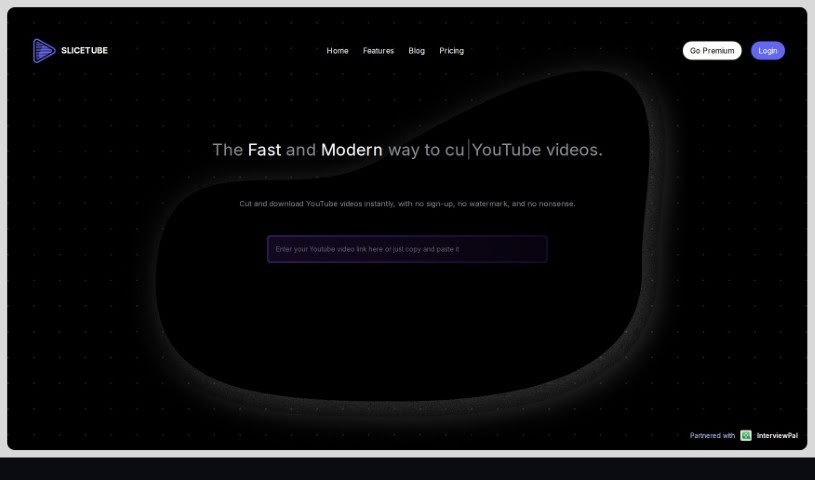
Screenshot of Slicetube

Slicetube

Discover Slicetube in 2025! Learn what it is, how to use it effectively, explore its features, and see how it stacks up against other YouTube video tools.

Screenshot

What is Slicetube?

Slicetube is a really neat and smart tool that makes downloading YouTube videos super easy. It’s got a modern look and lets you grab videos in up to 4K quality. What’s cool is you can trim videos right within the tool – just pick the time range you want to save. This means you can slice, cut, and get your editing done quickly. Plus, Slicetube lets you choose different formats like MP3, MP4, and WEBM, so you get what you need. They’ve teamed up with InterviewPal, and a lot of YouTube creators really like Slicetube because it’s so straightforward and has these handy modern features.

Who created Slicetube?

Rishit Patel is the creator behind Slicetube. He’s really changed the game for video editing with this platform. It’s designed to be super user-friendly, making it simple to edit and download YouTube videos efficiently. The whole idea is to make editing easier so you can focus on creating great content. You can use Slicetube on pretty much any device, and it’s known for fast, dependable downloads, which really improves the experience for anyone making YouTube content.

What is Slicetube used for?

  • Cutting YouTube videos precisely for your content.
  • Quickly editing vlogs, tutorials, or highlight reels.
  • Downloading and trimming your favorite YouTube videos.
  • Saving tutorials or music for watching later, offline.
  • Finding and downloading specific parts of videos.
  • Supporting various video formats to meet your specific needs.
  • Easy navigation and use across different devices.
  • Getting your videos downloaded fast and reliably.
  • Making your YouTube experience better for creators and viewers alike.
  • Creating unique and memorable content on YouTube.

Who is Slicetube for?

  • Anyone creating content on YouTube
  • Video editors looking for efficiency
  • Content marketers wanting to repurpose videos
  • Music producers needing audio or video clips
  • Educators sharing lecture segments
  • Social media managers curating content
  • Digital marketers using video assets
  • Bloggers who feature video content
  • Influencers sharing clips with their audience
  • Presenters needing specific video segments for talks

How to use Slicetube?

Using SliceTube is pretty simple. Just follow these steps:

  1. Go to SliceTube: Head over to the SliceTube website at https://www.slicetube.io/ to get started.
  2. Explore the Interface: You’ll find SliceTube’s interface really easy to use. It’s built to help you edit and fine-tune your videos quickly.
  3. Trim Your Videos: Use the trimming tool to select just the parts of the video you need. This keeps your content focused and engaging.
  4. Download Videos: SliceTube makes it easy to download and trim your favorite YouTube videos. You can save tutorials or music for offline viewing without any hassle.
  5. Choose Your Format: You can download videos in different formats with SliceTube, picking whichever works best for you.
  6. Works on Any Device: SliceTube is compatible with lots of devices – phones, tablets, and computers. It’s easy to navigate and use wherever you are.
  7. Fast Downloads: You’ll get fast and reliable downloads, which is great for saving time and keeping up with everything in the fast-paced digital world.
  8. Better YouTube Experience: SliceTube is all about making your YouTube experience smoother by simplifying video editing and downloading. It makes the whole process straightforward and stress-free.

By following these steps, you can really get the most out of SliceTube’s features and make your video editing and downloading process both effective and efficient.

Related AI Tools

Discover more tools in similar categories that might interest you

Stay Updated with AI Tools

Get weekly updates on the latest AI tools, trends, and insights delivered to your inbox

Join 25,000+ AI enthusiasts. No spam, unsubscribe anytime.