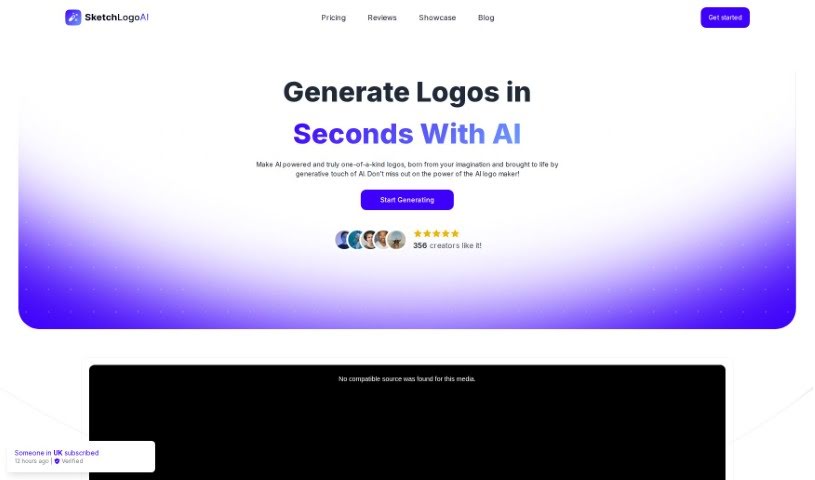
Screenshot of Sketch Logo Ai

Sketch Logo Ai

Discover what Sketch Logo AI is and how to use it effectively in 2025. Explore its features and see how it stacks up against other logo generators.

Screenshot

What is Sketch Logo Ai?

Sketch Logo AI is a really neat tool that uses AI to completely change how we design logos. You can sketch out your ideas, and then the AI helps turn them into professional logos and illustrations. It’s a cool blend of creativity and technology, designed to help you bring your brand’s vision to life with unique and precise designs. It offers features like AI-powered design, a super easy-to-use interface, insights into current trends, ways to make sure your logo fits your brand, and it’s really versatile, making it great for both pro designers and businesses.

People who’ve used the AI logo generator in Sketch Logo AI have said it’s a game-changer for branding. They’ve been impressed with the results and how efficient the design process is. Users love how easy it is to generate AI logos, the straightforward interface, and how affordable it is, allowing them to get high-quality designs done in no time.

Who created Sketch Logo Ai?

Emin Sahin is the creator behind the Sketch Logo Ai tool. This innovative tool uses artificial intelligence to make it simple for anyone to design logos with both precision and creativity. Sketch Logo Ai is designed for both professional designers and businesses. It provides a user-friendly interface and a huge library of design elements and styles, so you can create original logos that are also on-trend.

What is Sketch Logo Ai used for?

  • Sketching Ideas for AI Logos: You can start by sketching your logo ideas, and the AI will help create them.
  • 2D to 3D Logo Conversion: Turn your 2D logos into cool 3D illustrations using AI.
  • Logo Redesign & Generation: Redesign existing logos or generate new ones with AI.
  • Image to Art: Use the AI design generator to transform any image into a piece of art.
  • Font Variety: Choose from over 4,000 font options to make your designs unique.
  • High-Quality SVG: Get your designs in high-definition SVG format.
  • Creative Inspiration: Find inspiration by looking at what others have created with the AI design generator.
  • Professional Branding: Create professional logos that truly represent your brand.
  • Tattoo Design: Quickly and easily illustrate tattoo designs with AI.
  • Branding Optimization: Make your branding efforts more effective with high-quality AI design.
  • Basic Sketch to AI Logo: Generate AI logos just by sketching basic designs.
  • 2D to Impressive 3D: Transform 2D logos or images into impressive 3D illustrations.
  • Efficient Redesign: Redesign and generate logos efficiently.
  • Image to Art Pieces: Turn images into art pieces.
  • Unique Font Choices: Use over 4,000 font alternatives for creating unique logos.
  • Inspiration from Others: Get inspiration from other creators using the AI design generator.
  • Brand Identity Alignment: Create professional logos that perfectly match your brand identity.
  • Brand Message Tailoring: Customize logos to fit your brand’s message and look.
  • For Everyone: It’s suitable for both professional designers and businesses.
  • AI Logo Creation from Sketches: Create logos using AI by sketching your initial ideas.
  • 2D to 3D Transformation: Turn 2D logos or images into impressive 3D illustrations.
  • AI Logo Redesign: Redesign and generate logos with AI.
  • Image to Art Creation: Turn images into art pieces.
  • Font Variety for Logos: Use over 4,000 font alternatives for logo creation.
  • High-Definition SVGs: Ensure you have high-definition SVG designs.
  • Enhancing Brand Identity: Improve your brand identity with exceptional design quality.
  • Creator Inspiration: Get inspiration from other creators using the AI design generator.
  • Quick & Easy Logos/Illustrations: Create professional logos and illustrations quickly and easily.
  • Brand Vision Tailoring: Customize every aspect of the logo to match your brand vision.
  • Sketching Basic Designs: Generate AI logos by sketching basic designs.
  • 2D to 3D Conversion: Convert 2D logos or images into 3D illustrations using AI.
  • AI Logo Generator Redesign: Redesign and generate logos with the AI logo generator.
  • Image to Art with AI: Turn images into art pieces with the AI design generator.
  • Tattoo Design Creation: Create tattoo designs easily and experiment with different styles.
  • Empowering Brand Vision: Helps users bring their brand vision to life by combining AI with their own creative intuition.
  • Small Business Branding: Significantly changes how small business owners approach branding.
  • Artist/Designer Efficiency: Improves efficiency for artists and designers by generating flawless designs.
  • Fast Professional Logos: Generate professional logos quickly using a user-friendly interface.
  • Effective Branding: Scale your branding efforts effectively and perfectly with high-quality AI design.
  • AI-Driven Design: Use powerful AI algorithms for creative design processes.
  • Intuitive Interface: A user-friendly platform that makes logo creation simple.
  • Trend Analysis: AI incorporates current design trends into your logo.
  • Brand Alignment: Tailor your logo to perfectly match your brand’s message.
  • Versatility: Works well for both professional designers and businesses.
  • 2D to 3D Generation: Transform any 2D logo or image into an impressive 3D illustration.
  • Logo Redesign: Easily redesign and regenerate any logo with the AI logo generator.
  • Image to Art: Turn any image into an artistic piece with the AI design generator.
  • Font Alternatives: Create logos with over 4,000 font alternatives for a unique look.
  • High-Quality SVG Designs: Get high-definition SVG designs for exceptional quality.
  • Sketching for AI Logos: Generate AI logos by sketching ideas.
  • 2D to 3D AI Conversion: Transform 2D logos into 3D illustrations using AI.
  • Image to Art with AI Generator: Turn images into art pieces with the AI design generator.
  • Inspiration from Others: Explore other creatives’ work with the AI design generator.
  • Font Choices for AI Logos: Choose from over 4,000 font alternatives for AI logos.
  • High-Definition SVG for Logos: Experience high-definition SVG designs for logos with AI.
  • Brand Message Alignment: Align logos with brand identity and message.
  • Tailoring for Professionals/Businesses: Tailor logos for professionals and businesses.
  • AI Algorithm Use: Utilize AI algorithms for creative logo design processes.
  • Sketching Basic Ideas: Generate AI logos by sketching a few ideas.
  • 2D to 3D Image Conversion: Generate any 2D logo or image into a 3D illustration.
  • AI Logo Generator Redesign: Redesign and generate any logo with the AI logo generator.
  • Image to Art with AI Generator: Turn any image into an art piece with the AI design generator.
  • High-Definition SVGs with AI: Experience high-definition SVG designs with the AI logo maker.
  • Inspiration from Others: Be inspired by the creativity of others using the AI design generator.
  • Brand Message Tailoring: Tailor logos to match brand messages with the AI logo generator.
  • Empowering Designers/Businesses: Empowers professional designers and businesses in logo creation.
  • Precise Brand Vision Alignment: Align logos precisely with brand vision using AI-driven design.

Who is Sketch Logo Ai for?

  • Professional Designers
  • Brand Identity Specialists
  • Creative Designers
  • Tech enthusiasts
  • Growth hackers
  • Artists
  • Small Business Owners
  • Tattoo Designers
  • Brand managers
  • Brand Identity Experts
  • Creative artists
  • Brand Identity Professionals
  • Creative Logo Designers
  • AI artists

How to use Sketch Logo Ai?

Using Sketch Logo AI is pretty straightforward. Here’s how you can do it:

  1. Sketch Your Ideas: Start by sketching out your logo concepts. Just let your creativity flow and draw basic designs that capture your vision.
  2. Let the AI Generate: Use the AI logo generator feature to bring your sketches to life. The AI algorithms will look at your designs and turn them into professional logos or illustrations.
  3. Customize Your Logo: You can tweak your logo to perfectly match your brand identity. Play around with different styles, colors, and fonts to create a unique design that really connects with your audience.
  4. Convert to 3D: Make your logo even more eye-catching by converting it into a 3D illustration. This feature adds depth and visual appeal, helping your design stand out.
  5. Ensure High Quality: Make sure your design looks its best by processing it into high-definition SVG format. This step guarantees your logo reflects your brand’s identity with exceptional quality.
  6. Add Final Touches: Before you’re completely done, check out the more than 4,000 font alternatives available. Pick a distinctive typography that makes your design unique.
  7. Export and Share: Once you’re happy with your logo, export it in PNG or SVG format so you can use it anywhere. Share your creation on different platforms or use it for your branding and marketing.

Sketch Logo AI really brings together the power of AI with easy-to-use design tools, making logo creation accessible for everyone, whether you’re a pro or a business owner. By using this innovative tool, you can really let your creativity shine and craft visually stunning logos that perfectly capture your brand’s essence.

(Source: sketch-logo-ai.pdf)

Related AI Tools

Discover more tools in similar categories that might interest you

Stay Updated with AI Tools

Get weekly updates on the latest AI tools, trends, and insights delivered to your inbox

Join 25,000+ AI enthusiasts. No spam, unsubscribe anytime.