10LevelUp
Video Generation Video Editing
Learn more
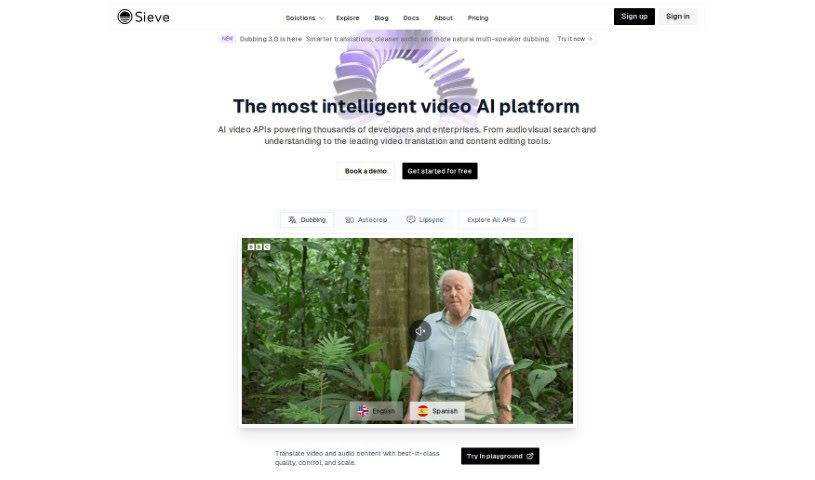
Discover what Sieve is and how it helps developers build custom AI applications for audio and video enhancement with ready-to-use models and scalable.
Sieve is an AI platform built for cloud operations, with a focus on audio and video enhancement. It gives developers, designers, and product managers the tools to build their own AI applications while keeping full control and ownership. The platform ships with pre-built models and applications, plus a collaborative space where teams can experiment. Its infrastructure scales automatically to handle increased traffic without manual configuration.
Deploying custom models is straightforward: you define your code’s dependencies and compute requirements, then deploy with a single command. Ready-to-use applications and models can be combined with just a few lines of code, speeding up deployment of customized AI models.
Sieve was developed by a team of developers at Sieve and launched on July 5, 2022. The core idea is to empower developers, designers, and product managers to build custom AI applications with complete control and ownership, supported by ready-to-use models, collaborative playgrounds, and automatically scaling infrastructure.
Sieve uses a flexible pricing model based on compute usage. You’re charged for what you actually use, which helps keep costs in check.
Related
Discover more tools in similar categories
Weekly picks of the best AI tools we've researched and added — no spam, unsubscribe anytime.
Join 25,000+ AI enthusiasts. No spam, unsubscribe anytime.