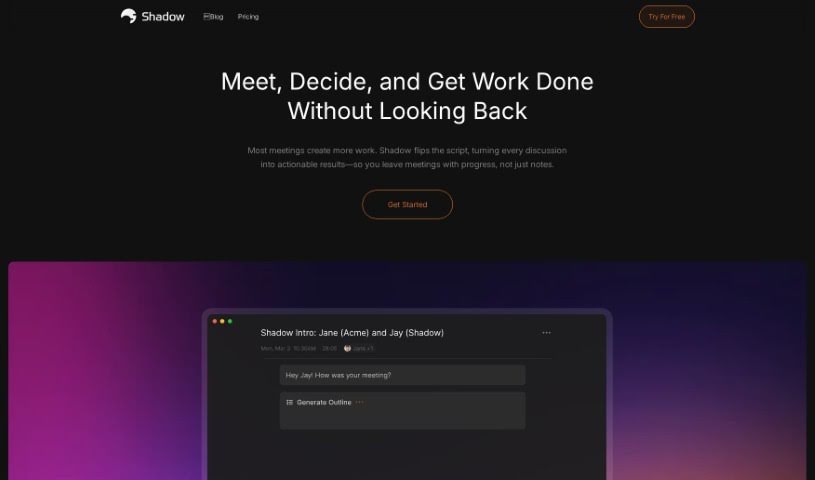
What is Shadow?
Shadow is a smart autopilot technology designed to boost your productivity by handling all those post-meeting tasks for you, and it does it all without any fuss. Imagine letting Shadow listen in on your conversations – no more struggling to take notes or worrying if follow-up actions will be missed. Shadow works quietly in the background, no bot needed, and gives you instant transcripts and summaries right after your meetings wrap up. It can tackle tasks like writing meeting summaries or updating your CRM up to 20 times faster than usual. This means you can really focus on the discussion itself, knowing that all the next steps are being taken care of. Plus, Shadow takes your privacy seriously; all recordings are kept right on your device, so you’re always in control of who sees them. As Shadow gets smarter, it picks up new skills, adding even more features to keep up with your fast-paced work life.
Who created Shadow?
Shadow was developed by a team focused on creating innovative autopilot technology to boost productivity. Their goal was to make managing post-meeting tasks effortless. This tool works discreetly, without needing a separate bot, and delivers transcripts and summaries immediately after meetings conclude. While we don’t have specific details on the founder, the core mission is clear: automating tasks like writing meeting summaries and updating CRMs to save valuable time and improve overall efficiency.
What is Shadow used for?
Shadow is incredibly versatile, helping you with a wide range of tasks:
- Meeting Transcription & Summaries: It automatically transcribes and summarizes your meetings.
- Super-Fast Task Completion: Get tasks like writing meeting summaries and updating CRMs done up to 20 times faster.
- Privacy First: Your recordings are stored locally on your device, keeping your data private.
- Discreet Operation: It works quietly without needing a visible bot.
- Continuous Improvement: Shadow keeps learning new skills to offer more features and a better experience.
- Post-Meeting Task Management: Handles various follow-up tasks efficiently.
- Action Item Extraction: Pulls out action items, including due dates and who’s responsible.
- Key Insight Capture: Identifies crucial information from conversations like Budget, Authority, Need, and Timing (BANT).
- Effortless Follow-Up Emails: Writes follow-up emails for you.
- Performance Feedback: Offers insights into your communication based on conversation analysis.
- Automated Listening: Captures details from conversations without you needing to manually take notes.
- Discreet Recording: Records and transcribes conversations discreetly, with your permission.
- Faster Task Execution: Completes tasks up to 20x faster based on what’s discussed.
- Confidentiality: Ensures privacy by storing recordings locally on your device.
- Skill Development: Regularly learns new skills to enhance your experience.
- CRM Updates: Updates your CRM system based on conversation content.
- Proposal Drafting: Creates proposals based on customer needs and budgets discussed.
- Communication Enhancement: Provides feedback to improve your communication skills.
- Meeting Efficiency: Helps eliminate unnecessary meetings and promotes better communication.
Who is Shadow for?
Shadow is a great tool for anyone who wants to be more efficient after meetings:
- Professionals: Especially those in meetings or conferences who need to manage post-meeting tasks effectively.
- Meeting Assistants: Streamline your note-taking and follow-up processes.
- Transcription Services: Offer faster, more accurate transcriptions.
- Task Managers: Keep track of action items and ensure they’re completed.
- Salespeople: Quickly summarize calls, update CRMs, and draft follow-up emails.
- Customer Support Agents: Capture client needs and ensure prompt follow-up.
- Project Managers: Track action items and project progress.
- Content Creators & Researchers: Easily capture key information and insights.
- Consultants: Summarize client discussions and manage follow-up actions.
- Customer Success Managers: Stay on top of client needs and communications.
- Product Managers: Gather feedback and track action items for development.
- Recruiters: Document candidate conversations and next steps.
- Marketers: Capture campaign ideas and client feedback.
- Human Resources Professionals: Record and summarize important HR discussions.
How to use Shadow?
Using Shadow is straightforward and designed for ease:
- Start Listening: Simply allow Shadow to listen to your conversations discreetly. You’ll need to give it permission, of course.
- Automatic Transcription: Shadow automatically records and transcribes everything discussed, so you don’t have to.
- Boost Task Efficiency: You’ll find you can complete tasks like writing meeting summaries or updating your CRM up to 20 times faster.
- Control Your Privacy: All recordings and transcripts are securely stored locally on your device, giving you complete confidentiality.
- Benefit from Continuous Learning: Shadow keeps getting smarter with regular updates, adding new features and skills to help you even more.
FAQs:
- What exactly is Shadow? It’s a tool that listens to your meetings, creates transcripts, and helps you efficiently complete tasks afterward.
- Can it transcribe meetings? Yes, Shadow can automatically transcribe and summarize your meetings.
- What kind of tasks does it handle? It’s great at writing meeting summaries, updating CRMs, and managing all your follow-up actions.
- Is my data safe? Absolutely. All your data is stored locally on your device, ensuring your privacy.
- Will it get new features? Yes, Shadow is always learning new skills and updating its capabilities to improve your experience.
Take full advantage of Shadow’s automation to make your meeting workflows smoother and boost your productivity without breaking a sweat. For a more in-depth guide on setting up Shadow for autopilot mode, generating transcripts, and using its skills for task management, check out the official Shadow website or their user manual.