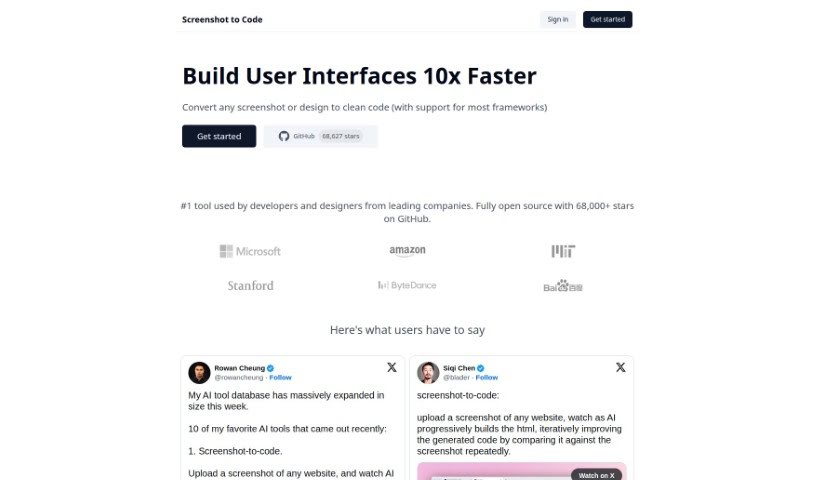
Screenshot of Screenshot to Code

Screenshot to Code

Discover what Screenshot to Code is and how to use it effectively in 2025. We'll cover its features, compare it to other code generators, and show you exactly how to turn your designs into clean code.

Screenshot

What is Screenshot to Code?

Screenshot to Code is a clever tool that takes any screenshot or design you have and turns it into clean, usable code. It’s pretty versatile, supporting popular frameworks like HTML, Tailwind CSS, and React. You’ll find developers and designers from some big companies using it. What can it do? Well, it converts screenshots into code, lets you clone entire websites just by entering a URL, and even works with AI tools like GPT-4 Vision and DALL-E 3. Plus, you can edit and preview the code right there as it’s being generated. Essentially, it’s designed to speed up web development, offering quick ways to iterate and prototype, which is a huge plus for developers and their teams.

Who created Screenshot to Code?

The person behind Screenshot to Code is known simply as ‘abi’. This tool is really changing the game for developers when it comes to generating code. It uses powerful AI models, specifically GPT-4 Vision and DALL-E 3, to take visual inputs – like screenshots – and transform them into clean, ready-to-use code for HTML, Tailwind CSS, or React. ‘abi’ and the team behind Screenshot to Code are all about making it easier to iterate quickly and prototype faster. They understand that in web development, speed and efficiency are key, whether you’re a solo developer or part of a large team.

Who is Screenshot to Code for?

  • Developers: If you’re building websites or apps, this can save you a ton of time.
  • Designers: Turn your mockups into functional code snippets.
  • Solo developers: Get your projects off the ground faster.
  • Large teams: Streamline collaboration and speed up development cycles.

How to use Screenshot to Code?

Using Screenshot to Code is pretty straightforward. Here’s a quick rundown of the steps:

  1. Sign Up and Choose a Plan: First things first, create an account on the Screenshot to Code website. You’ll need to pick a plan that fits your needs. There’s a Hobby plan for basic use, or you can go for the Pro plan if you need higher limits and more credits.
  2. Upload or Enter URL: Now, you can either upload a screenshot of the webpage you want to convert, or if you want to copy a live website, just enter its URL.
  3. Code Generation: This is where the magic happens. Screenshot to Code uses AI models, like GPT-4 Vision and DALL-E 3, to create clean, executable code in HTML, Tailwind CSS, or React, all based on the visual input you provided.
  4. Live Preview and Editing: You get an embedded code editor right there. This means you can see the generated code in action and make any tweaks you need to match your specific requirements.
  5. Save and Download: Once you’re happy with how the code looks and works, you can save your project and download the generated code to use in your own projects.
  6. Credit Management: Just a heads-up, each time you generate code, it uses up some credits. Keep an eye on your credit balance and upgrade your plan if you think you’ll need more.
  7. FAQs: Got questions? The FAQ section is super helpful. You can find answers about credit resets, how to cancel or upgrade your plan, payment options, and a lot more.
  8. Contribute and Feedback: Since this is an open-source project, they really welcome your input! Feel free to contribute code, share feedback, suggest new features, or report any bugs you find on their GitHub page.

Just remember, to get the most out of the tool, you’ll need your own OpenAI API key that has GPT-4 Vision access. By following these steps, you can really make the most of Screenshot to Code for quick code generation from visuals, which should help speed up your web development and UI design processes significantly.

Related AI Tools

Discover more tools in similar categories that might interest you

Stay Updated with AI Tools

Get weekly updates on the latest AI tools, trends, and insights delivered to your inbox

Join 25,000+ AI enthusiasts. No spam, unsubscribe anytime.