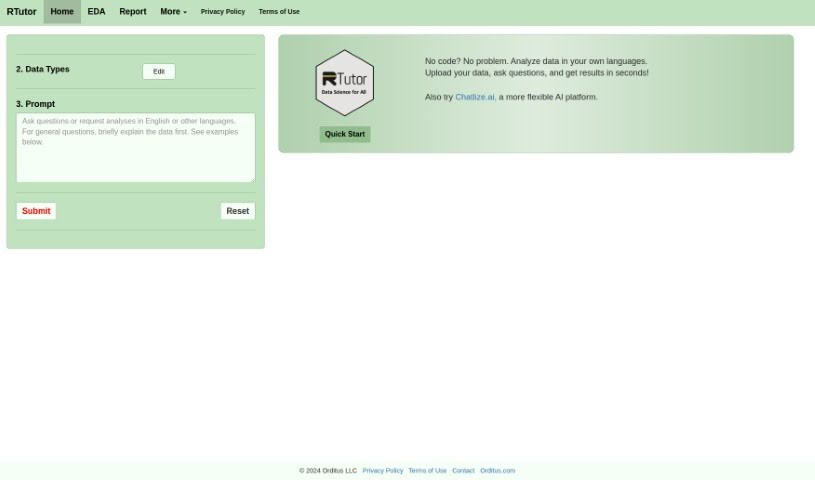
Screenshot of RTutor

RTutor

Discover RTutor, an advanced AI tool for programming and data science. Learn its features, how to use it for interactive learning, and how it stacks up against other programming tools in 2025.

Screenshot

What is RTutor?

RTutor is a sophisticated AI tool built for anyone diving into programming and data science – whether you’re a student, an educator, or a working professional. It provides interactive tutorials and hands-on coding exercises that cover a wide range of essential topics. Think R programming, mastering data manipulation, understanding statistical analysis, and even getting into machine learning. With RTutor, you can actively practice your coding, get instant feedback on your work, and tap into a handy library filled with code snippets and examples to really boost your skills. Plus, it encourages learning together through discussion forums and makes it easy to share your projects.

Who created RTutor?

RTutor was developed by Dr. Steven Ge, who is part of Orditus LLC. You can often find him sharing insights on Twitter and LinkedIn. If you have any feedback or questions about RTutor, feel free to reach out to [email protected]. Orditus LLC generously offers RTutor for free to non-profit organizations. For commercial use, however, a license is needed. Businesses also have the option to customize and install RTutor locally for their data insights needs at a very reasonable cost.

What is RTutor used for?

RTutor is a versatile tool designed to help you learn and work with R and data science:

  • It offers interactive tutorials and coding exercises on key subjects like R programming, data manipulation, statistical analysis, and machine learning.
  • You can sharpen your coding abilities and really get a handle on complex concepts by practicing them directly.
  • It provides a straightforward interface, letting you write, run, and test your code right in your web browser.
  • With automated assessments and instant feedback, you can easily track your progress and pinpoint areas where you might need a little more practice.
  • For professionals, it acts as a smart coding assistant, complete with intelligent autocomplete and helpful syntax highlighting.
  • There’s a comprehensive library of code snippets and examples available, perfect for quick reference or when you’re troubleshooting.
  • It fosters a collaborative learning environment, featuring built-in discussion forums and ways to share your projects.
  • You’re encouraged to interact with others, ask questions, and team up on coding projects.
  • Ultimately, it’s designed to help you excel in R programming, data science, and statistical analysis, thanks to its interactive lessons, practical exercises, and advanced features.

Who is RTutor for?

RTutor is a great fit for:

  • Students looking to build a strong foundation in programming and data analysis.
  • Educators seeking effective tools to teach these subjects interactively.
  • Professionals in programming and data science who want to enhance their skills or streamline their workflow.

How to use RTutor?

Getting started with RTutor is pretty straightforward. Here’s a quick rundown:

  1. To get a good overview, check out this 8-minute YouTube video.
  2. For the source code, if you run into any bugs, or need installation instructions, GitHub is your go-to resource.
  3. When you first start exploring your data, head over to the EDA tab for your initial analysis.
  4. Begin with straightforward requests, like looking at distributions or creating basic plots. You can gradually increase the complexity as you get more comfortable.
  5. The system defaults to using the GPT-4o model. If you need to adjust a plot, just refer back to the previous code chunk you used.
  6. When you’re cleaning and preparing your data, it’s best to go step by step, making sure all your data types are correct.
  7. Your data will automatically load into R as a data frame named df.
  8. If you have other files you want to analyze alongside your main data, you can upload them as df2.
  9. For any questions about code, results, or errors you encounter, use the Q&A box.
  10. Before your requests are sent to OpenAI, RTutor performs prompt engineering based on the data you’ve uploaded.
  11. Just a heads-up: the code generated might sometimes have logical errors, so it’s always a good idea to double-check your results carefully.

RTutor really offers an interactive learning platform that’s designed to turn your natural language questions into R code. This makes it super useful for both learning and professional work. The tool supports learning together, gives you immediate feedback, and helps you get better at coding through practical exercises.

Related AI Tools

Discover more tools in similar categories that might interest you

Stay Updated with AI Tools

Get weekly updates on the latest AI tools, trends, and insights delivered to your inbox

Join 25,000+ AI enthusiasts. No spam, unsubscribe anytime.