Rizzle AI — Features, Pricing & Use Cases
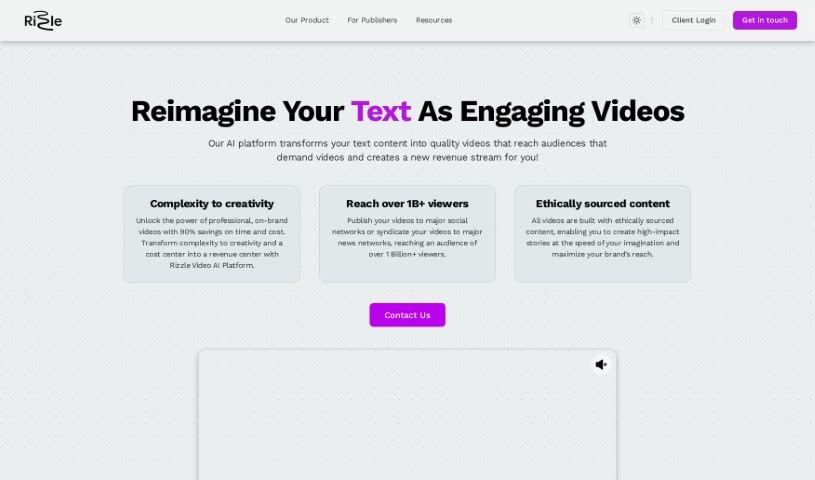
Screenshot of Rizzle AI

Rizzle AI

Discover what Rizzle AI is and how it turns text, prompts, and URLs into videos with auto B-roll, 4K output, and social publishing tools.

Screenshot

What is Rizzle AI?

Rizzle AI is a video creation platform for creators and businesses of all experience levels. It offers two main pricing plans: the “Starter” plan for aspiring YouTubers, podcasters, and freelancers, and the “Grow” plan for small to medium-sized businesses and podcasters who need more capacity.

With Rizzle AI, you can create video teasers, clips, and highlights, generate auto B-roll from premium stock media, and produce videos in up to 4K resolution. The platform also includes AI-powered video creation, social media publishing, video analytics, and scheduled posting.

Who created Rizzle AI?

Rizzle was co-founded by Vidya Narayanan, a former Google employee, and Lakshminath Dondeti, who has experience from Qualcomm. John Kreme, an ex-Adobe employee, serves as an advisor. The team also includes Jason Harris, head of Partnerships & Sales, and Lakshya Gupta, Director of Customer Success.

What is Rizzle AI used for?

  • Create teasers, clips, and highlights from longer videos
  • Generate automatic B-roll using premium stock media
  • Produce videos with resolution up to 4K
  • Collaborate with your team in a shared workspace
  • Create an unlimited number of 1080p videos
  • Generate custom thumbnails
  • Turn text inputs into videos with Text to Video AI
  • Personalize your video feed with your favorite icons, styles, actions, and layouts
  • Integrate Rizzle directly into mobile apps via the Rizzle SDK

Who is Rizzle AI for?

  • Aspiring YouTubers
  • Podcasters who want video content
  • Freelancers needing efficient video tools
  • Small and medium-sized businesses improving their video marketing

How to use Rizzle AI?

  1. Sign up and choose a plan: Register on Rizzle’s website and pick the Starter plan for individual creators or the Grow plan for businesses.
  2. Create videos: Use the Text to Video AI feature to turn text, prompts, blog posts, tweets, or URLs into videos without editing skills.
  3. Customize: Choose icons, styles, actions, and layouts to match your brand or content theme.
  4. Add media: Upload your own images, videos, and music, or generate auto B-roll from premium stock media.
  5. Distribute and schedule: Share videos across social media platforms in a few clicks and schedule posts for when your audience is most active.
  6. Measure performance: Use Rizzle’s analytics to understand how your videos perform and refine your content strategy.

Rizzle also offers custom thumbnails, premium stock media, and a variety of video templates.

Related

Related AI Tools

Discover more tools in similar categories

New tools, in your inbox.

Weekly picks of the best AI tools we've researched and added — no spam, unsubscribe anytime.

Join 25,000+ AI enthusiasts. No spam, unsubscribe anytime.