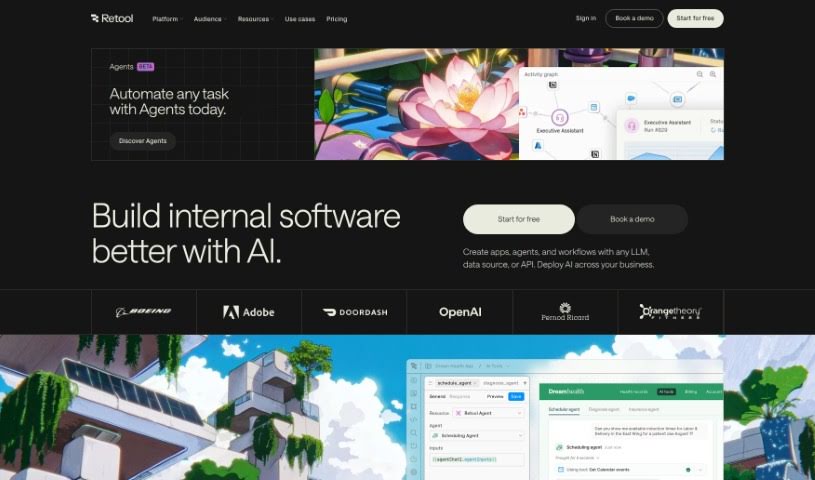
Screenshot of Retool

Retool

Discover what Retool is and how to use it to build web apps, mobile apps, and workflows up to 10x faster. Explore its features, benefits, and how it stacks up against other development tools in 2025.

Screenshot

What is Retool?

Retool is your go-to platform for building web apps, mobile apps, and custom workflows, and doing it all super fast. It’s designed to make developers’ lives easier by letting them connect to all sorts of data sources and APIs. Once connected, you can build out your apps and the business logic that runs on that data, then share these tools securely with your team. It’s pretty impressive – companies like startups and even Fortune 500 giants trust Retool to speed up the creation of internal tools, often by as much as 10 times faster than building from scratch. While engineers are its main audience, folks familiar with SQL can pick it up too. Thousands of teams across various departments use Retool apps for day-to-day operations, and the platform offers different user types and permission controls to manage who can do what, keeping things organized and secure. Plus, there’s Retool AI, a neat feature that lets you easily and securely add AI capabilities to your apps and workflows, offering pre-built blocks and support for all sorts of AI actions. Security is a big deal for Retool, with options for self-hosted deployments, audit trails, and version control to keep your data safe and sound. Essentially, Retool helps you use AI effectively, save a ton of time, and make your business processes run much smoother.

Who created Retool?

Retool was founded by David Hsu, and the company officially got its start on September 7, 2023. It’s a platform built for rapid app development, packed with features for automation and alerting. Retool is a great fit for all sorts of teams, from small startups to huge Fortune 500 companies, helping them get internal tools built in a flash. The platform handles user management, scaling, and security really well, which is why developers, startups, and large enterprises love it.

What is Retool used for?

Retool is incredibly versatile and helps teams achieve a lot:

  • Speed up manual operations: For example, Ramp managed to save $8 million in operational costs across the company.
  • Reduce one-off tasks: DoorDash was able to ship two years’ worth of their roadmap in just three months.
  • Launch new products faster: Greenly launched their internal tools and user portal three times faster than usual.
  • Mitigate compliance issues: Snowflake successfully reduced the hours spent on security compliance by a significant 65%.
  • Automate and manage alerting tasks.
  • Create mobile apps for things like rapid shipping.
  • Develop internal tools efficiently.
  • Accelerate business operations across the board.
  • Implement enhanced security controls for enterprise use.
  • Integrate seamlessly with analytics vendors and other essential services.

Who is Retool for?

Retool is a fantastic tool for a wide range of professionals and teams:

  • Engineers
  • Customer support teams
  • Marketing teams
  • Operations teams
  • Security teams
  • Executive teams

How to use Retool?

To get the most out of Retool, here’s a simple breakdown of how to use it effectively:

  1. Building Applications:
    • You can easily connect to any database or API you need.
    • Build out web apps, mobile apps, and custom workflows.
    • Create apps tailored for different teams, whether it’s customer support, marketing, or operations.
  2. User Types and Permissions:
    • Engineers are usually the main users, but it’s also accessible.
    • Non-technical users can learn it pretty quickly, especially if they’re already familiar with SQL.
    • You can set up end users so they can’t make edits, controlling access based on their activity and assigned permissions.
  3. Deployment Options:
    • You have the choice between a cloud-hosted version or a self-hosted setup.
    • If you prefer self-hosting, you can do it right in your own VPC, setting it up with Docker. The great thing about self-hosting is that it doesn’t need any external data connectivity.
  4. Retool AI:
    • You can quickly add artificial intelligence features to your applications and workflows.
    • Use pre-built blocks for AI functionalities and securely connect your business data.
    • Build things like AI-powered search, contextual AI bots, and custom AI workflows.
  5. Security and Access Controls:
    • Retool helps you maintain the security, reliability, and access controls that regulated enterprises need.
    • Key features include self-hosted deployments, granular permissions, audit trails, single sign-on (SSO), and robust version control.
  6. Additional Features:
    • The platform also offers custom app themes, offline mode, push notifications, white-label apps, biometric authentication, powerful workflows, and much more.
  7. Developer Tools:
    • You get Retool’s IDE for writing queries, a database editor UI to manage data and schema, Git integration for version control, and the ability to connect to all your databases and APIs.
  8. Enterprise Scale and Support:
    • Retool is built for enterprise-level needs, offering features like self-hosting, custom SSO, detailed audit logs, SOC 2 Type II compliance, and professional services.
  9. Customer Success Stories:
    • Retool has a proven track record of helping companies speed up operations, cut costs, launch products faster, and manage compliance effectively.

By following these steps, you’ll be able to use Retool really effectively to speed up your app development, integrate AI features, and make your operational efficiency much better.

Related AI Tools

Discover more tools in similar categories that might interest you

Stay Updated with AI Tools

Get weekly updates on the latest AI tools, trends, and insights delivered to your inbox

Join 25,000+ AI enthusiasts. No spam, unsubscribe anytime.