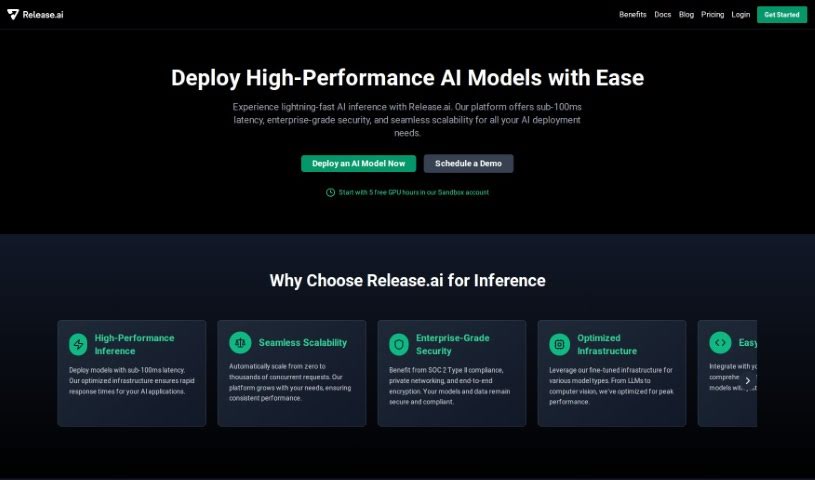
Screenshot of Release.ai

Release.ai

Discover Release.ai, a powerful AI tool for DevOps teams in 2025. Learn its features, how it streamlines app delivery, and how it stacks up against other Software Development Tools.

Screenshot

What is Release.ai?

Release.ai is a smart tool from Release designed to help DevOps teams tackle tough jobs and issues when delivering applications. It uses generative AI and specialized knowledge to give you insights and solutions that really fit your situation. It is a way to make managing your infrastructure smoother, get specific answers for your setup, and cut down on all the manual work. It’s built with a Command Line Interface (CLI) that developers will find easy to use, letting you ask questions and get immediate feedback on your system’s status and configuration. Release.ai also pulls information from both public and private libraries to make its answers more accurate and better suited for how DevOps teams work.

Who created Release.ai?

Release.ai comes from a company named Release, which launched it on August 29, 2023. This AI tool is specifically made to help DevOps teams handle the tricky parts of app delivery. It does this by combining the power of generative AI with deep knowledge in specific areas. The tool offers solutions that are tailored to each DevOps team’s unique architecture and environment. It features a developer-friendly Command Line Interface (CLI) and uses insights from both public and private libraries to ensure its results are as accurate as possible. What really sets Release.ai apart is its deep understanding of DevOps workflows, which is built on decades of experience in the field.

What is Release.ai used for?

Release.ai helps you:

  • Build with AI Models Easily: Get started with the latest AI models and frameworks without spending hours or days on setup.
  • Flexible AI Testing: Test, swap, and adjust AI models as needed to find the best fit.
  • Production-Ready Deployment: Deploy and scale AI applications for production use on the infrastructure you prefer.
  • Enterprise AI Solutions: It gives teams the tools and flexibility to experiment, build, and ship enterprise-grade AI solutions, all within your organization’s boundaries.
  • Effortless AI Deployment: Use pre-configured templates to deploy AI effortlessly, especially for popular open-source technologies.
  • Secure Private AI: Develop and deploy AI applications securely within your private AI environments.
  • Boost Performance: Enhance performance by using a GPU network or connecting to your own cloud GPUs.
  • Understand Your System:
    • Identify running pods in a specific namespace.
    • Show how deployments, replica sets, and pods are connected.
    • Provide insights into the status of pods within a given namespace.
  • Streamline Operations:
    • Assist DevOps teams with complex tasks and problems related to application delivery.
    • Offer solutions tailored to your specific architecture and environment.
    • Streamline infrastructure management and reduce the need for manual intervention.
  • Gain Deeper Insights:
    • Provide context-specific insights, covering multiple knowledge domains and even trouble ticket questions.
    • Give you insights into your system’s state and configuration.
  • Manage Cloud Costs:
    • Retrieve information about your AWS billing to help you monitor and analyze your spending.

Essentially, Release.ai is designed to make building, deploying, and managing AI applications much more efficient and accessible for DevOps teams, whether you’re working with the latest models, managing complex infrastructure, or ensuring secure deployments.

Who is Release.ai for?

  • DevOps Teams

How to use Release.ai?

To get the most out of ReleaseAI, here’s a simple guide:

  1. Get Started: First, sign up for ReleaseAI on their website. Look for the ‘sign up free’ link to begin.
  2. Talk to ReleaseAI: You’ll interact with ReleaseAI using its Command Line Interface (CLI). It’s designed to be user-friendly for developers, allowing you to ask questions and get prompt-based insights.
  3. Get Key Insights: You can get valuable information on all sorts of DevOps topics, like code, cloud setups, infrastructure components, trouble tickets, and even team roles.
  4. Custom Solutions: ReleaseAI provides solutions that are specifically made for your unique architecture and environment. It uses data from both public and private libraries to make sure its advice is accurate.
  5. Manage Your Pods: ReleaseAI can help you find running pods in a specific namespace, keep track of their status, and manage how your deployments are connected.
  6. Check AWS Billing: You can easily get information about your AWS billing, which is super helpful for keeping an eye on your AWS finances.
  7. Trust the Accuracy: ReleaseAI’s deep understanding of DevOps workflows, built over years of experience, helps ensure the results you get are accurate.
  8. Find More Help: If you need further assistance or want to dive deeper, you can find troubleshooting support and detailed documentation by visiting the ‘Learn more in our docs’ link on the ReleaseAI website.

Following these steps should help you use ReleaseAI effectively for your DevOps tasks and make your workflow much smoother.

Related AI Tools

Discover more tools in similar categories that might interest you

Stay Updated with AI Tools

Get weekly updates on the latest AI tools, trends, and insights delivered to your inbox

Join 25,000+ AI enthusiasts. No spam, unsubscribe anytime.