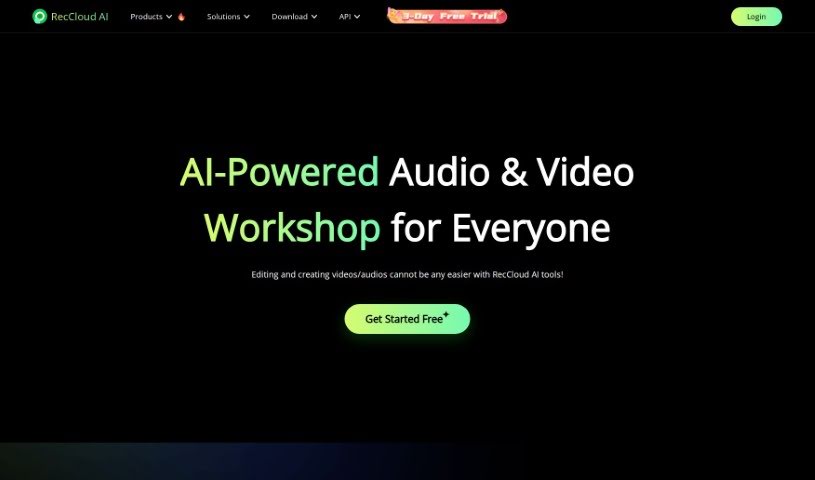
Screenshot of Reccloud

Reccloud

Discover what Reccloud is and how to use it effectively in 2025. We'll explore its features and see how it stacks up against other Video Creation Tools.

Screenshot

What is Reccloud?

RecCloud is an AI-powered multimedia service platform that’s really changing how content creators work with videos. It’s packed with advanced features like AI video and audio summarizers, AI-powered video chat, automatic subtitles, voice-to-text conversion, a voice generator, and a video translator. Plus, you get video editing tools, cloud storage, and screen recording capabilities all in one place. You can easily create videos from text or images, generate subtitles, turn spoken words into text, edit videos, convert them to GIFs, and so much more. For developers, RecCloud also offers APIs, letting you integrate AI multimedia processing right into your own projects.

RecCloud is an innovative platform designed to enhance the video creation process for content creators. By leveraging cutting-edge AI technology, RecCloud offers a range of features like AI video and audio summarizers, AI-powered video chat, and auto-generated subtitles. Users can seamlessly convert text or images into videos, transcribe audio content efficiently, and benefit from tools like a voice generator and video translator. With advanced video editing options, including the ability to split audio tracks and create GIFs, RecCloud caters to both individual and corporate needs. Furthermore, the platform’s cloud-based storage and screen recording capabilities ensure a convenient and professional video content creation experience. Developers can also take advantage of RecCloud’s APIs to tap into the full potential of AI multimedia processing.

Who created Reccloud?

Monik Morgan created RecCloud. He developed the platform to offer AI-powered video creation tools like AI video chat, AI subtitles, screen recording, editing, GIF/audio conversion, cloud storage, and sharing. The company really focuses on providing efficient and secure multimedia services. Their goal is to simplify video recording processes and make the user experience better across all sorts of devices and operating systems.

What is Reccloud used for?

RecCloud is incredibly versatile and useful for many different areas:

  • Education: It helps boost efficiency by extracting key information from videos, especially with features like ChatVideo.
  • Speech-to-text conversion: Easily turn spoken words into written text.
  • Game Capture & Commentary: It’s perfect for gamers, offering audio and screen recording to capture gameplay and add commentary.
  • Financial Analysis: Supports multi-screen recording, which is great for analyzing and sharing financial reports.
  • Medical Seminars & Training: Enables the creation of private groups for medical seminars and training sessions.

More specifically, you can use RecCloud to:

  • Create videos easily using screen recording and its video management functions.
  • Generate AI videos directly from text or images.
  • Automatically create subtitles for your videos.
  • Convert spoken words into text using the voice-to-text feature.
  • Perform precise video editing, convert videos to GIFs, and split audio tracks.
  • Store and share your multimedia content conveniently in the cloud.
  • Effortlessly understand the main points of video content with the AI video chat feature.
  • Make your videos look more professional with the AI subtitle translation feature.
  • Share videos on social media with just one click.
  • Record all sorts of screen activities, like your desktop, video calls, online meetings, gameplays, and online lectures.
  • Upload your recorded video files to secure cloud space, complete with password protection and sharing options.
  • Collaborate on video playlists with family, friends, or colleagues.
  • Ensure your network is safe with HTTPS and data encryption.
  • Guarantee data safety through advanced distributed storage systems and backup mechanisms.
  • Have secure access with encrypted data stored in RecCloud’s cloud space.
  • Speed up your network connection with a CDN network for fast uploads and video viewing.

In short, it’s your go-to for video creation with AI technology, AI subtitles, precise video editing, cloud storage, screen recording for various activities, multi-screen recording for financial analysis, private group creation for seminars and training, video collaboration, and secure data storage and sharing.

Who is Reccloud for?

RecCloud is a fantastic tool for professionals and individuals in several key sectors:

  • Education: Enhancing learning and teaching through video.
  • Gaming: Capturing gameplay and creating commentary.
  • Finance: Analyzing and sharing financial reports.
  • Medical: Facilitating private seminars and training.

How to use Reccloud?

To get the most out of RecCloud, just follow these simple steps:

  1. Sign Up: Head over to the RecCloud website and create an account. It’s your first step to unlocking everything.
  2. Explore Features: Take a little time to get familiar with what the platform offers. Check out the AI video chat, AI subtitles, screen recording, GIF/audio conversion, and cloud storage options.
  3. Record Videos: Use RecCloud to capture all sorts of screen activities. This includes your desktop actions, video calls, online meetings, gameplays, and lectures.
  4. Edit Videos: Make your videos shine with the editing tools. You can trim, crop, merge, and convert videos to get that perfect final product.
  5. Storage and Sharing: Once you’re done, upload your recorded videos to the cloud. Sharing them is easy, either through direct links or embedded codes.
  6. Collaboration: Want to work together on videos? You can add family, friends, or colleagues as collaborative members to your playlists to make sharing and working on videos a breeze.
  7. API Integration: If you’re a developer, you can explore RecCloud’s API services. They offer advanced recording and editing capabilities that can be integrated into various fields like education, gaming, and finance.
  8. Security: Rest assured, the platform has secure storage methods, encryption, and data protection measures to keep your multimedia content safe.
  9. Membership and Credits: You can choose a membership subscription or a credit subscription, depending on how much you plan to use the service. Benefits are activated instantly after payment.
  10. Customer Support: If you have any questions, need a refund, or want help customizing software or making bulk purchases, don’t hesitate to reach out to their help service.

By following these steps, you’ll be able to make the most of RecCloud for efficient video processing and creation, whether it’s for your personal projects or professional needs.

Related AI Tools

Discover more tools in similar categories that might interest you

Stay Updated with AI Tools

Get weekly updates on the latest AI tools, trends, and insights delivered to your inbox

Join 25,000+ AI enthusiasts. No spam, unsubscribe anytime.