Real Life 3D (Video Generation)
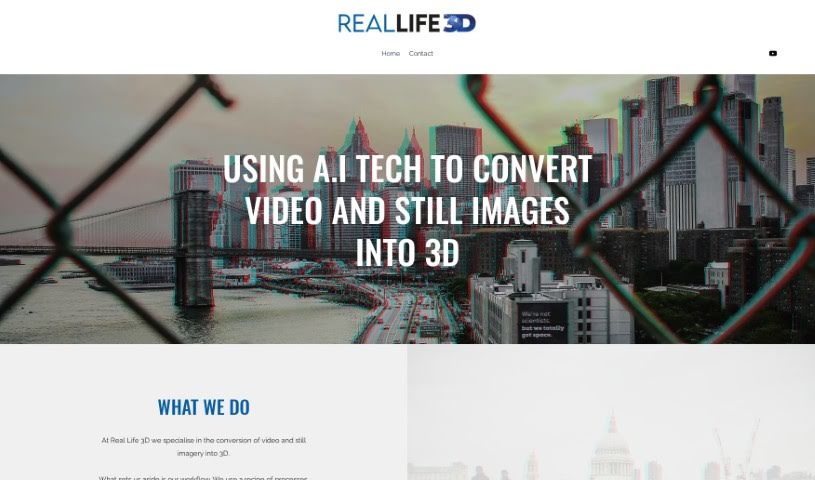
Screenshot of Real Life 3D

Real Life 3D

Real Life 3D converts standard 2D videos and photos into immersive 3D content using AI, with output ready for VR platforms like YouTube VR and Oculus.

Screenshot

What is Real Life 3D?

Real Life 3D is a service that converts regular 2D videos and photos into immersive 3D experiences, ready for VR headsets and platforms like YouTube VR and Oculus. It uses AI to process footage frame by frame, making 3D conversion affordable without the budgets typical of large film productions. The goal is to add a sense of depth to visual storytelling, whether for travel memories, news reports, or historical moments.

Who created Real Life 3D?

Real Life 3D was founded by people passionate about film and photography. The company focuses on transforming video and still images into immersive 3D experiences using AI technology, with the aim of making 3D conversion accessible and affordable beyond big-budget films. It works with a wide range of content, including travel footage, journalism, and historical images.

What is Real Life 3D used for?

  • AI-powered conversion: Turns images and videos into 3D content with rapid frame-by-frame processing.
  • Affordable 3D: Makes 3D conversion accessible without a large production budget.
  • VR platform compatibility: Output works with popular VR setups like YouTube VR and Oculus.
  • Versatile content: Handles travel diaries, journalistic projects, and historical images.
  • Formats: Supports output options such as side-by-side, VR180, and anaglyph.

Who is Real Life 3D for?

  • Filmmakers
  • Photographers
  • Journalists
  • Film industry professionals
  • Historians
  • Content creators
  • VR content creators

How to use Real Life 3D

  1. Visit the Real Life 3D website and open the conversion tool.
  2. Upload the 2D videos or still images you want to convert.
  3. Choose the output format suited to your VR platform (e.g., side-by-side, VR180, or anaglyph).
  4. Let the AI process your frames into 3D.
  5. Review the converted content.
  6. Download the finished 3D content for use on your chosen VR platform.

Related

Related AI Tools

Discover more tools in similar categories

New tools, in your inbox.

Weekly picks of the best AI tools we've researched and added — no spam, unsubscribe anytime.

Join 25,000+ AI enthusiasts. No spam, unsubscribe anytime.