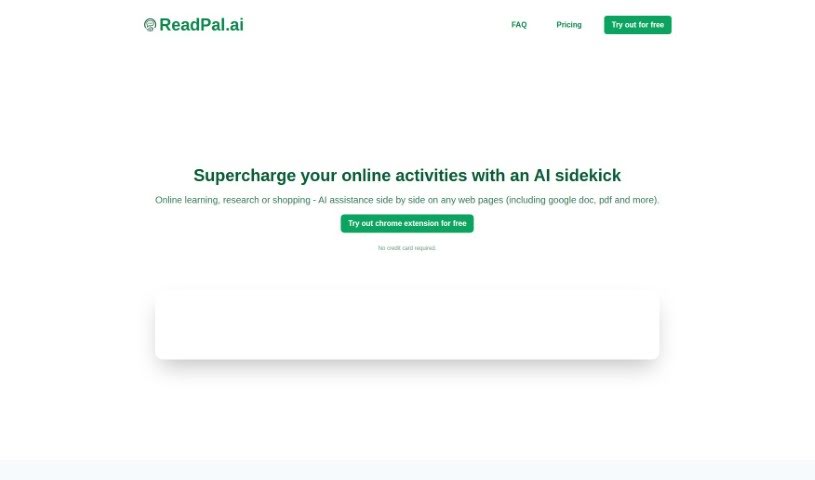
Screenshot of Readpal

Readpal

Discover what Readpal is and how to use it effectively in 2025. We'll explore its features, compare it to other AI note-takers, and show you how to get the most out of it.

Screenshot

What is Readpal?

ReadPal is your smart AI sidekick for everything you do online – reading, researching, even shopping. It’s designed to give you instant explanations, quick summaries, helpful recommendations, and deeper insights into whatever you’re looking at. It fits right into your workflow as a Chrome extension, so it’s there when you need it without getting in the way. You can interact with ReadPal super easily using keyboard shortcuts, right-clicking for context menus, or just clicking a prompt. And your privacy is a big deal to them; they don’t store your personal data beyond what’s needed for sign-in and usage stats. All your queries to AI model providers are anonymized, and your chat history stays right there on your browser. ReadPal can even switch between different AI models for different jobs and plans to train its own models down the line to make things even better. Right now, it’s a Chrome-only affair, but they’re looking into supporting other browsers too. It’s great for all sorts of content, like Google Docs, PDFs, and web pages, with YouTube videos coming soon. You can even try it out with 20 free queries – no credit card needed!

Who created Readpal?

ReadPal was developed by ReadPal, Inc., and they launched it on January 11, 2024. The company’s focus is on providing an AI assistant that can instantly explain, summarize, recommend, and offer deeper insights into online content. They’ve made it really user-friendly with features like keyboard shortcuts, context menus, and simple one-click prompts, all built to blend smoothly into how you already work online. ReadPal.ai also makes user privacy a priority, meaning they don’t keep your personal data beyond basic sign-in and usage statistics.

What is Readpal used for?

ReadPal is incredibly versatile, helping you with a wide range of online tasks:

  • Easy Interaction: Use keyboard shortcuts, context menus, and one-click prompts.
  • Smooth Workflow: It integrates seamlessly, so it supports you without interrupting your flow.
  • Better Research: Get quick summaries and explanations for your research.
  • Smarter Shopping: Find deeper insights and recommendations when you shop online.
  • Enhanced Learning: Understand complex topics instantly with explanations and summaries.
  • Convenient Access: It’s always there when you need assistance with your online activities.
  • Privacy First: Your data is kept private, with no storage beyond sign-in and usage stats.
  • Versatile Content Support: Works with Google Docs, PDFs, and web pages, with YouTube support planned.
  • Adaptable AI: Can use different AI models for various tasks and plans to train new ones.
  • Free Trial: Try it out with 20 free queries, no credit card required.

Essentially, it’s your go-to AI for making online learning, research, and shopping more insightful and efficient.

Who is Readpal for?

ReadPal is a fantastic tool for anyone who spends time online and wants to get more out of it. This includes:

  • Online Learners: Students and lifelong learners who need quick explanations or summaries of articles, documents, or course materials.
  • Researchers: Professionals and academics who need to quickly grasp key information from various sources.
  • Shoppers: Anyone looking for more details, comparisons, or recommendations while browsing online stores.
  • Students: To help with assignments, understanding complex subjects, and gathering information.
  • Anyone: If you read articles, research topics, or shop online, ReadPal can enhance your experience.

How to use Readpal?

Getting started with ReadPal is straightforward. Here’s a quick rundown:

  1. Get it Installed: ReadPal works best on web pages and is available as a Chrome extension. Just install it from the Chrome Web Store for easy access.
  2. See What it Does: It’s designed to give you instant explanations, summaries, recommendations, and insights on any content you’re viewing. You can use handy keyboard shortcuts, right-click menus, or simple one-click prompts to interact with it.
  3. Fits Right In: ReadPal integrates smoothly into your online activities, so it’s there to help without disrupting your usual workflow. It’s ready whenever you need a quick assist.
  4. Boost Your Online Experience: Whether you’re learning online or shopping, ReadPal makes it better. It explains complex topics and offers deeper insights and recommendations to improve your experience.
  5. Your Privacy Matters: ReadPal takes user privacy seriously. They only store what’s needed for sign-in and usage statistics, and your chat history is kept locally on your browser.
  6. Smart and Adaptable: It currently uses the gpt-3.5-turbo-1106 model but can adapt to different AI models. They’re also planning to train new models to offer even better services in the future.
  7. Works with Your Content: ReadPal supports Google Docs, PDFs, and all sorts of web pages. Plus, they’re planning to add support for YouTube videos soon!
  8. Try it Free: You can test out ReadPal with a trial that gives you 20 free queries. No credit card is needed to get started.

To activate ReadPal:

  • You can easily turn it on or off using the keyboard shortcut Ctrl (or Cmd on Mac) + Shift + P.
  • When you need help with specific text or a web page, just right-click to bring up predefined commands and get instant assistance.

ReadPal is all about making your online activities more productive and focused with its AI-powered help.

Related AI Tools

Discover more tools in similar categories that might interest you

Stay Updated with AI Tools

Get weekly updates on the latest AI tools, trends, and insights delivered to your inbox

Join 25,000+ AI enthusiasts. No spam, unsubscribe anytime.