What is QoQo?
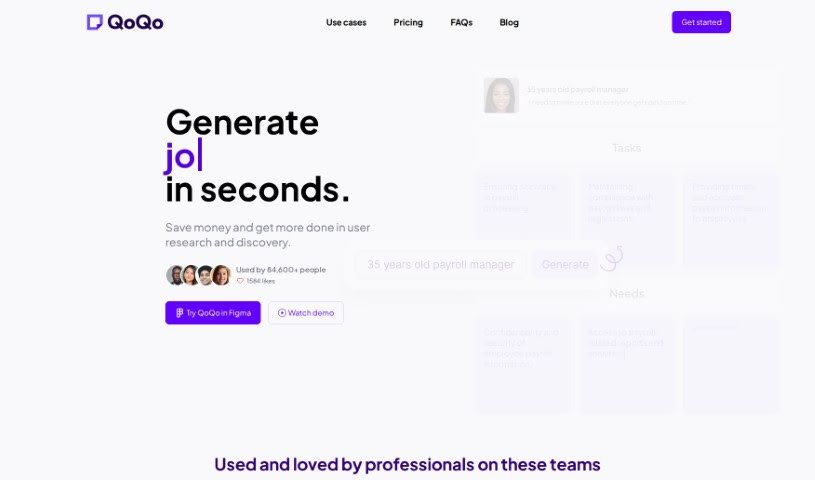
QoQo is an AI-powered companion that helps you with user experience research and discovery. It is a smart assistant for designers and design agencies, making the process much smoother. It can whip up user personas, journey maps, and other essential research elements in just seconds. This means you can get insights and start drafting user-focused designs really quickly. QoQo is especially handy for design agencies, startups, and individual designers. It offers a bunch of useful features, including creating user personas, mapping out user journeys, affinity mapping, help with UX copywriting, and it even works as a plugin right inside Figma. They offer a clear pricing structure with monthly and yearly subscriptions for full access, all focused on making your design work more efficient, collaborative, and productive.
Who created QoQo?
QoQo was brought to life by a team of people who are really passionate about design. This group includes UX designers who moved into product management, alongside a skilled developer. They’re spread out across Malaysia, France, and Egypt. What’s cool is that they’re all super enthusiastic about their work and genuinely curious about how generative design and AI are going to change the design world. Oh, and as a fun little detail, they all happen to own adorable white cats!
What is QoQo used for?
- Creating User Personas: Quickly generate detailed user profiles.
- Journey Mapping: Visualize the steps users take.
- Affinity Mapping: Organize research findings into themes.
- UX Copywriting Assistant: Get help writing user-friendly text.
- Figma Integration: Works seamlessly as a plugin within Figma.
- Saving Time & Effort: Speeds up user research and discovery.
- Quick Research Insights: Get the most out of your research data fast.
- Preventing Budget Overruns: Helps avoid unexpected costs.
- Accelerating Discovery: Speeds up the initial research phase for organizations and startups.
- Boosting Designer Capabilities: Enhances UX skills for individual designers.
- Figma Plugin: Integrates smoothly into your Figma workflow.
- Streamlining Research: Makes user research and discovery much easier.
- Persona & Journey Creation: Helps build user personas and map out journeys.
- Rapid Insights & Designs: Generates insights and user-centric designs quickly.
- Faster Design Process: Speeds up the overall design workflow.
- Competitive Edge: Helps you deliver high-quality user experiences to stay ahead.
- Seamless Workflow Integration: Fits easily into your current design processes.
- Transparent Pricing: Offers a clear and simple pricing model.
- Boosting Efficiency: Improves how efficiently you work, collaborate, and get things done.
- Ideal for Many: Great for design agencies, startups, and individual designers.
- Saving Time & Money: Reduces the time and cost involved in the design process.
Who is QoQo for?
- Designers
- Design agencies
- Startups
- Individual Designers
- Organizations and Startups
How to use QoQo?
Your Guide to Using QoQo Effectively:
QoQo is an AI-powered user experience companion designed to streamline user research and discovery for designers and design agencies. Here’s a simple, step-by-step guide to getting the most out of QoQo:
- Sign Up and Choose Your Plan:
- First, create an account on the QoQo platform. Then, pick the subscription plan that best suits your needs – you can choose between monthly or yearly options.
- Access QoQo Easily:
- You can use QoQo conveniently because it integrates smoothly as a Figma plugin. This means it fits right into your existing design workflows without any hassle.
- Dive Into Key Features:
- User Persona Generation: Create detailed user personas that really capture user goals, needs, and frustrations.
- Journey Mapping: Visualize user journeys to get a better understanding of their experiences.
- Affinity Mapping: Organize your research data into clear themes to uncover valuable insights.
- UX Copywriting Assistant: Get help crafting user-focused text for your designs.
- Boost Your User Research:
- While QoQo is a powerful tool, it works best when you use it alongside your own user research. This combination will really help maximize the quality of your UX design.
- Reducing Bias:
- QoQo uses de-biasing models, thanks to its foundation on OpenAI technology. This helps reduce biases and leads to more objective outcomes in your design processes.
- Better Collaboration:
- Use QoQo’s features to improve collaboration with clients. You can quickly gather insights and produce meaningful designs, which ultimately saves time and boosts productivity.
- Need Help? Contact Support:
- If you need any assistance or have feedback on how to make your UX design workflow even better with QoQo, don’t hesitate to reach out to their support team.
By following these steps and using QoQo’s features well, designers, design agencies, startups, and individual designers can speed up their design processes and deliver exceptional user experiences more efficiently. Give QoQo a try today to improve your UX design skills and boost productivity on your projects!
For more details, you can visit the official QoQo website or contact their team at [email protected] if you have any questions or need assistance.
This guide offers a thorough look at how to use QoQo effectively in your design workflow, ensuring a smooth and efficient user experience design process.