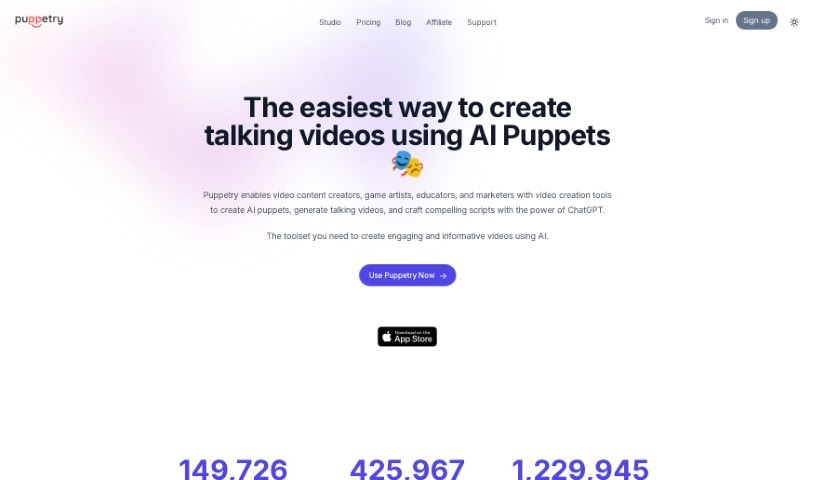
Screenshot of Puppetry

Puppetry

Discover what Puppetry is and how to use it effectively in 2025. Explore its features and see how it stacks up against other video creation tools.

Screenshot

What is Puppetry?

Puppetry is a comprehensive toolkit designed to make the tricky job of face animation much simpler. It uses advanced technology to create lifelike, animated faces from just a simple script, meaning you don’t have to worry about complicated manual adjustments anymore. The Puppetry App itself is a straightforward way to animate faces and produce animation videos, game assets, Instagram posts, mock storyboards, and a whole lot more. You can even integrate it with Canva, use it with over 30 languages, generate videos with AI voices, and pick from a variety of voice styles for your avatars.

Basically, Puppetry is a really handy tool for animating faces. It lets you quickly create engaging video assets for all sorts of things, like social media content and marketing materials. What makes it stand out is how easy it is to use, its integration with Canva, its flexibility for different uses, its innovative technology, and how accessible it is for both personal projects and commercial ventures.

Who created Puppetry?

Andrey Yastrebov is the person behind Puppetry. He started the company with a real passion for web development and automation. Puppetry focuses on providing tools for web development and testing, always aiming for simplicity and ease of use. Andrey’s vision for Puppetry is to offer effective solutions that help developers streamline their work and boost their productivity when it comes to web development.

What is Puppetry used for?

  • Creating lifelike animated faces for animation videos
  • Generating talking videos for all sorts of purposes
  • Animating faces for game assets
  • Making engaging Instagram posts
  • Producing mock storyboards
  • Helping clients visualize their creative ideas through character explorations
  • Promoting class topics on social media platforms
  • Using it in video production to give characters a voice
  • Introducing students to daily lessons with engaging videos
  • Making slide presentations stand out for ELL students
  • Creating engaging social media content
  • Animating faces for various video assets
  • Producing marketing material
  • Generating animations from text or video inputs
  • Turning images into talking spokespersons directly on Canva
  • Animating faces whether or not they have rigging or headgear
  • Crafting compelling scripts with ChatGPT
  • Creating AI puppets
  • Animating avatars for personal use
  • Animating game assets
  • Making faces talk for Instagram posts and mock storyboards

Who is Puppetry for?

  • Video Content Creators
  • Game artists
  • Educators
  • Marketers

How to use Puppetry?

Here’s how you can get started with Puppetry:

  1. Understanding Puppetry: First off, Puppetry is a toolset that simplifies face animation using advanced technology. It’s all about making the animation process easier.
  2. Creating Animated Videos: You can use the Puppetry App to generate videos. Just provide a face image or video, along with the text you want the animation to say. For the best results, it’s a good idea to start with a neutral face.
  3. Pricing and Plans: Puppetry offers different plans – Starter, Professional, and Business Plus – to suit various needs and how much you plan to use it. It’s free for personal use, but you can upgrade if you need it for broader applications.
  4. Key Features: You’ll find it has an easy-to-use interface that lets you animate faces quickly. It also integrates directly with Canva, supports many languages, and offers various voice styles for your avatars.
  5. Additional Information: Puppetry can create videos up to 512 x 512px resolution. If you plan to use your content more widely, commercial licenses are available.
  6. Community Feedback: Over 1,000 video creators trust Puppetry, and many positive reviews highlight how easy it is to use and the great results it delivers.

By following these steps, you can effectively use Puppetry to create engaging and lifelike animated faces for all sorts of projects without much fuss. If you need more detailed help, the official Puppetry documentation and their support team are there to assist you.

Related AI Tools

Discover more tools in similar categories that might interest you

Stay Updated with AI Tools

Get weekly updates on the latest AI tools, trends, and insights delivered to your inbox

Join 25,000+ AI enthusiasts. No spam, unsubscribe anytime.