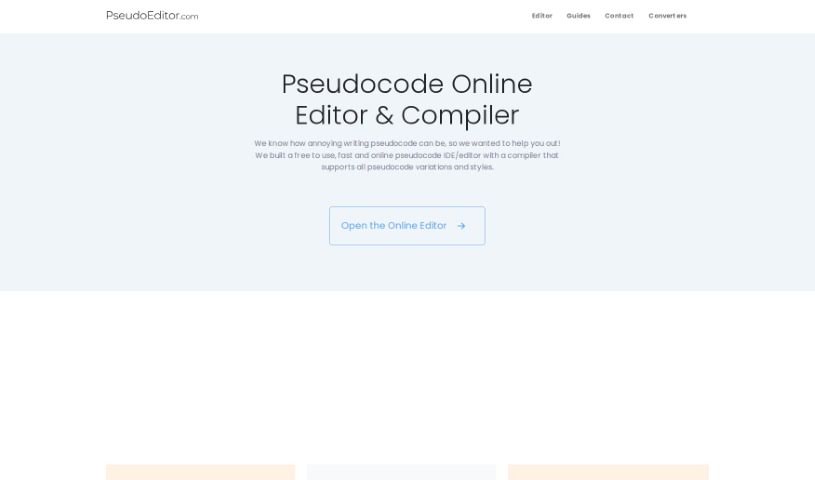
Discover what the Pseudocode Online Editor is and learn how to use it effectively in 2025. We'll explore its features, compare it to other programming tools, and show you how it can speed up your coding.

Meet PseudoEditor: Your Go-To for Pseudocode
PseudoEditor is a handy online tool built to help you write and debug pseudocode smoothly. It’s packed with useful features like syntax highlighting, which makes code easier to read, the ability to save your work, and even a way to spot and fix errors quickly. Plus, it has a pseudocode compiler, letting you test your code with just one click. The interface is really easy to use, and you can even switch between a light and dark mode to suit your preference.
What’s great is that PseudoEditor works on any web browser, on any device. It can seriously speed up how fast you write pseudocode – we’re talking up to five times faster than using basic tools like Notepad. And the best part? It’s completely free! Ads help cover the operating and hosting costs, but there are no hidden fees. You can save your pseudocode projects right online, so you’ll never lose a line of code and can pick up right where you left off, anytime, anywhere. The error highlighting is a lifesaver, helping you find and fix mistakes fast, making debugging much more efficient. PseudoEditor also respects your privacy, offering personalized consent options so you can manage how your data is processed.
Need a hand? There’s also a way to contact support if you get stuck.
Matt, a computer science student, created PseudoEditor. He built this online pseudocode editor and compiler back in 2020. His goal was to make writing and debugging pseudocode simpler for students and developers alike. That’s why it includes features like syntax highlighting, code saving, and a built-in compiler. Today, over 1,000 users rely on PseudoEditor daily, and it’s freely available on any device through a web browser.
This tool is designed to help you with several aspects of pseudocode:
Here’s how to get the most out of PseudoEditor:
Get Started: PseudoEditor is a free online tool for writing and debugging pseudocode. You can easily access it using any web browser on any device you have.
Explore the Features:
Debug with Ease: Take advantage of the error highlighting feature. It helps you spot and fix mistakes quickly, making the whole debugging process much more efficient.
Manage Your Privacy: You have control over your privacy settings within PseudoEditor. While the tool uses data for personalized ads and content, you can manage how your data is used.
Need Help?: If you run into any issues or have questions, just use the ‘Contact’ option on their website to reach out to PseudoEditor support.
Better Coding Experience: With features like syntax highlighting, error detection, and code compiling, PseudoEditor really improves your coding process. It helps you create more accurate and better programs.
It’s Free!: Remember, PseudoEditor is completely free to use. There are no hidden costs – the site is supported by ads.
PseudoEditor was created to fill a need for a really efficient platform for writing pseudocode. It offers a fast, user-friendly, browser-based editor designed to make the coding experience better for everyone.
Discover more tools in similar categories that might interest you
Get weekly updates on the latest AI tools, trends, and insights delivered to your inbox
Join 25,000+ AI enthusiasts. No spam, unsubscribe anytime.