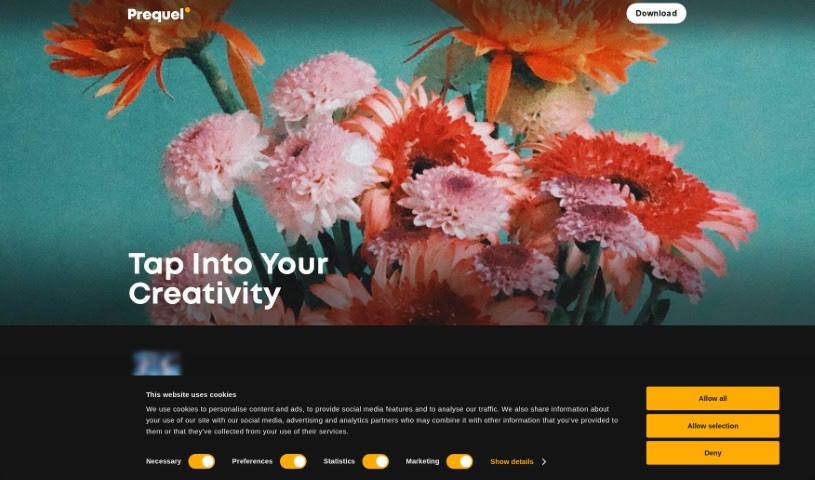
What is Prequel?
Prequel is a really versatile photo and video editing app packed with tools for creative folks. You’ve got over 800 effects to play with, including cool D3D and AR objects. Plus, it uses AI to transform your photos, offers retouching tools to make you look your best, color filters to set the mood, and advanced editing options for that perfect image refinement. If you’re making videos, there are templates ready to go with intros, outros, and background music. Basically, Prequel helps you create unique, polished content without a huge learning curve.
Who created Prequel?
Ekaterina Grigorieva is the mind behind Prequel. She founded Prequel Inc. with the vision of creating this all-in-one photo and video editor. Her goal was to offer a wide array of tools that let users easily enhance their content with stylish effects and filters. The app’s ability to transform photos and videos using its vast library of over 800 effects, AI features, and various editing tools has made it a go-to for many creative projects.
What is Prequel used for?
Prequel is your go-to for a bunch of creative tasks:
- Photo Editing: Spruce up your pictures.
- Video Editing: Make your videos shine.
- Effects Galore: Add cool stuff like D3D and AR objects to your photos.
- AI Transformations: Turn your profile pics into comic book art or fine art masterpieces using AI.
- Retouching: Smooth skin, whiten teeth, or even reshape facial features for that perfect look.
- Mood Setting: Apply filters to correct colors and highlight specific moods.
- Video Templates: Easily create videos with ready-made intros, outros, and background music.
- Image Refinement: Fine-tune your images with advanced controls for contrast, brightness, saturation, and sharpening.
- Style & Vibe: Use color filters to express different styles and moods.
- Massive Effect Library: Explore over 800 effects to really make your photos and videos pop.
- Artistic Flair: Try out artistic effects, like transforming photos into comic book characters.
- Quick Project Starts: Jump right into creating with Prequel’s video templates.
- Flawless Portraits: Achieve that polished look by smoothing skin, whitening teeth, or reshaping faces.
- Color & Mood: Adjust colors and set the mood with various filters.
- Detailed Adjustments: Fine-tune images with contrast, brightness, saturation, warmth, and sharpening.
- Easy Video Creation: Use templates for quick intros, outros, and background music.
- Visual Enhancements: Boost your images with over 800 effects, including D3D and AR objects.
- AI Artistry: Transform profile pictures into comic book characters or art masterpieces with AI.
- Trendy Styles: Apply color correction and filters for vibes like vintage, retro, and Y2K.
- AI Retouching: Get a flawless look with AI tools for skin smoothing, teeth whitening, and facial reshaping.
- Speedy Creation: Speed up your workflow with pre-designed video templates.
- Creative Expression: Experiment with effects and filters to elevate your visual content.
- Aesthetic Touches: Apply a wide range of aesthetic effects.
- AI-Powered Magic: Utilize AI-powered effects for unique transformations.
- Advanced Photo Tweaks: Dive into advanced photo editing features.
- Social Media Ready: Create trendy edits perfect for social media.
Who is Prequel for?
Prequel is a fantastic tool for anyone looking to enhance their visual content. It’s especially great for:
- Photographers: Whether you’re a pro or just love taking pictures, Prequel can help you refine your shots.
- Social Media Influencers: Create eye-catching content that stands out on platforms like Instagram, TikTok, and more.
- Content Creators: Elevate your blog posts, videos, and other digital content with professional-looking edits.
- Video Creators: Add polish and style to your video projects, from short clips to longer productions.
- Artists: Experiment with unique effects and AI transformations to express your artistic vision.
How to use Prequel?
Prequel is a really flexible tool that makes enhancing your photos and videos super easy. Here’s a simple guide to get you started:
- Getting Set Up:
- First things first, download and install the Prequel app on your phone or tablet.
- Exploring What’s Inside:
- Take a moment to check out the main features. Get familiar with the effects, the cool AI tools, retouching options, filters, and those handy video templates.
- Editing Photos:
- Start by uploading a photo you want to work on.
- Dive into the 800+ effects – try out the D3D and AR objects for something different.
- Play around with the AI-powered effects; they can turn your photos into comic art or even fine art.
- Need to touch up? Use the retouching tools to smooth skin, whiten teeth, or reshape facial features.
- Experiment with different filters to adjust colors and set the perfect mood for your photo.
- For more control, use the advanced editing tools to tweak contrast, brightness, saturation, and more.
- Editing Videos:
- You can upload your own video or pick one of the pre-made templates.
- Customize your video by adding intros, outros, and background music using the templates provided.
- Creating Your Content:
- Mix and match photos and videos to build engaging content.
- Don’t be afraid to try different effects, filters, and editing options until you get the look you want.
- Once you’re happy, save your masterpiece and share it on your favorite social media platforms.
- Got Questions? (FAQs):
- If you’re wondering about specific effects, AI editing, retouching, filters, or video features, check out the FAQs section right in the app. It’s a great resource for common questions.
- Pricing Info:
- If you’re curious about any subscriptions or purchases, you can find that information within the app itself.
By following these steps, you’ll be well on your way to using Prequel like a pro, adding that professional touch and creative flair to all your photos and videos.