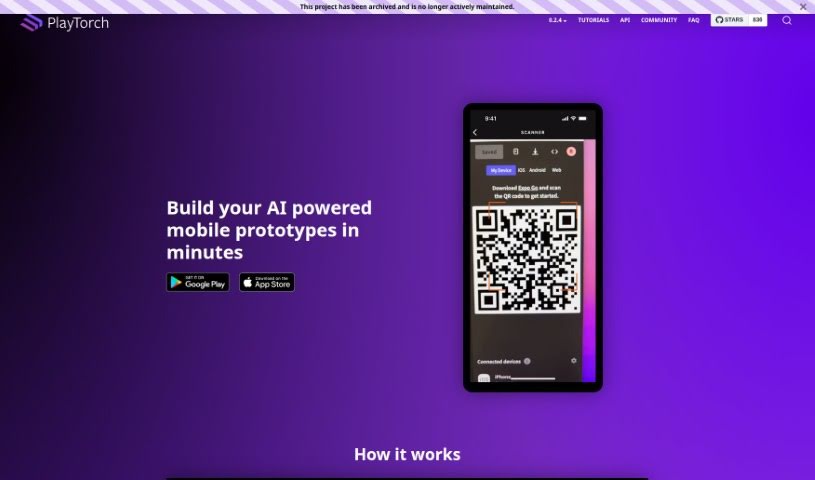
Screenshot of PlayTorch

PlayTorch

Discover what PlayTorch is and how to effectively use it in 2025. We'll explore its features and see how it stacks up against other Software Development Tools.

Screenshot

What is PlayTorch?

PlayTorch is a toolkit that makes building mobile apps with Artificial Intelligence super fast. It’s designed to help you easily add AI models for things like image recognition or understanding language right onto your users’ phones. This means you can create mobile AI experiences that work smoothly, even without an internet connection. PlayTorch is great for quickly getting AI features into prototypes, but it’s also built to handle the demands of full-scale production apps. It’s built on the foundations of PyTorch and React Native, so if you’re familiar with those, you’ll feel right at home.

Who created PlayTorch?

Meta, the company you might know as Facebook, created PlayTorch. They officially launched it on July 23, 2022. As we mentioned, it’s a framework built to speed up the development of mobile apps that use AI. The main idea is to make it simple to bring on-device vision and language models into your apps, making mobile AI experiences efficient and accessible.

What is PlayTorch used for?

PlayTorch is incredibly versatile. Here’s a rundown of what it’s great for:

  • API Integration: Easily connect PlayTorch’s AI features into your existing apps.
  • Community Engagement: Connect with other developers and researchers.
  • Rapid Mobile App Development: Speed up the creation of mobile apps powered by AI.
  • On-Device AI: Seamlessly integrate vision and language models that run directly on the user’s device.
  • Cross-Platform Apps: Build apps that work across different mobile platforms using PyTorch and React Native.
  • AI Prototypes: Quickly develop and test AI concepts for mobile.
  • Production Scalability: Start with a prototype and scale it up for real-world use.
  • Efficient AI Development: Streamline the process of building AI-driven mobile applications.
  • Vision & Language Models: Specifically build apps that use these types of AI models.
  • User Experience: Create smooth, AI-enhanced experiences for your users.
  • Tutorials: Access helpful guides designed for beginners.
  • Open Source: Benefit from a platform that’s freely available and community-driven.
  • PyTorch & React Native Benefits: Leverage the power and flexibility of these established technologies.
  • Mobile Developer Network: Connect with a community of mobile developers.

Who is PlayTorch for?

PlayTorch is a fantastic tool for a few key groups:

  • AI Researchers: Those exploring new AI models and applications.
  • Mobile Developers: Anyone building apps for iOS and Android.
  • Tech Enthusiasts: People excited about the latest in mobile AI technology.

How to use PlayTorch?

Getting started with PlayTorch is pretty straightforward. Just follow these steps:

  1. Download: First, grab PlayTorch from your preferred app store, like the Google Play Store or the Apple App Store.
  2. Understand the Basics: Take some time to go through the tutorial guide. It’s designed specifically for beginners and will walk you through the fundamentals.
  3. Integrate Functionality: Use PlayTorch’s API to smoothly add its AI features into your own applications. It’s built for easy integration.
  4. Develop Your AI Prototype: Start building your mobile AI prototypes quickly by incorporating those on-device vision and language models.
  5. Scale for Production: As you develop, remember that PlayTorch supports scaling your projects. It’s great for both rapid prototyping and larger, production-ready deployments.
  6. Join the Community: Get involved with the PlayTorch community! It’s a great place to connect with AI researchers, mobile developers, and other tech enthusiasts.
  7. Explore Resources: For more help, check out GitHub and Stack Overflow. You’ll find libraries, code samples, more tutorials, and answers to common questions about PlayTorch.
  8. Utilize the Tools: Make sure to use PyTorch for integrating your machine learning models and React Native for building your cross-platform mobile app within the PlayTorch ecosystem.
  9. Review Legal Information: Always a good idea to check out the legal terms and privacy policy on their website to ensure you’re compliant.

Related AI Tools

Discover more tools in similar categories that might interest you

Stay Updated with AI Tools

Get weekly updates on the latest AI tools, trends, and insights delivered to your inbox

Join 25,000+ AI enthusiasts. No spam, unsubscribe anytime.