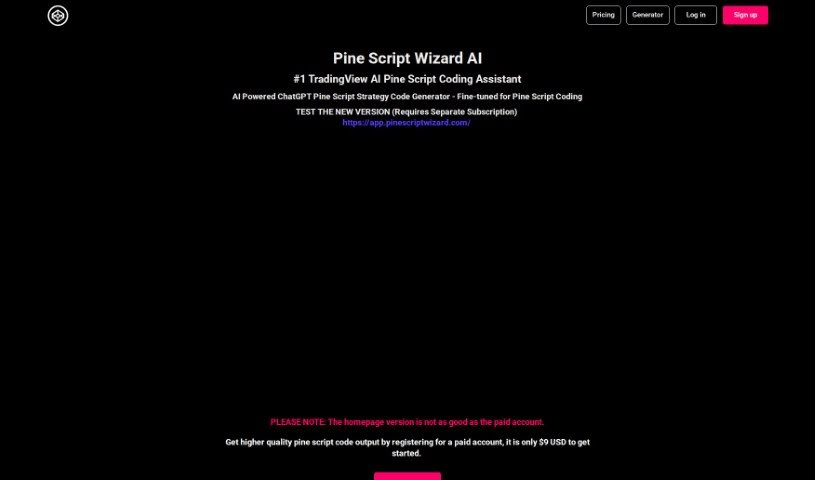
Screenshot of Pine Script Wizard AI

Pine Script Wizard AI

Discover what Pine Script Wizard AI is and how to use it effectively in 2025. We'll explore its features and see how it stacks up against other code generators.

Screenshot

What is Pine Script Wizard AI?

The Pine Script Wizard is a handy AI tool built to create Pine script code for TradingView strategies or functions. Think of it like a chat assistant for your coding needs. You just tell it what you want in plain text, and the AI figures out the best way to build your code. You can be specific about the kind of trading system you’re after, which indicators you like and their settings, the exact rules for entering and exiting trades, whether you want long or short signals, and your preferred take profit and stop loss levels. The tool then whips up optimized, accurate Pine script code that’s ready to go straight into TradingView’s Pine Editor.

Who created Pine Script Wizard AI?

PineScriptWizard was developed by Pine Script™ Wizard AI, which is powered by ChatGPT from OpenAI. It first launched on March 16, 2023. Its main purpose is to offer an AI-driven way to generate Pine script strategy or function code specifically for TradingView. The platform uses a chat-based interface, meaning you can simply type out your coding goals. The AI then takes that information and generates the optimized, accurate Pine script code you need for TradingView.

What is Pine Script Wizard AI used for?

This tool is incredibly versatile for anyone working with TradingView. Here’s a breakdown of what you can do with it:

  • Quickly create custom TradingView strategies or indicators. You can get them generated in just seconds.
  • Define your trading system type. Whether you’re into trend-following, mean-reversion, or breakout systems, you can specify it.
  • Pinpoint your preferred indicators and their settings. This ensures the code aligns with your analysis.
  • Clearly outline your trading rules. You can detail exactly when to enter and exit trades.
  • Choose your market direction. Specify if you’re looking for long or short signals.
  • Set your risk management levels. Define your take profit and stop loss targets.
  • Get optimized and accurate Pine script code. It’s all ready for the TradingView platform.
  • Easily copy and paste. The generated code can be directly transferred to the TradingView Pine Editor.
  • Fix code errors. If you run into issues, the AI can help correct them.
  • Learn and experiment. It’s great for educational purposes, but always test thoroughly before real trading.
  • Build custom TradingView strategies.
  • Generate Pine script strategy or function code.
  • Create indicators quickly and efficiently.
  • Specify trading system types like trend-following, mean-reversion, or breakout systems.
  • Indicate preferred indicators and settings.
  • Define trading rules for entering and exiting trades.
  • Choose between long and short signals.
  • Define Take Profit and Stop Loss levels.
  • Use a chat-based interface for inputting coding objectives.
  • Benefit from AI-guided code generation for the TradingView platform.
  • Create custom TradingView strategies or indicators.
  • Generate Pine script strategy or function code.
  • Formulate clear coding objectives based on your specific needs.
  • Specify the type of trading system (e.g., trend-following, mean-reversion, breakout system, or even just an indicator).
  • Indicate preferred indicators and settings.
  • Define trading rules for entering and exiting trades.
  • Set preferred market side (long or short signals).
  • Define take profit and stop loss levels.
  • Copy and paste generated code into the TradingView Pine Editor.
  • Get fixes for errors that pop up during code saving and compiling.
  • Generate Pine script strategy or function code for TradingView.
  • Create custom TradingView strategies or indicators in seconds.
  • Specify the type of trading system like trend-following, mean-reversion, breakout systems, or indicators.
  • Indicate preferred indicators, settings, trading rules, and market side (long or short signals).
  • Generate optimized and accurate Pine script code that works well on the TradingView platform.
  • Copy and paste generated code into the TradingView Pine Editor.
  • Receive fixes for errors that occur during code saving and compiling.
  • Provide a quick and efficient solution for traders who want high-quality code generated by AI.
  • Operate through a chat-based interface where you can input your coding objectives in text format.
  • Specify the type of trading system such as trend-following, mean-reversion, breakout systems, or an indicator.
  • Indicate preferred indicators, settings, trading rules, and market side (long or short signals).
  • Generate Pine script strategy or function code for TradingView.
  • Create custom TradingView strategies or indicators in seconds.
  • Optimize and generate accurate Pine script code for the TradingView platform.
  • Provide a quick and efficient solution for traders looking for high-quality code.
  • Allow users to input coding objectives in text format.
  • Formulate clear objectives based on user needs for code generation.
  • Specify the type of trading system (trend-following, mean-reversion, breakout system, or indicator).
  • Indicate preferred indicators, settings, trading rules, and market side.
  • Facilitate the code generation process through a chat-based interface.

Who is Pine Script Wizard AI for?

This tool is a great resource for a variety of people in the trading and financial world:

  • Traders
  • Financial Analysts
  • Algorithmic Traders
  • Quantitative Analysts
  • Investors
  • Hedge Fund Managers
  • Researchers

How to use Pine Script Wizard AI?

Using the Pine Script Wizard to generate Pine script code for TradingView is pretty straightforward. Just follow these simple steps:

  1. Tell it what you need: Start by typing out exactly what kind of Pine script code you’re looking for. Be as clear as possible.
  2. Let the AI work its magic: Click the button to have the AI generate optimized Pine script code that’s tailored to your specific requirements.
  3. Copy and paste it: Take the generated code and paste it directly into the TradingView Pine Editor. If you notice any errors when you try to save or compile, just paste the error message back into the chat for AI assistance.
  4. Save your script: Once the code is error-free, click the “Save” icon in the Pine Editor. Give your script a clear, descriptive name.
  5. Add it to your chart: Use the “Add to Chart” button in the Pine Editor to apply your newly created strategy to your TradingView chart.
  6. Tweak settings if you want: You can always adjust your strategy’s settings later. Just click the gear icon next to the strategy’s name in the chart legend.

To get the best results, try to provide clear coding objectives. Think about answering questions like: What type of trading system do you need? Which indicators do you prefer, and what settings should they have? What are the specific rules for entering and exiting trades? Do you want long or short signals? And what are your desired Take Profit and Stop Loss levels? Pine Script Wizard uses AI to quickly and efficiently generate accurate Pine script code for all your TradingView platform needs.

Just a friendly reminder: the code generated is intended for educational purposes. It’s really important to test it thoroughly before you start using it for actual trading.

If you need more help or have questions, feel free to reach out to Pine Script Wizard. You can contact them at [email protected] or [email protected].

And remember, always think about your own trading goals and how much experience you have before you put any strategies into action.

Related AI Tools

Discover more tools in similar categories that might interest you

Stay Updated with AI Tools

Get weekly updates on the latest AI tools, trends, and insights delivered to your inbox

Join 25,000+ AI enthusiasts. No spam, unsubscribe anytime.