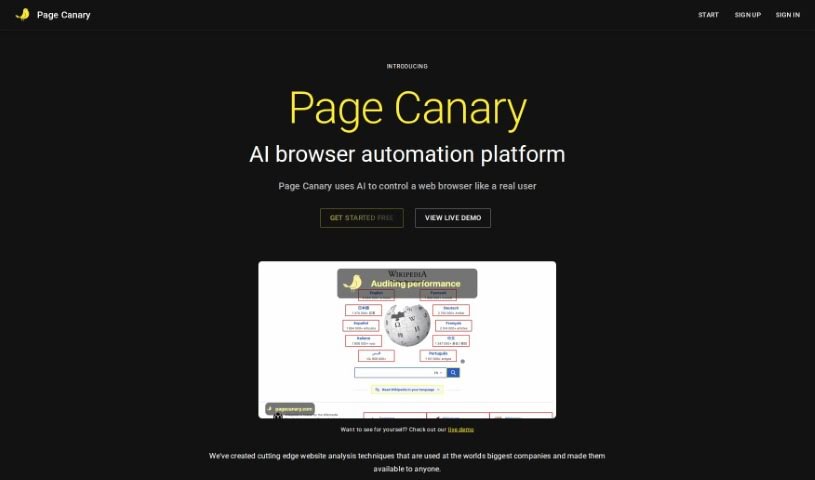
Screenshot of Page Canary

Page Canary

Discover what Page Canary is and how to use it effectively in 2025. We'll explore its features and see how it stacks up against other testing tools.

Screenshot

What is Page Canary?

Page Canary is your own personal website quality assurance bot. It’s designed to be autonomous, meaning it works on its own, using AI and web automation to handle a bunch of different QA tasks for you. It’s pretty smart – it crawls your website, learns how it works, and then actively looks for problems. This includes things like broken links, pages that return errors (bad HTTP requests), spelling mistakes, and even SSL certificate issues. Once it finds something, it figures out how serious it is, gives you clear, step-by-step instructions on how to fix it, and then lets your development team know right away. What really sets Page Canary apart is its constant online monitoring, its ability to keep learning and getting better over time, and its knack for finding issues consistently. It plays nicely with popular platforms like Shopify, Square, and Squarespace. Plus, it offers a variety of website quality tests, checks your SSL certificates, and can even validate your website’s authority, among other useful features. You can get started for as little as $5 a month, with options for yearly plans and a Pro version. You’ll also get ongoing monitoring, email support, and a money-back guarantee, all of which really help boost user satisfaction, reliability, and trust. Ultimately, Page Canary saves you a ton of time by spotting and fixing problems early, cutting down on manual work and guesswork. The main goal? To make your website run better and give your users a smoother experience by catching issues before anyone else even notices them.

Who created Page Canary?

Page Canary was started by Nathan Maggard. The company officially launched on June 18, 2024. Its main selling point is being an autonomous website quality assurance bot that uses AI and web automation to handle QA tasks. Page Canary’s services include running various website tests, spotting SSL certificate problems, improving website security, making sites more accessible, and monitoring over 1,000 websites. The focus is really on saving you time and making sure users have a great experience.

What is Page Canary used for?

Page Canary helps you:

  • Make the user experience better
  • Run tests to check your website’s quality
  • Find any issues with your SSL certificate
  • Verify your website’s authority
  • Boost your website’s security
  • Improve how accessible your site is
  • Keep an eye on over 1,000 websites
  • Check every single link on your pages
  • Increase overall user satisfaction
  • Encourage users to stick around longer

Who is Page Canary for?

  • Business owners
  • Developers

How to use Page Canary?

To get the most out of Page Canary, just follow these simple steps:

  1. First, activate Page Canary by simply pointing it to your website or web application. It’s that easy to get started.
  2. Once activated, the tool will autonomously crawl your site, learn its structure, and then prioritize any issues it finds. You don’t have to do anything else at this stage.
  3. Page Canary provides detailed, step-by-step instructions for reproducing any problems it detects, which really speeds up the process of fixing them.
  4. You’ll receive prompt alerts delivered directly to your development team, ensuring they can take immediate action.
  5. Remember, Page Canary is excellent at finding common issues like broken links, bad HTTP requests, spelling errors, and SSL problems, among others.
  6. Make sure to check compatibility with platforms like Shopify, Square, and Squarespace to ensure everything integrates smoothly.
  7. You’ll benefit from its persistent monitoring, helpful email support, and a user-friendly interface, all designed to enhance your overall user experience.
  8. Take a look at the affordable pricing, which starts at just $5 a month. There’s also a free trial available, which is a great way to evaluate the tool before committing.
  9. Signing up is straightforward on the Page Canary website. Once you’re in, you can start using the tool’s comprehensive website quality assurance features, including SSL certificate checks, website authority assessments, improved security measures, and accessibility testing.
  10. Consider the Pro version for even more benefits, like persistent monitoring, priority support, and a strong money-back guarantee. This ensures your website functions optimally and keeps your users happy.

Related AI Tools

Discover more tools in similar categories that might interest you

Stay Updated with AI Tools

Get weekly updates on the latest AI tools, trends, and insights delivered to your inbox

Join 25,000+ AI enthusiasts. No spam, unsubscribe anytime.