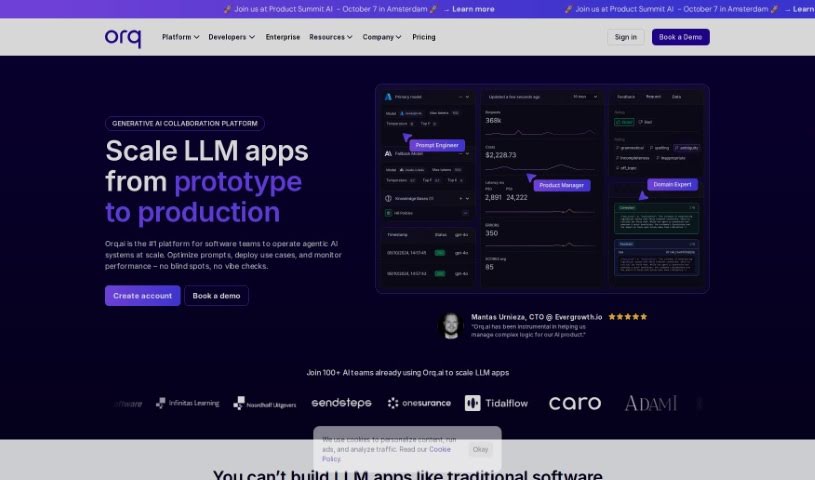
Screenshot of Orquesta

Orquesta

Discover Orquesta, a no-code platform for integrating and operating products with LLMs. Learn its features, how it compares to other Software Development Tools, and how to use it effectively in 2025.

Screenshot

What is Orquesta?

Orquesta is a platform that lets companies bring their products to life using Large Language Models (LLMs), all through a no-code interface. It is your central hub for managing prompts, trying out different ideas easily, gathering feedback, and keeping a close eye on how things are performing and what they’re costing in real-time. It works with all the major LLM providers, which means you get transparency and can scale up your LLM operations smoothly. This all adds up to faster customer releases and lower costs, whether you’re just experimenting or running things in production. Just recently, Orquesta rolled out some handy new features: Orquesta Gateway, designed to make connecting with LLM models much simpler, and Orquesta AI Prompts, which helps you manage prompts for any LLM you’re using.

Who created Orquesta?

Sohrab Hosseini is the co-founder behind Orquesta. The platform itself is built to help companies integrate and run their products powered by Large Language Models (LLMs), all without needing to write code. It brings together prompt management, easier experimentation, feedback collection, and real-time insights into performance and costs. The goal is to make LLM Operations transparent and scalable, leading to quicker customer release cycles and reduced expenses for both testing and live production environments.

What is Orquesta used for?

  • Gathering feedback from users.
  • Bringing LLM-powered systems into production.
  • Keeping all your prompts in one place.
  • Making experimentation smoother and faster.
  • Getting real-time insights into performance and costs.
  • It works with all the major Large Language Model providers.
  • Ensuring transparency and scalability in LLM Operations.
  • Shortening the time it takes for customer releases.
  • Reducing costs for both experiments and production environments.

Who is Orquesta for?

  • Software development agencies looking to streamline their processes.
  • AI startups needing a robust platform for their LLM integrations.
  • Cross-functional teams within SaaS companies.
  • Enterprise companies aiming for efficient LLM deployment.
  • SaaS teams.
  • Agencies.
  • Enterprises.

How to use Orquesta?

To get the most out of Orquesta and ensure everything runs smoothly, here’s a step-by-step guide:

  1. Installation: First things first, you’ll need to install Orquesta on your system. The official Orquesta website has a clear installation guide to help you through it.
  2. Configuration: Once it’s installed, you’ll want to set it up to match your specific needs. This involves customizing things like your workflows, the individual tasks within them, and the inputs required, so it fits your workflow perfectly.
  3. Workflow Creation: Now, you can start building your workflows. This means defining the order of tasks and actions. You’ll use Orquesta’s workflow definition language to map out exactly how you want your processes to run.
  4. Task Definition: Within each workflow, you’ll define the individual tasks. For each task, specify what inputs it needs, what outputs it should produce, and how it connects to other tasks. This ensures everything flows correctly.
  5. Execution: Time to run the workflows you’ve created in Orquesta. Keep an eye on how the tasks are progressing, be ready to handle any errors that pop up, and make sure the workflow finishes successfully.
  6. Error Handling: It’s smart to build in ways to handle errors. This means defining what happens if something goes wrong, like setting up fallback options or notifications, so you can manage exceptions effectively during execution.
  7. Integration: If you need Orquesta to talk to other tools or services, you can integrate them. Use the available APIs and connectors to make sure data can flow seamlessly between Orquesta and any external systems.
  8. Testing and Optimization: Always test your workflows thoroughly. This helps you find any issues or slowdowns. Then, use those testing results to make your workflows run even better and more efficiently.
  9. Documentation: Don’t forget to document your workflows, tasks, and configurations. This is super helpful for future reference, keeping things clear, and making sure your workflows run consistently.

By following these steps, you can really tap into Orquesta’s power to automate and organize your tasks and processes effectively.

Related AI Tools

Discover more tools in similar categories that might interest you

Stay Updated with AI Tools

Get weekly updates on the latest AI tools, trends, and insights delivered to your inbox

Join 25,000+ AI enthusiasts. No spam, unsubscribe anytime.