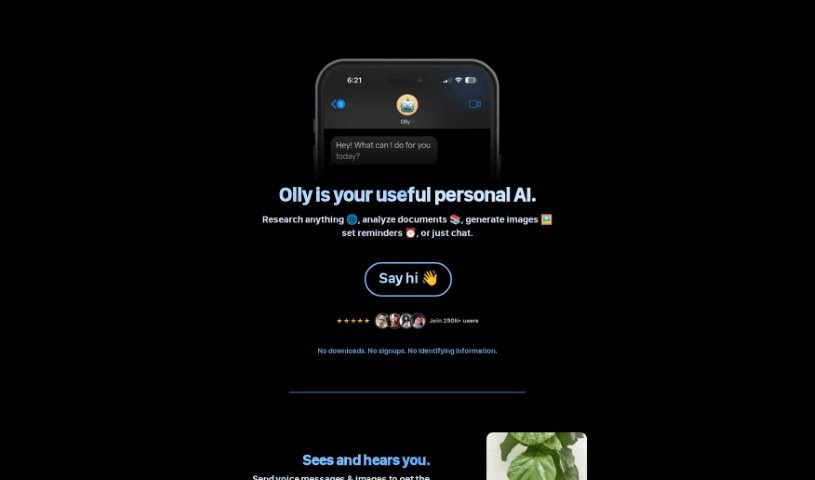
Screenshot of Olly

Olly

Discover what Olly is and how to use this personal AI assistant effectively in 2025. We'll explore its features, compare it to other AI note-takers, and show you how to get the most out of it.

Screenshot

What is Olly?

Olly is your personal AI assistant, designed to work smoothly across all your Apple devices – your iPhone, MacBook, Apple Watch, and even in your car with CarPlay. It taps into web-based tools to give you quick help right inside iMessage. This means you can get answers powered by the web, generate images, and have chat conversations that can even include documents. What really makes Olly stand out is how it handles voice messages and images you send it, making it super easy to interact with. It also helps you keep track of things by sending text reminders, so you can stay organized. Plus, a really handy feature is its ability to read through PDFs and articles, then give you a summary of the main points. Olly also gets smarter over time by learning from how you use it, tailoring its features to you without needing any downloads or asking for your personal info.

Who created Olly?

Olly, this personal AI assistant, first came out on November 19, 2023. It was started by an individual. The company details show that Olly was carefully checked by an editorial team and was even featured on March 11, 2024.

What is Olly used for?

  • Creating images
  • Analyzing documents and research
  • Setting reminders
  • Learning from your interactions to get better
  • Researching pretty much anything
  • Getting answers from the web
  • Chatting with support for documents
  • Managing tasks and reminders with text alerts
  • Summarizing PDFs and articles
  • Interacting with images you send
  • Interacting with voice messages
  • Providing direct help within iMessage

Who is Olly for?

  • Students
  • Researchers
  • Content creators
  • Project managers
  • Marketers
  • Sales professionals
  • Writers
  • Teachers
  • Software developers
  • Executives

How to use Olly?

To get the most out of Olly, here’s a simple guide:

  1. Access It Everywhere: Olly works seamlessly across your devices, including your iPhone, MacBook, Apple Watch, and CarPlay. It’s designed to be right there when you need it.
  2. Web-Powered Help in iMessage: You’ll find Olly super helpful directly within iMessage. It can pull answers from the web and even handle chats that involve documents.
  3. Talk or Send Pics: You can interact with Olly using voice messages or by sending images. This makes chatting with it feel more natural and comprehensive.
  4. Stay Organized with Reminders: Olly helps you manage your tasks by sending text reminders. It’s a great way to keep track of what you need to do.
  5. Understand Documents Easily: One of Olly’s best features is its ability to look at PDFs and articles and then give you a summary of the key points. It really saves you time.

By following these steps, you can really make the most of what Olly offers on all your devices, using its features to get better assistance and manage your tasks more effectively.

Related AI Tools

Discover more tools in similar categories that might interest you

Stay Updated with AI Tools

Get weekly updates on the latest AI tools, trends, and insights delivered to your inbox

Join 25,000+ AI enthusiasts. No spam, unsubscribe anytime.