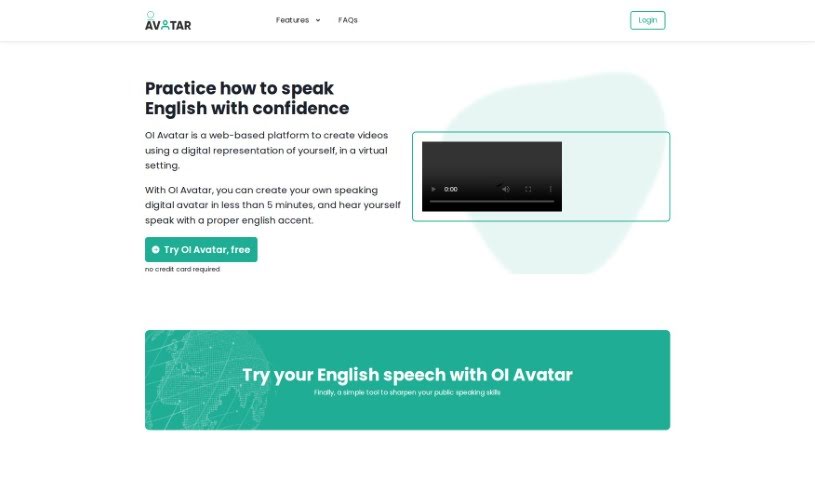
Screenshot of OI Avatar

OI Avatar

Discover OI Avatar, an AI-powered tool for creating videos with digital avatars. Learn how to use its features for language learning, business, and public speaking practice in 2025. See how it stacks up against other video creation tools.

Screenshot

What is OI Avatar?

OI Avatar is a neat web-based platform that uses AI to help you create videos with digital avatars. You can even generate your own speaking avatar with an English accent in less than five minutes! It’s built for quick, self-guided learning, and people are already using it for everything from language practice to general video creation, both for themselves and for their businesses. Right now, it’s free to use during its beta phase. It supports English, and you can choose whether your avatar sounds British or American. You can also upload your own background images as PDFs. It works on most browsers like Chrome, Firefox, Safari, and Edge. The whole video generation process usually takes about 5 minutes, after which you’ll get a link to download your video.

Who created OI Avatar?

The Otermans Institute developed OI Avatar, this AI-powered web platform, and launched it on February 9, 2023. It makes it super easy for anyone to create videos using digital avatars. The platform is really designed for fast, self-directed learning. Individuals have found it helpful for practicing languages, and businesses are using it too for their video needs.

What is OI Avatar used for?

  • It’s great for improving your public speaking skills.
  • You can practice speaking English with more confidence.
  • It really aids your presentation skills.
  • It’s super useful for interview preparation.
  • It helps promote phonetic improvement.
  • The platform supports MP4 file formats.
  • You can create videos specifically for language learning.
  • It’s also handy for creating videos for business purposes.
  • It helps enhance your English pronunciation.
  • It’s perfect for self-directed learning.
  • Practice speaking English with confidence – it’s a great tool for that!
  • It’s a helpful tool to practice English in general.
  • It supports both visual and auditory learning.
  • It’s a fantastic way to improve public speaking skills.
  • It enhances English pronunciation.
  • It supports learning at your own pace.

Who is OI Avatar for?

  • Anyone learning a new language.
  • Business professionals.
  • Businesses that need to create videos.
  • Individuals who want to get better at public speaking.
  • Businesses looking to make videos featuring digital avatars.
  • People who want to learn languages.
  • Businesses in general.

How to use OI Avatar?

Using OI Avatar is pretty straightforward. Just follow these simple steps:

  1. Create Your Avatar:

    • First, record yourself speaking for about 20 seconds. This helps the AI capture your voice.
    • Then, type out your script. You can use up to 225 characters in English for it.
  2. Customize Your Avatar:

    • You get to choose the accent – pick between British or American English.
    • You can also upload a background image if you have one, just make sure it’s in PDF format.
  3. Generate Your Video:

    • Hit the “Generate Avatar” button. The platform will process your video, which usually takes around 5 minutes.
    • Once it’s ready, you’ll get an email with a link to download your video.
  4. Practice and Improve:

    • Watch your video to practice your English pronunciation at your own pace. It’s a great way to get comfortable.
    • You can pinpoint specific words you’re having trouble with and work on improving your public speaking skills overall.
  5. Additional Information:

    • While OI Avatar can handle multiple languages, it currently only supports English for video creation.
    • It’s completely free to use, and you don’t need to enter any credit card details.
    • If you need help, customer support is available via email at [email protected].
    • You can access the platform on various browsers, though Google Chrome is recommended for the smoothest experience.

By following these steps, you can easily create and use your OI Avatar to really boost your English speaking skills and build confidence when you’re speaking in front of others.

Related AI Tools

Discover more tools in similar categories that might interest you

Stay Updated with AI Tools

Get weekly updates on the latest AI tools, trends, and insights delivered to your inbox

Join 25,000+ AI enthusiasts. No spam, unsubscribe anytime.