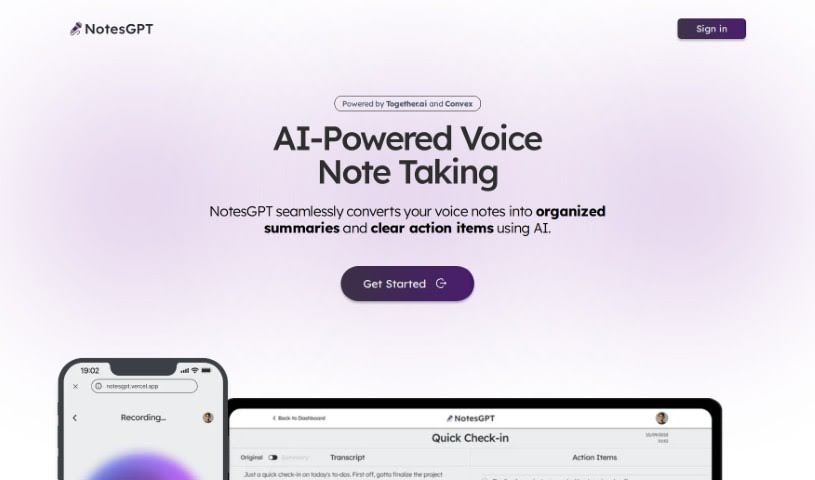
Screenshot of Notesgpt

Notesgpt

Discover NotesGPT in 2025! Learn what this AI voice note tool does, how to use its features for summaries and action items, and how it stacks up against other AI note-takers.

Screenshot

What is NotesGPT?

NotesGPT is a smart tool that uses AI to turn your voice notes into neat summaries and clear to-do lists. It’s built on advanced AI language models that can understand and process what you say, then turn it into organized text. What’s really cool is that it also pulls out the key tasks from those summaries, presenting them as easy-to-follow action items. The AI is the secret sauce here, really figuring out the details in your voice notes and translating them into readable summaries and tasks. Basically, NotesGPT makes your workflow much smoother by automatically handling the conversion of voice notes, pulling out tasks, and helping you generate them instantly. This means you save time and get more done. It’s a team effort, bringing together tech from Together.ai, Convex, and Replicate, all wrapped up in an easy-to-use interface that works across different platforms. Plus, its open-source code is on GitHub, so you can see exactly how it works and even tweak it if you want.

Who created NotesGPT?

NotesGPT came about through a collaboration of different technologies, with contributions from folks at Together.ai, Convex, and Replicate. It first launched on February 15, 2024. At its heart, it’s an AI-powered voice note-taking tool designed to take your spoken notes and transform them into organized summaries and actionable items.

What is NotesGPT used for?

  • Making your workflow smoother
  • Supporting notes in many different languages
  • Keeping your data secure
  • Automatically turning voice notes into summaries
  • Pulling out tasks from your voice notes
  • Being accessible on different platforms
  • Helping with task management
  • Making note-taking easy and user-friendly
  • Transcribing your voice into text
  • Connecting with your calendar or other task management apps

Who is NotesGPT for?

  • Professionals in all sorts of fields – think business, education, research, or really, anyone who takes notes and needs help managing tasks.

How to use NotesGPT?

Here’s how you can get the most out of NotesGPT:

  1. Give it your voice notes: Start by feeding your voice notes into NotesGPT so it can do its magic.
  2. Let the AI work its interpretation: The AI language model within NotesGPT will then interpret and process your voice notes. It’s busy converting your spoken words into clear, structured summaries and tasks.
  3. Tasks get extracted: NotesGPT is smart enough to spot the important tasks within the summaries it creates. It uses its AI to pick out key points and neatly categorizes them as actionable tasks.
  4. Streamline your workflow: This tool really helps streamline things by automatically turning your voice notes into summaries and pulling out tasks. It’s a big time-saver and makes managing your tasks much more efficient.
  5. Access it anywhere: NotesGPT is available across multiple platforms, which makes it super accessible and easy to use, no matter your setup.
  6. It’s open-source, too: Since it’s open-source, NotesGPT is transparent and flexible. You can check out the code on GitHub, which means you can customize it to fit your specific needs if you like.
  7. Easy to use interface: NotesGPT was designed with a user-friendly interface to make note-taking and management simple, ensuring a smooth and efficient experience.

By following these steps, you can really make the most of NotesGPT, turning your voice notes into organized summaries and actionable tasks while efficiently streamlining your workflow.

Related AI Tools

Discover more tools in similar categories that might interest you

Stay Updated with AI Tools

Get weekly updates on the latest AI tools, trends, and insights delivered to your inbox

Join 25,000+ AI enthusiasts. No spam, unsubscribe anytime.