What is Noota?
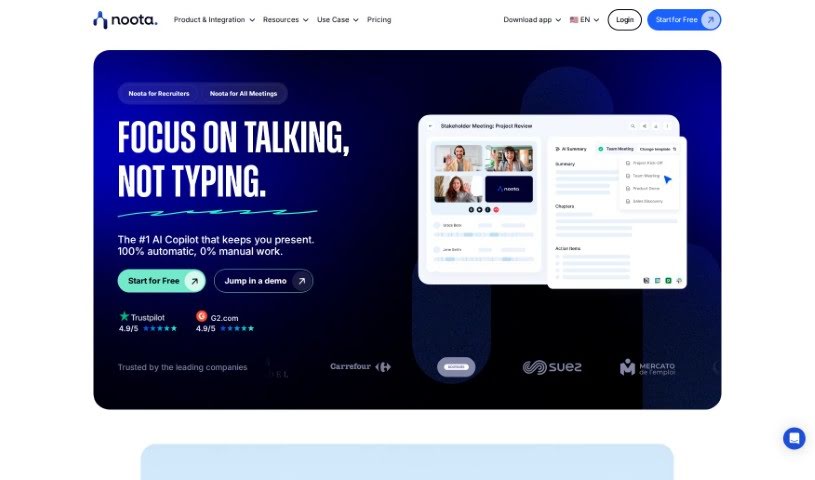
Noota is a smart tool that acts like an AI assistant for your meetings, automatically handling the note-taking for you. It’s packed with features like taking notes in real-time, using conversation intelligence to really dig into and capture the key insights from discussions, and even offering transcription and screen recording. Noota can be a real game-changer for professionals in all sorts of fields – think Sales, Academic & Research, Recruiting, Management, Consulting & Call Centers, Media & Podcasting, and even Medical professionals. It helps by sending your meeting notes straight to your CRM, making team training much smoother, improving how you recruit, and helping you close deals faster.
Who created Noota?
Laurent B. is the person behind Noota. He actually started using it back in 2021, initially for transcribing podcasts. But then he saw how useful it could be for recruitment tasks, and that’s where Noota really took off. The company officially launched Noota on March 23, 2023, offering services that help transcribe and summarize meetings, ultimately boosting productivity across many different areas.
What is Noota used for?
- Sales: It helps you send meeting notes directly to your CRM, train your team more effectively, and close deals faster.
- Academic & Research: Get fast transcriptions of interviews, easily edit them, highlight key points, and tag insights for later.
- Recruiting: Streamline candidate screening and share important insights quickly.
- Management: Improve team training, boost deal closure rates, and keep your CRM perfectly updated.
- Consulting & Call Center: Save a ton of time on administrative tasks. Plus, you can train agents during calls by giving them real-time suggestions.
- Media & Podcasting: Transcribe interviews with ease and generate articles much faster.
- Medical & Doctors: Create consultation reports efficiently.
- It can record your screen during meetings.
- The AI Meeting Notes & Summary feature generates concise meeting summaries.
- You get real-time guidance while you’re in meetings.
- It generates meeting summaries.
- For Sales teams, it sends meeting notes to CRM, aids team training, and helps close deals.
- In Academic & Research, it provides fast interview transcriptions, editing, highlighting, and tagging.
- Recruiting benefits from candidate screening and quick insights sharing.
- Management can keep CRMs updated and capture meeting details effectively.
- Consulting & Call Centers save time on admin work and train agents during calls.
- Media & Podcasting teams can transcribe interviews and generate articles efficiently.
- Medical professionals can generate consultation reports quickly.
- It generates meeting summaries using AI.
- For academic research, it handles transcribing interviews, editing, highlighting, and tagging for insights.
- Recruiting uses it for screening candidates, searching, and sharing insights quickly.
- Sales teams benefit from sending meeting summaries to CRM, enhancing training, and improving deal closure rates.
- Media and podcasting professionals use it for transcribing interviews and generating articles.
- It’s great for call center agents, offering real-time suggestions during calls.
- In a medical context, it helps generate consultation reports efficiently.
- It keeps your CRM up-to-date by automatically transferring meeting details.
- Noota transforms calls into valuable business intelligence.
- Academic research benefits from transcribing interviews, editing, highlighting, and tagging.
- Recruiting uses it for screening candidates and sharing insights quickly.
- It offers Conversation Intelligence, which analyzes conversation data.
- Call centers can train agents through real-time suggestions.
- In medical contexts, it efficiently generates consultation reports.
Who is Noota for?
Noota is designed for a wide range of professionals and roles, including:
- Sales Professionals
- Academic & Research Staff
- Recruiters
- Managers
- Consultants & Call Center Agents
- Media & Podcasting Creators
- Medical Practitioners (Doctors)
- CEOs
- Finance Professors
- Team Leaders
- Retail Managers (like Responsables at Carrefour)
- Founders
How to use Noota?
Getting the most out of Noota is pretty straightforward. Here’s a simple breakdown of how to get started:
- Sign Up for Free: First off, you can sign up for Noota at no cost. No credit card is needed, so you can explore everything it offers without any commitment.
- Recording Meetings: You have a couple of easy ways to record your meetings. You can use the Noota extension directly, or you can connect your calendar. The extension makes it super simple to start recording as soon as you join a video conference. Alternatively, adding a bot to your video conference call will record everything automatically.
- Taking Notes: Noota handles note-taking automatically during your meetings. It provides features like generating transcriptions, recording your screen, and using conversation intelligence to accurately capture and summarize all the important meeting details.
- Access Real-Time Guidance: You can get helpful guidance right as the meeting is happening. This can really help with making decisions and participating more effectively by giving you the essential information you need, instantly.
- Utilize Key Features: Make sure to check out features like the Meeting Screen Recorder, Real-Time Guidance, Conversation Intelligence, the AI Meeting Notes & Summary tool, and the Transcription Generator. They all work together for complete meeting management.
- Custom Meeting Reports: You can easily create custom reports from your meetings. This makes sharing insights a breeze and keeps everyone involved up-to-date.
- Enhance Efficiency in Different Sectors: Noota is built to help out in many different areas, like Sales, Academic & Research, Recruiting, Management, Consulting, Call Centers, Media, and Medical fields. It offers specific benefits tailored to each sector.
- Security of Data: We take your data security seriously. Your information is managed and transmitted securely, including to Applicant Tracking Systems (ATS) if you’re using it for recruitment.
- Structured Interviews & Reports: You can conduct interviews in a more structured way for better assessments. This includes generating standardized interview reports and using templates to make the whole process much smoother.
- Utilize Job Ads Generator: There’s also a job ads generator you can use. It helps you create engaging and informative job descriptions, often drawing from your meeting data.
- Data Control & Deletion: You’re in charge of your recorded data. You can manage who has access to it and delete it whenever you need to.
By following these steps, you’ll find that Noota makes managing meetings, taking notes, and making decisions much more seamless across all sorts of professional settings.