NeRF Studio Explained: Features, Methods & Who It's For
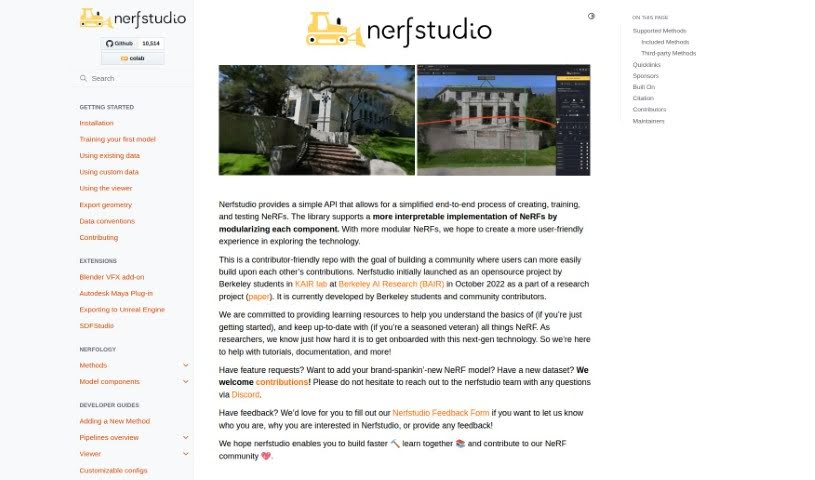
Screenshot of NeRF Studio

NeRF Studio

Discover NeRF Studio, an open-source framework from Berkeley's KAIR lab for creating, training, and testing Neural Radiance Fields.

Screenshot

What is NeRF Studio?

NeRF Studio is a flexible framework that came out of the KAIR lab at Berkeley AI Research (BAIR) in October 2022. Built by students there, it offers a simpler way to create, train, and test Neural Radiance Fields (NeRFs). Its core idea is to make NeRF technology easier to use and explore by breaking each component into its own module, fostering a community where people can share work and improve the technology together.

Who created NeRF Studio?

Nerfstudio started as an open-source project in October 2022, created by students in the KAIR lab at Berkeley AI Research (BAIR). It is maintained by Berkeley students and community contributors, with Brent Yi among the key developers.

What is NeRF Studio used for?

NeRF Studio supports a range of NeRF research projects and methods, including:

  • LERF: Language Embedded Radiance Fields, connecting language to 3D scenes.
  • Nerfbusters: Removes ghostly artifacts in casually captured NeRFs.
  • NeRFPlayer: Enables 4D Radiance Fields by streaming feature channels for dynamic scenes.
  • Tetra-NeRF: Represents Neural Radiance Fields using tetrahedra.
  • PyNeRF: Pyramidal Neural Radiance Fields using a pyramid structure.
  • SeaThru-NeRF: Designed for subsea and underwater scenes.
  • Zip-NeRF: An anti-aliased, grid-based approach to Neural Radiance Fields.
  • NeRFtoGSandBack: Converts between NeRF and Gaussian Splatting (GS) formats.
  • OpenNeRF: OpenSet 3D Neural Scene Segmentation, handling unknown object categories.
  • BioNeRF: Biologically Plausible Neural Radiance Fields for View Synthesis.
  • Nerfacto: The recommended method within NeRF Studio, integrating multiple existing methods into a single approach.

Who is NeRF Studio for?

NeRF Studio is useful for anyone working with Neural Radiance Fields, including NeRF developers, computer graphics specialists, 3D artists, machine learning engineers, research scientists, and contributors who want to help expand the framework.

How to use NeRF Studio?

Getting started is straightforward:

  1. Getting Started: Take a quick tour of the basics, then install the framework to familiarize yourself with its core structures.
  2. Nerfology: Explore the educational guides and interactive notebooks, which break down each component in detail.
  3. Developer Guides: Use the developer documentation to extend the framework and build your own NeRF methods.

The documentation covers installation, usage, and contribution details.

Related

Related AI Tools

Discover more tools in similar categories

New tools, in your inbox.

Weekly picks of the best AI tools we've researched and added — no spam, unsubscribe anytime.

Join 25,000+ AI enthusiasts. No spam, unsubscribe anytime.