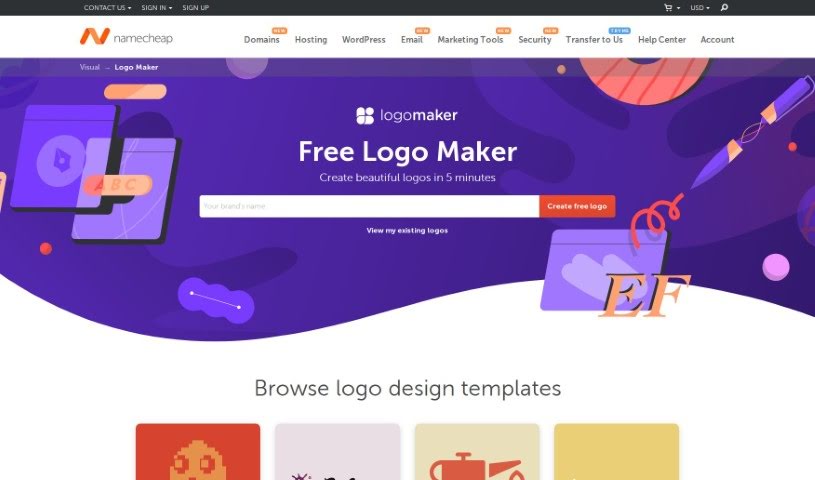
Screenshot of Namecheap Logo Maker

Namecheap Logo Maker

Discover what Namecheap Logo Maker is and how to use it effectively in 2025. We'll explore its features and see how it stacks up against other logo generators.

Screenshot

What is Namecheap Logo Maker?

Namecheap Logo Maker is a completely free online tool from Namecheap that helps you design custom logos for your business or website. You get high-resolution, high-quality logos that you can tweak however you like. What’s great about it is the super easy design wizard, a library packed with professionally designed logo ideas, and the fact that you can create as many free logos as you want. You can personalize your logo by picking your favorite font styles, colors, and icons. Plus, the tool uses AI to generate endless logo combinations for you. You can download your finished logos in PNG and SVG formats, all for free.

When you’re creating a logo with Namecheap Logo Maker, you get to pick your preferred font, icon, and color scheme. Based on what you choose, the tool whips up thousands of unique logo designs. You can then make any edits you want and pick your absolute favorite before you finalize it. And the best part? Namecheap Logo Maker doesn’t charge anything for downloading your logos, ensuring they’re always high-resolution and high-quality, perfect for any kind of business or website.

Who created Namecheap Logo Maker?

Namecheap itself created the Namecheap Free Logo Maker. It’s a free online tool that first launched on July 23, 2019, specifically to help people design custom logos for their businesses and websites. The tool is really user-friendly, offering high-resolution, high-quality, and fully customizable logos. It comes with handy features like a design wizard and a library full of professionally designed logos to get you started. Namecheap Logo Maker also provides AI-driven infinite logo combinations, letting you easily customize fonts, icons, and color schemes. You can create and download unlimited free logos in PNG and SVG formats without paying a dime.

What is Namecheap Logo Maker used for?

  • Creating logos for businesses and websites.
  • Generating logos for a wide range of industries, including gaming, art, industrial, blogging, personal branding, real estate, education, and restaurants.
  • Customizing logos with your preferred font styles, color schemes, and icons.
  • Downloading your finished logos in high-resolution PNG and SVG formats.
  • Using AI-driven features to help with the logo design process.
  • Adjusting color schemes easily while you’re creating your logo.
  • Taking advantage of a user-friendly design wizard for simple logo customization.
  • Getting support from a dedicated customer support team if you need help.
  • Sharing your created logos on social media platforms.
  • Making multiple logos for free.
  • Designing logos that are perfect for business cards.
  • Crafting unique logo designs based on your specific preferences.
  • Accessing and using the tool on all devices and operating systems.
  • Getting inspiration from a library of professionally designed logos.
  • Viewing a real-time showcase of your logo designs on items like t-shirts and business cards.
  • Creating vector logos.

Who is Namecheap Logo Maker for?

  • Gamers
  • Artists
  • Industrial businesses
  • Bloggers
  • Personal branding
  • Real estate professionals
  • Educational institutions
  • Restaurants

How to use Namecheap Logo Maker?

Using Namecheap Logo Maker is pretty straightforward. Just follow these simple steps:

  1. First, click the “Create free logo” button on the Namecheap Logo Maker page.
  2. Next, enter your brand name and pick out the font styles and color scheme you like best.
  3. You can also add a company slogan if you have one.
  4. Then, select about three icons that fit your logo.
  5. After that, you can make any edits you want to your favorite logo designs.
  6. Finally, save and download your chosen logo by signing in or creating a Namecheap account.
  7. If you want to get back to logos you’ve already saved, just sign in to your Namecheap account, click on “View my existing logos,” and you can download them in SVG and PNG formats.

Namecheap Logo Maker really offers high-resolution, AI-driven logo customization. It includes features like a user-friendly design wizard, a library of professional logo options, and the ability to create unlimited free logos. The tool makes sure you get quality logos suitable for all sorts of industries, and they even have a dedicated team available 24/7 if you need any assistance.

Related AI Tools

Discover more tools in similar categories that might interest you

Stay Updated with AI Tools

Get weekly updates on the latest AI tools, trends, and insights delivered to your inbox

Join 25,000+ AI enthusiasts. No spam, unsubscribe anytime.