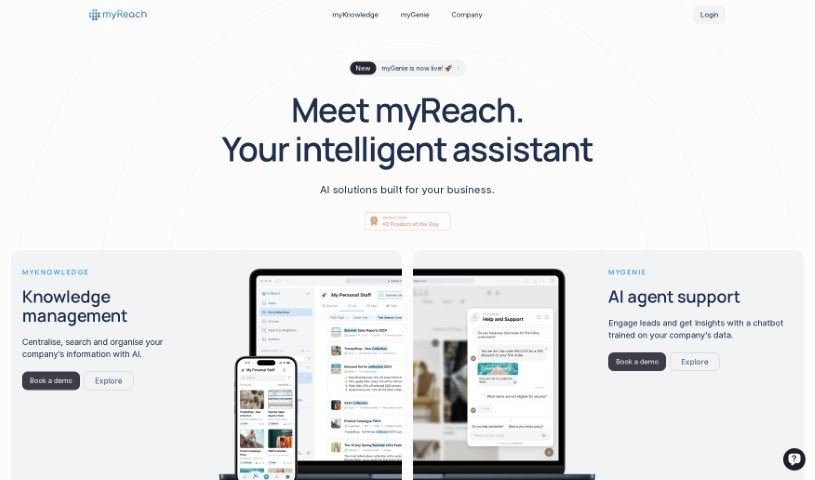
What is myReach?
MyReach is a personal knowledge management tool that uses AI to help you store, organize, and find your information much more easily. It is a second brain; it learns and arranges everything you save, making it super simple to access later. Plus, your data is kept safe with encryption and GDPR compliance. You can even collaborate in real-time, transcribe audio and video files, and use its AI assistant, Rich.
Basically, myReach offers a solid set of tools designed to help you organize and retrieve information efficiently. This includes better keyword search, smart learning through neural networks, and support for linking related items and their properties. The AI assistant, Rich, really helps boost productivity for both students and professionals by giving you quick access to your saved data and useful insights.
Who created myReach?
myReach was developed by a company that specializes in AI solutions for businesses. They launched the platform on June 27, 2022, with the goal of centralizing and organizing information using artificial intelligence. While the founder’s name isn’t specifically mentioned in the documents, the company is committed to delivering innovative AI solutions to businesses worldwide.
What is myReach used for?
MyReach is designed to help you:
- Save time
- Connect with other applications
- Boost your productivity
- Organize data in a structured way
- Improve efficiency for professionals and students
- Transcribe audio and video files
- Work together in real-time
- Find information easily with an AI assistant
- Store all sorts of information
- Create mind maps
- Search using keywords
- Stay compliant with privacy and security rules (like GDPR)
- Increase productivity for professionals and students
- Manage data better with AI features like neural network learning and contextualization
- Collaborate in real-time (coming soon!)
- Integrate with other applications
- Save notes, websites, files, contacts, and documents
- Keep your data private and secure, following GDPR regulations
- Use relationships and properties to organize information logically
- Leverage the ‘second brain’ concept for efficient data retrieval
- Manage your personal knowledge
- Organize information smoothly
- Retrieve saved data quickly
- Organize data in a structured manner
- Boost productivity for professionals and students
- Collaborate in real-time (coming soon)
- Contextualize data and create mind maps
- Get AI help organizing your data
- Generate summaries
- Organize your saved items
- Perform enhanced keyword searches
- Utilize neural network learning
- Connect related items and properties
- Contextualize your data
- Work well for different types of users
- Increase overall productivity
- Automatically transcribe audio and video
- Automatically pull text from images and websites
- Store, manage, and find information efficiently
- Organize data structurally with connections and properties
- Boost productivity for professionals and students
- Use neural network learning for data organization
- Get AI assistance for finding information
- Transcribe audio and video files
- Support real-time collaboration (coming soon)
- Integrate with other applications
- Improve team productivity with AI solutions
- Centralize, search, and organize information using AI
Who is myReach for?
How to use myReach?
To get the most out of myReach, here’s a simple guide:
- Save Everything: Use myReach to keep all your notes, websites, files, contacts, and documents in one spot. It makes everything easy to find.
- Connect Your Ideas: Take advantage of the relationships and properties feature to build a structured network of your information. Link different entries, add tags, and sort data into topics. This really helps with organization and finding things later.
- Organize Smartly: Arrange your data logically using relationships and properties. Group similar information, add tags, and connect entries to build a clear picture of what you’ve saved, almost like a mind map.
- Work More Efficiently: myReach helps you be more productive by giving you one central place to store, manage, and retrieve information. The AI assistance means you can find things quickly and organize your thoughts more effectively.
- Use the AI Power: Let the AI do the heavy lifting! It can automatically transcribe audio and video, pull text from images and websites, create summaries, and even suggest connections between your data.
- Chat with Rich: Make sure to use the ChatGPT feature, Rich. This smart AI assistant can give you instant answers and insights based on everything you’ve saved in myReach.
- Keep Your Data Safe: You can trust myReach with your information. It uses top-notch encryption and follows GDPR rules, so your data is protected and private.
- Connect to Other Apps: Integrate myReach with other applications you use to make it even more powerful. They’re always adding new integrations for smooth data sharing.
- Get Ready for Collaboration: Keep an eye out for the upcoming real-time collaboration features. Soon, you and your team will be able to work together in myReach, building on shared knowledge.
By following these steps, you can really make the most of myReach for managing your information, all while benefiting from its AI features and secure storage.