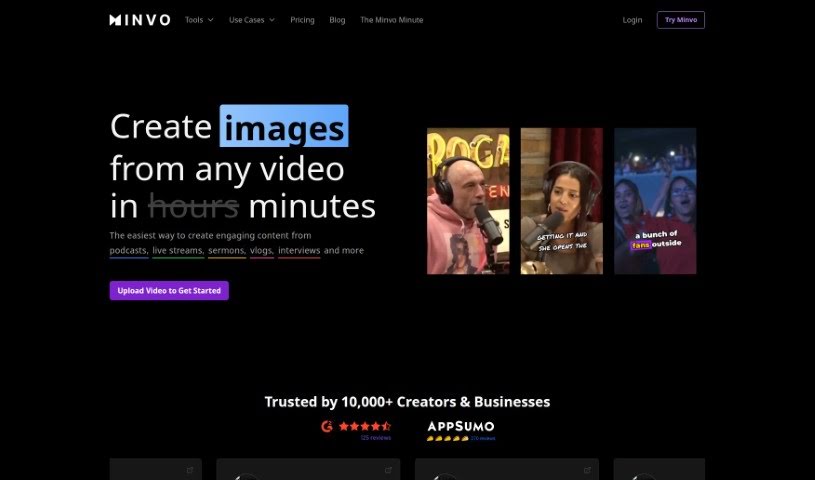
Screenshot of Minvo

Minvo

Discover what Minvo is and how to use it effectively in 2025. We'll explore its features and see how it stacks up against other video editing tools.

Screenshot

What is Minvo?

Minvo is an AI-powered video editing tool built to help you easily create high-quality short clips from your longer videos. It is your smart assistant for making great content quickly. It comes with features like MagicEdits, which is pretty neat because it automatically finds the most important moments in your video. It can also frame speakers clearly, suggest where to make cuts, and even add engaging captions to make your clips pop. Minvo’s AI Moments feature is versatile, working well with all sorts of content – whether it’s podcasts, speeches, lectures, vlogs, or even gaming videos. Once you’re happy with your edited clips, you can post them directly to multiple social media platforms with just a single click. Plus, there’s an AI Writing feature, powered by ChatGPT, that helps you write new content or find specific parts within your videos. Minvo offers different pricing plans, each with its own set of features and limits, like how long your videos are stored, how much you can upload, and the kind of support you get. It’s all about finding the plan that best fits what you need.

Who created Minvo?

Minvo was actually created by a single person named Liam. He launched the company back on October 15, 2022. The platform he built is designed to make creating content for social media – like YouTube, Instagram, TikTok, and LinkedIn – super user-friendly. Minvo offers some really helpful features: you can get pro-edited moments in just three clicks, use MagicEdit (which is powered by GPT-4o) for content creation, schedule your posts directly to social platforms, manage an unlimited number of brands and social accounts, transcribe and translate your content in over 50 languages, and generally edit videos with AI assistance.

What is Minvo used for?

Minvo is fantastic for a bunch of things:

  • Automated Editing: It takes the heavy lifting out of editing.
  • Engaging Shorts: It helps you create those short, attention-grabbing clips that do well on social media.
  • Key Moment Identification: It automatically spots the most important parts of your video.
  • Speaker Framing: It makes sure speakers are always nicely framed in the shot.
  • Cut Suggestions: It offers smart ideas for where to cut your video.
  • Captioning: It adds captivating captions to your clips.
  • Video Repurposing: It’s great for taking longer videos and turning them into shorter, shareable pieces.
  • Highlighting Funny Moments: It can help you find and pull out the humorous bits.
  • Auto-Framing Faces: It keeps faces centered and in view.
  • Filler Word & Silence Removal: It automatically cuts out those awkward pauses and filler words like ‘um’ and ‘uh’.
  • Efficient Content Multiplication: You can easily create many short clips from one long video.
  • Word Doc-like Editing: You can edit videos much like you edit text in a document, or use a traditional timeline.
  • AI-Powered Creation: Tools like MagicEdits and AI Moments help you create engaging shorts.
  • Easy Social Posting: You can post your edited shorts directly to multiple social media platforms.
  • Finding Viral Shorts: It can help you discover trending short clips.
  • Highlighting Keywords: It can identify and emphasize key words.
  • Handling Large Files: It’s designed to manage large video files efficiently.
  • Multi-Format Clipping: You can create short clips from all sorts of video formats.
  • Time-Saving: It saves you time by automatically removing filler words and silences.

Who is Minvo for?

Minvo is a great tool for a variety of people who work with video content:

  • Content Creators: Anyone making videos for platforms like YouTube, TikTok, or Instagram.
  • Digital Marketers: Professionals looking to create engaging video content for campaigns.
  • Podcasters: Those who want to pull out short, shareable clips from their podcast episodes.
  • Educators: Teachers and instructors who want to create short video lessons or highlights.
  • Gamers: Streamers and content creators who want to share exciting gaming moments.
  • Vloggers: Individuals who regularly create and share video diaries or personal content.

How to use Minvo?

Using Minvo effectively is pretty straightforward. Just follow these steps:

  1. Sign up for a plan: First, pick a plan that suits your needs. Options like Creator or Pro offer different features, such as the ability to automatically find viral shorts or unlimited exports. Choose the one that makes the most sense for you.
  2. Upload your video: Next, upload the video content you want to work with. This is where you’ll start editing and turning your longer videos into those engaging shorts.
  3. Utilize AI features: Now, make the most of Minvo’s AI tools. Features like MagicEdit and AI Moments are designed to automatically find key moments, frame speakers perfectly, suggest the best places to cut, and add captions. This really makes the editing process feel seamless.
  4. Customize your content: If you opt for the Pro plan, you’ll get access to more customization options. This includes priority support, API access, and lifetime storage, which really lets you tailor the editing experience to your specific workflow.
  5. Post to social media: Sharing your work is easy with the AI Social Media feature. You can quickly post your edited shorts across multiple platforms, streamlining how you distribute your content.
  • Explore additional capabilities: Don’t forget to try out other AI features, like automatically highlighting important keywords, removing filler words, and generally speeding up your editing with just three clicks.
  • Seek customer support: If you ever run into any issues or have questions, remember that the Pro plan offers priority support. This ensures you get help quickly and have a more user-focused experience.

By following these steps and exploring the many features Minvo offers, you’ll be able to efficiently edit and repurpose your videos into captivating shorts for all your platforms.

Related AI Tools

Discover more tools in similar categories that might interest you

Stay Updated with AI Tools

Get weekly updates on the latest AI tools, trends, and insights delivered to your inbox

Join 25,000+ AI enthusiasts. No spam, unsubscribe anytime.