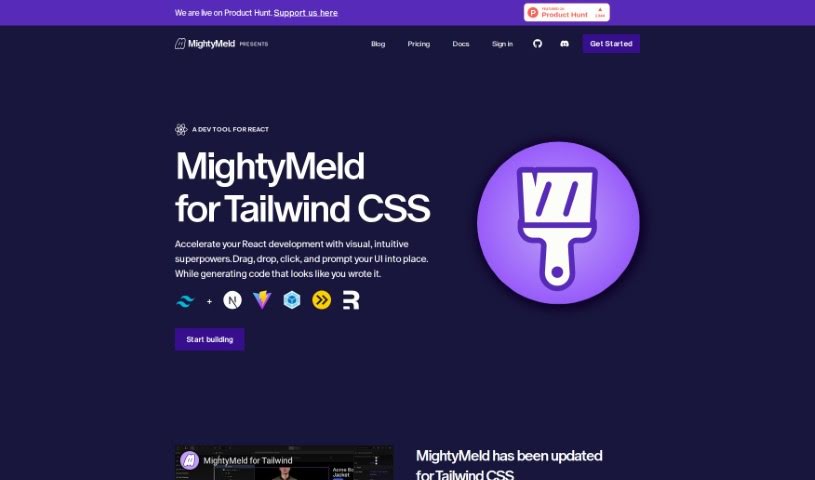
Screenshot of MightyMeld for Tailwind

MightyMeld for Tailwind

Discover MightyMeld for Tailwind CSS and React in 2025. Learn about its features, how it works, and how it stacks up against other code generators.

Screenshot

What is MightyMeld for Tailwind?

MightyMeld is a visual development tool designed specifically to make building React applications with Tailwind CSS much smoother. It is a super helpful assistant that lets you drag, drop, and click your way to organizing and changing user interfaces. What’s really neat is that as you make these visual adjustments, it automatically writes the code for you, which saves a ton of time and makes the whole process simpler. It also keeps your code on disk updated in real-time, so everything stays in sync. Beyond just Tailwind CSS, MightyMeld plays nicely with other popular tools like Next.js and Vite. Plus, it’s got AI smarts built in to automatically update your Tailwind styling, and you can even use it with other component libraries if your project needs that kind of flexibility.

Who created MightyMeld for Tailwind?

Theresana Iforit is the creator behind MightyMeld for Tailwind. They launched this tool on February 24, 2024, aiming to give developers a visual way to speed up their work on React applications. It offers a straightforward drag-and-drop interface, and as you adjust the visuals, it generates the code automatically. MightyMeld also uses AI to help update Tailwind styling and works with a bunch of different frameworks and libraries. This includes popular ones like Tailwind CSS, Next.js, Vite, Webpack, esbuild, Remix, and component libraries such as MUI, Chakra, Emotion, Styled Components, and Ant Design.

What is MightyMeld for Tailwind used for?

MightyMeld is really handy for a few key things:

  • Visual Help for React Development: It makes building React apps easier by letting you see what you’re doing.
  • Easy Drag-and-Drop: You can just drag and drop elements to arrange your interface.
  • Automatic Code Generation: As you design visually, it writes the code for you.
  • Real-Time Updates: It keeps your code and what you see on screen perfectly in sync.
  • Smart Tailwind Styling: The AI can automatically update your Tailwind CSS styles.
  • Quick UI Setup: You can easily build the basic structure of your user interfaces.
  • Effortless UI Changes: Manipulating your UI elements is a breeze.
  • Works with Next.js: It’s compatible with the popular Next.js framework.
  • Supports Many Libraries: You can use it with libraries like MUI, Chakra, Emotion, and others.
  • Handles Small Tasks: It takes care of those little repetitive user tasks for you.
  • Speeds Up React Development: Overall, it helps you build React applications faster.
  • Visual Arrangement: It makes arranging and updating user interfaces visually much simpler.
  • Automated Code: It automatically generates code that matches your visual interface changes.
  • Syncs with Your Code: It ensures your visual work stays in sync with the code files on your computer.
  • Framework Compatibility: It works with a variety of frameworks and libraries.
  • AI for Styling: It uses AI to automatically update your Tailwind styles.
  • Scaffolding UI: You can use pre-made building blocks to quickly set up your UI.
  • React Assistance: It helps with React development through its visual interface and automatic code generation.
  • Boosts Efficiency: It makes things more efficient by automating small tasks and code updates.
  • Component Library Support: It’s compatible with component-based libraries like MUI, Chakra, Emotion, and more.
  • Movable Building Blocks: The pre-made blocks you use are easy to move around and customize.
  • Broad Compatibility: It supports a wide range of frameworks and libraries.
  • Visual UI Work: You can arrange and update user interfaces visually.
  • Automatic Code Creation: It automatically generates the code that goes with your interface adjustments.
  • AI-Powered Styling: AI handles automatic updates for your Tailwind styles.
  • Automated Styling: It automates Tailwind styling updates using AI.
  • Customizable Blocks: You can use pre-made, customizable building blocks to set up your UI quickly.
  • Beyond Tailwind: It’s compatible with frameworks and libraries other than just Tailwind CSS.
  • Intuitive React Help: It assists with React development using a visual and intuitive interface.
  • Fast UI Creation: The drag-and-drop feature makes creating user interfaces quick and easy.

Who is MightyMeld for Tailwind for?

MightyMeld is a great tool for anyone involved in building web interfaces, including:

  • Web Developers
  • Frontend Developers
  • UI/UX Designers
  • Software Engineers
  • React Developers
  • Product Designers
  • Web Designers
  • Technical Architects
  • DevOps Engineers
  • Full Stack Developers

How to use MightyMeld for Tailwind?

Here’s a simple guide to get you started with MightyMeld for Tailwind:

  1. Install It: First, you’ll need to install the MightyMeld plugin in your favorite code editor. It’s usually found in the editor’s plugin or extensions marketplace.
  2. Find MightyMeld: After installation, open your code editor and look for MightyMeld. You should be able to find it in the plugins or extensions menu.
  3. Turn on Tailwind: Inside the MightyMeld plugin settings, make sure to enable the Tailwind integration. This is really important so that MightyMeld and Tailwind work together smoothly.
  4. Set Up Your Project: Get your Tailwind project ready. You can either create a new one or open an existing Tailwind project in your code editor.
  5. Use MightyMeld’s Features: Now, dive into what MightyMeld can do! Check out features like live previews, helpful code suggestions, and tools to make your code better. These can really improve how you use Tailwind.
  6. Style with MightyMeld: Use MightyMeld’s visual editor to easily change Tailwind CSS properties. It lets you make quick style adjustments without digging through code.
  7. Work Together: MightyMeld makes collaboration easier. You can share your Tailwind projects with your team members to get feedback or even work on them at the same time.
  8. Track Your Changes: Connect MightyMeld with your version control system (like Git) to keep track of all the changes you make to your Tailwind projects.
  9. Make it Faster: Use MightyMeld’s optimization tools to clean up your Tailwind CSS code. This helps your website or app perform better.
  10. Get Help: If you run into any problems or have questions, MightyMeld provides documentation and support resources to help you out.

By following these steps, you’ll be able to use MightyMeld for Tailwind really effectively. It’s a great way to make your workflow better and improve your overall development experience.

Related AI Tools

Discover more tools in similar categories that might interest you

Stay Updated with AI Tools

Get weekly updates on the latest AI tools, trends, and insights delivered to your inbox

Join 25,000+ AI enthusiasts. No spam, unsubscribe anytime.