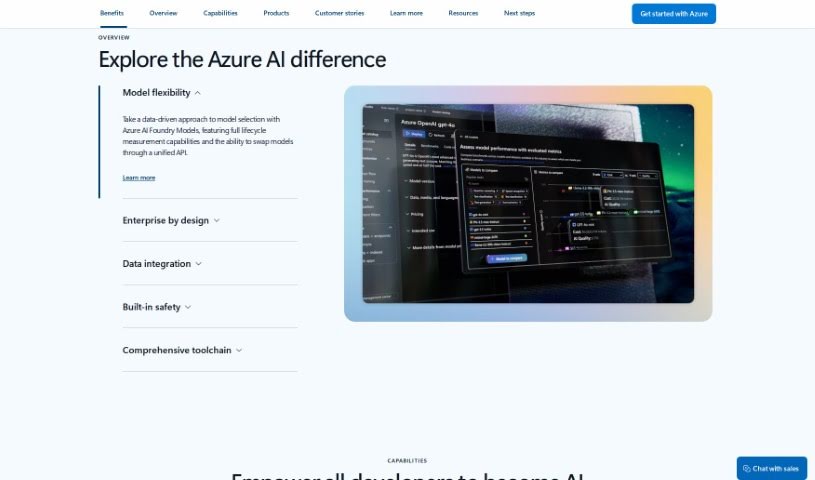
Screenshot of Microsoft Azure AI

Microsoft Azure AI

Discover what Microsoft Azure AI is and how to use it effectively in 2025. We'll explore its features and see how it stacks up against other software development tools.

Screenshot

What is Microsoft Azure AI?

Microsoft Azure AI is a complete toolkit packed with artificial intelligence (AI) services, all designed specifically for developers and data scientists. With Azure AI, you can tap into the latest research, follow responsible AI practices, and use a variety of tools to build and launch your own AI solutions. It gives you easy access to high-quality AI models for vision, speech, language, and decision-making, all through simple API calls. Plus, you can build your own machine learning models using a powerful AI supercomputing setup, familiar tools like Jupyter Notebooks and Visual Studio Code, and popular open-source frameworks like TensorFlow and PyTorch. And, of course, everything is done with Microsoft’s commitment to responsible AI principles in mind.

Who created Microsoft Azure AI?

Microsoft Azure AI was developed by Microsoft Corporation. You know Microsoft, right? Founded way back in 1975 by Bill Gates and Paul Allen, it’s a huge tech company behind tons of products and services, including this AI platform. Azure AI essentially offers AI services for developers and data scientists. It lets them easily access great AI models for things like vision, speech, language, and decision-making using simple API calls. The platform also makes it possible to create your own custom machine learning models. You can use tools you’re probably already familiar with, like Jupyter Notebooks and Visual Studio Code, along with popular frameworks such as TensorFlow and PyTorch.

What is Microsoft Azure AI used for?

Microsoft Azure AI is incredibly versatile and can help you:

  • Modernize your business processes: Use AI that’s specifically designed for tasks to tackle common business challenges.
  • Speed up development: Get solutions up and running in days, not months, thanks to built-in business logic.
  • Run AI responsibly, anywhere: Enjoy security that covers everything from the cloud right down to your intelligent edge devices.
  • Modernize business processes: Tackle common scenarios with task-specific AI.
  • Accelerate development: Launch solutions faster with built-in business logic.
  • Run AI responsibly: Ensure security from the cloud to the edge.
  • Speed up development: Launch solutions in days, not months, with built-in business logic.
  • Modernize business processes: Solve common scenarios with task-specific AI.
  • Accelerate development: Launch solutions quickly, in just days, using built-in business logic.
  • Speed up development: Get your solutions out the door in days, not months, thanks to built-in business logic.
  • Run AI solutions responsibly: Keep your AI secure, whether it’s in the cloud or at the edge.
  • Modernize business processes: Solve common scenarios with task-specific AI.
  • Accelerate development: Deploy solutions quickly in days with built-in business logic.
  • Run responsibly anywhere: Benefit from security that spans from the cloud to the intelligent edge.

Who is Microsoft Azure AI for?

This platform is a great fit for a wide range of professionals:

  • Data Scientists
  • Software Developers
  • Data Analysts
  • Machine Learning Engineers
  • AI Researchers
  • Business Analysts
  • DevOps Engineers
  • IT Specialists
  • Product Managers
  • Marketing Specialists

How to use Microsoft Azure AI?

Getting started with Microsoft Azure AI is pretty straightforward. Here’s a simple guide:

  1. Explore Azure AI: Dive into the suite of AI services available for developers and data scientists. You’ll find advanced models for vision, speech, language, and decision-making that you can access with simple API calls.
  2. Use Responsible AI Practices: Take advantage of the responsible AI practices and decades of research Microsoft offers to build and deploy your AI solutions effectively.
  3. Build Your Models: Access a powerful AI supercomputing infrastructure to create your machine learning models. You can use familiar tools like Jupyter Notebooks and Visual Studio Code, alongside popular frameworks such as TensorFlow and PyTorch.
  4. Adhere to Principles: Always remember to follow Microsoft’s responsible AI principles throughout your entire AI development process.

By following these steps, you’ll be well on your way to using Azure AI effectively to boost your AI projects and solutions.

Related AI Tools

Discover more tools in similar categories that might interest you

Stay Updated with AI Tools

Get weekly updates on the latest AI tools, trends, and insights delivered to your inbox

Join 25,000+ AI enthusiasts. No spam, unsubscribe anytime.