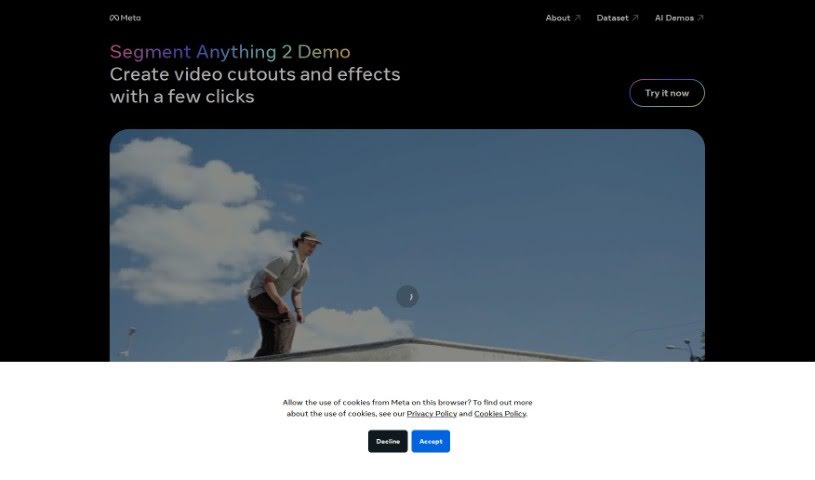
Screenshot of Meta Sam2

Meta Sam2

Discover Meta Sam2 in 2025! Learn what this AI tool is, how to use its features for video editing, and see how it stacks up against other video editing tools.

Screenshot

What Exactly is Meta Sam2?

Meta Sam2 is a really interesting AI tool that Meta has put together. It is a showcase for all sorts of cool AI demos. It’s basically a place where Meta gets to show off what their artificial intelligence can do and how it can be used in the real world. You can actually play around with these AI demos yourself, which is a great way to get a feel for how AI systems operate and the kind of impact they might have across different industries. Meta designed Meta Sam2 to be super easy to use, so anyone curious about AI can explore and get involved. It’s a fantastic way to learn more about the latest AI advancements and all the possibilities they open up. Through Meta Sam2, you can really start to grasp just how powerful and versatile AI is becoming in our digital lives.

Who’s Behind Meta Sam2?

Meta Sam2 comes from Meta Platforms, Inc. – you might know them better as Facebook. Mark Zuckerberg is the person who founded the company. Meta is well-known for developing a whole range of AI technologies and products, and Meta Sam2 is one of them. What’s particularly neat about it is that it lets users segment, or cut out, anything they want from videos with just a few simple clicks.

Who Would Find Meta Sam2 Useful?

  • Educators
  • Software developers
  • Data Analysts
  • Marketers
  • UX/UI designers
  • Researchers
  • Business analysts
  • Journalists
  • Healthcare professionals
  • Scientists

How Can You Start Using Meta Sam2?

Getting started with Meta Sam2 is pretty straightforward. Here’s a quick rundown of the steps:

  1. First off, head over to the Meta Sam2 website. You can find it at ai.meta.com/sam2.
  2. Once you’re there, take a moment to click on the “About” section. It’s a good place to get a clearer picture of what the tool is all about.
  3. Then, dive into the AI Demos. Playing around with these will give you a much better sense of what the tool can actually do.
  4. Ready to start segmenting videos and creating cool effects? Just look for the “Segment Anything 2 Demo” section on the homepage.
  5. Follow the instructions you see there. It’s designed to make creating video cutouts and effects feel effortless.
  6. Don’t be afraid to experiment! Make the most of the various features by trying out different options to see what works best for you.
  7. If you get stuck or need a hand with anything, the website has resources available to help you out.

By following these steps, you’ll be well on your way to using Meta Sam2 effectively for all your video segmentation and effects needs.

Related AI Tools

Discover more tools in similar categories that might interest you

Stay Updated with AI Tools

Get weekly updates on the latest AI tools, trends, and insights delivered to your inbox

Join 25,000+ AI enthusiasts. No spam, unsubscribe anytime.