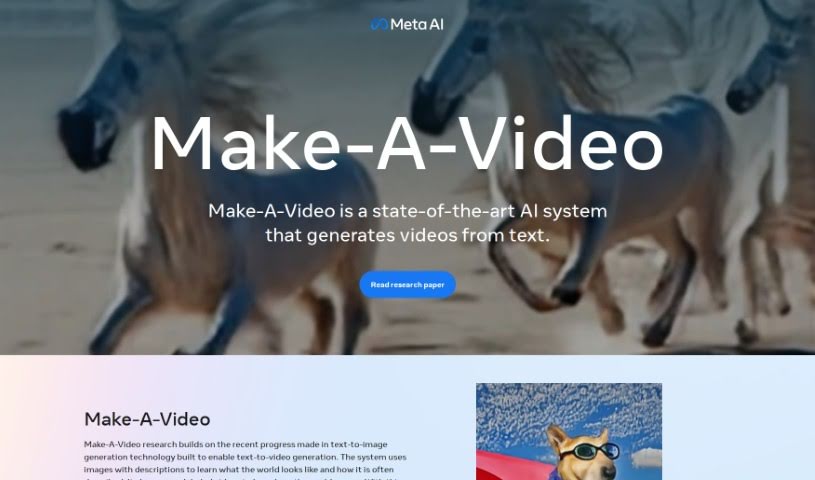
What is Make A Video?
Make-A-Video is a really cool system that can create unique, imaginative videos from simple text descriptions and even still images. It is a way to bring your words to life visually. It uses advanced text-to-image technology, but instead of just making a picture, it generates actual video. The goal here is to let anyone create fun videos with just a few words. You can take a single picture and add motion to it, create different versions of a video you’ve already made, or just generally boost your creative video projects. This technology comes from Meta AI, and they’re serious about making sure it’s used responsibly and safely. To be clear, any video you make with Make-A-Video will have a watermark so everyone knows it’s AI-generated.
Who created Make A Video?
A talented team of researchers at Meta AI developed Make A Video. You can find a full list of contributors in their official PDF document. Some of the key people behind this project include Uriel Singer, Adam Polyak, Thomas Hayes, Xi Yin, Jie An, Songyang Zhang, Qiyuan (Isabelle) Hu, Harry Yang, Oron Ashual, Oran Gafni, Devi Parikh, Sonal Gupta, and Yaniv Taigman. Beyond just building the text-to-video tech, this team also put a lot of focus on using AI responsibly, working to prevent the creation of harmful content.
What is Make A Video used for?
Here’s a rundown of what you can do with Make A Video:
- Text to Video: Create videos directly from your text prompts.
- Animate Still Images: Easily add motion to a single picture.
- Video Variations: Generate different versions of an original video.
- Image-to-Image Motion: Smoothly fill in the motion between two different images.
- Unique Creations: Produce one-of-a-kind, high-quality videos.
- Boost Creativity: Expand your creative possibilities in video production.
- Better Text Representation: Improve how text inputs are understood and translated into video.
- Higher Quality Video: Enhance the overall quality of generated videos.
- Safe Release: Follows secure release procedures.
- Prevent Misinformation: Helps prevent misleading content.
- Bring Imagination to Life: Create truly one-of-a-kind videos just by describing them.
- Add Motion to Photos: You can animate a single image or create smooth transitions between two images.
- Explore Creative Options: Make variations of your videos to see what else is possible.
- Simple Creation: Generate whimsical, unique videos with just a few words.
- Realistic Videos: Create hyper-realistic videos, like a spaceship landing on Mars or a dog in a superhero outfit flying through the sky.
- Creative Enhancements: Make videos more interesting, such as a teddy bear painting, a robot dancing in Times Square, or a cat watching TV.
- Dynamic Scenes: Animate scenes like a baby sloth figuring out a laptop, a paintbrush on a canvas, or a clownfish in a coral reef.
- Capture Moments: Animate scenes like a couple walking in the rain or a horse drinking water.
- Transform Photos: Turn static images into dynamic, moving videos.
Who is Make A Video for?
This tool is perfect for:
- Artists
- Content creators
- Creative professionals
- Marketers
- Advertisers
- Film producers
- Brand managers
How to use Make A Video?
Using Make-A-Video is pretty straightforward. Here’s how you can get started:
- Type Your Idea: Begin by typing a few words or a short sentence describing the video you want to create.
- Watch Your Vision Come to Life: Make-A-Video then takes your text and generates unique, imaginative videos based on it.
- Add Movement: You can make your video even more dynamic by adding motion to a single image or creating a smooth transition between two images.
- Experiment with Variations: Feel free to create different versions of your original video to explore new creative avenues.
- Benefit from Advanced Tech: Take advantage of the state-of-the-art technology that understands text input much better than older models.
- Use Responsibly: Meta AI is committed to responsible AI use. They analyze data to reduce harmful content and add watermarks to all AI-generated videos.
- Stay Tuned: If you’re interested in future updates, reach out to Meta AI about upcoming releases of this technology.
By following these simple steps, you can really let your creativity flow and bring all your video ideas to life with Make-A-Video.