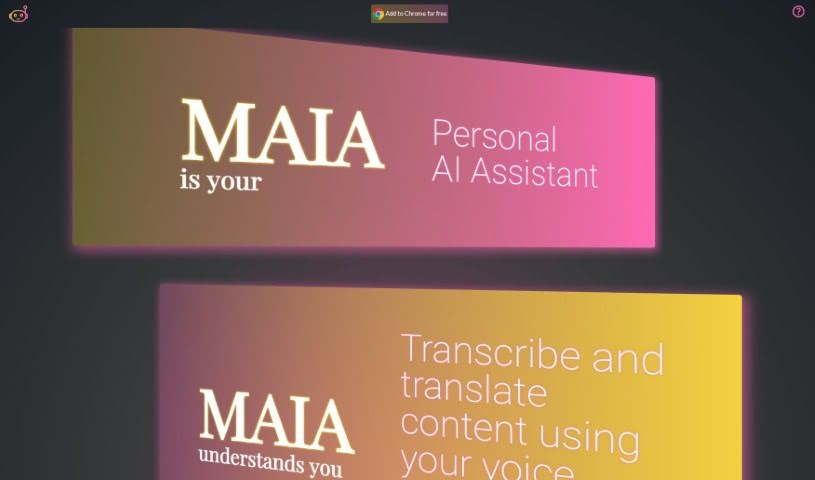
Screenshot of Maia Ai

Maia Ai

Discover what Maia AI is and how to use it effectively in 2025. Explore its features for transcription, translation, summarization, and more, and see how it stacks up against other AI note-takers.

Screenshot

What is Maia Ai?

Maia Ai, which stands for My AI Assistant, is a really helpful tool designed to make powerful AI technology easy for everyone to use and afford. It’s a Google Chrome extension that lets you transcribe and translate content just by speaking, which is fantastic for making things more accessible and improving how we communicate. Maia Ai packs a lot of useful functions to help you get more done, like summarizing what you’re reading, creating new text, breaking down complicated subjects, making information simpler, translating languages, and turning your speech into written text. Because it works on any webpage once you add it to Chrome, it’s a super versatile way to boost what you can do online.

Who created Maia Ai?

MAIA Ai actually started as a personal project by a team who wanted to build something useful. What began as a side project eventually grew into this versatile tool you can get as a Chrome extension. They’ve built it using OpenAI’s technology – the same tech that powers ChatGPT – to help people be more productive and save money. The idea came about because manually typing out content for analysis was a real hassle, and other AI tools seemed pretty expensive. So, MAIA was born as a way to offer an accessible and affordable option for all sorts of tasks, from summarizing and writing to analyzing data and much more.

What is Maia Ai used for?

Maia Ai can help you with a whole range of things:

  • Boosting your overall productivity
  • Transcribing your speech into text
  • Translating content from one language to another
  • Summarizing long articles or documents
  • Generating new text, like emails or creative writing
  • Explaining complex topics in simpler terms
  • Making information easier to understand
  • Turning spoken words into written text
  • Creating documents that are more accessible to everyone
  • Making communication smoother and more efficient
  • Providing practical AI help for everyday tasks
  • Offering a smooth AI experience for all users
  • Transcribing content easily using just your voice

Who is Maia Ai for?

Maia Ai is a great tool for a wide variety of people, including:

  • Content creators looking to streamline their workflow
  • Educators who need to simplify materials or transcribe lectures
  • Researchers needing to analyze large amounts of text
  • Translators seeking efficient language conversion
  • Journalists gathering information and writing stories
  • Business professionals managing communications and reports
  • Students needing help with assignments and understanding complex subjects
  • Marketing specialists creating content and analyzing trends
  • Customer Support Agents providing quick and clear information
  • Writers looking for assistance with drafting and editing

How to use Maia Ai?

Getting started with Maia Ai is pretty straightforward. Here’s a simple guide:

  1. Get to Know Maia: First off, remember Maia, short for My AI Assistant, is a personal AI extension for your Google Chrome browser. Its main goal is to boost your productivity with features like transcription and translation.
  2. Add Maia to Chrome:
    • Head over to your browser’s extension marketplace (the Chrome Web Store).
    • Just search for “Maia Ai.”
    • Click the “Add to Chrome” button to install it for free.
  3. Explore Its Features:
    • Maia is quite capable! It can:
      • Summarize content you’re viewing.
      • Generate text for various purposes.
      • Explain complex topics in an easy-to-grasp way.
      • Simplify information to make it more accessible.
      • Translate languages directly on webpages.
      • Transcribe speech into text accurately.
  4. Access Maia Anywhere:
    • Once you’ve added it, Maia works automatically on any webpage you visit. It’s there to help you wherever you browse online.
  5. Cost-Effective Use:
    • One of the best parts is that you only pay for the features you actually use. This makes Maia a really cost-effective option for everyone, no matter your needs.
  6. Start Using Maia:
    • Simply select Maia from your Chrome browser extensions.
    • Dive into its features – try out summarization, text generation, translation, and all the other tools.
    • You’ll love the convenience of its speech-to-text transcription!

By following these easy steps, you can start using Maia Ai effectively for all sorts of tasks that will boost your productivity, right from your Chrome browser.

Related AI Tools

Discover more tools in similar categories that might interest you

Stay Updated with AI Tools

Get weekly updates on the latest AI tools, trends, and insights delivered to your inbox

Join 25,000+ AI enthusiasts. No spam, unsubscribe anytime.