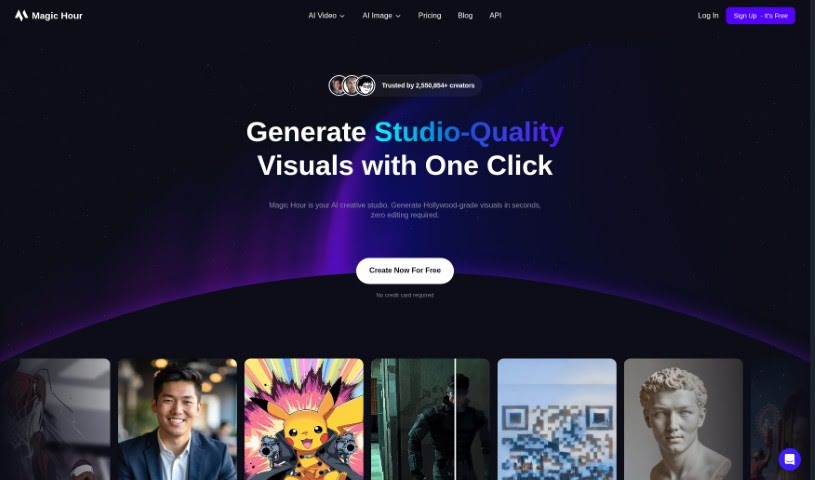
Screenshot of Magic Hour

Magic Hour

Discover Magic Hour, a powerful video creation tool for 2025. Learn its features, compare it to other video tools, and find out how to create amazing animations, face swaps, and text-to-video content with ease.

Screenshot

What is Magic Hour?

Magic Hour is a platform designed to make creating captivating video content incredibly simple. Whether you’re looking to produce animations, do face swaps, or generate videos from text, this tool has you covered. The founders, David and Runbo, brought together their expertise in software engineering and data science to build Magic Hour. Their goal was to streamline the process of making professional-quality videos, so you don’t need years of experience to get great results. They offer several pricing plans, perfect for everyone from seasoned pros to casual users, with features like dedicated computing power, API access, and high-resolution video output. You can check out Magic Hour at magichour.ai to explore its user-friendly interface and start creating engaging videos quickly and easily.

Who created Magic Hour?

Magic Hour was brought to life by David, who has a background in Software Engineering, and Runbo, a Data Scientist. Interestingly, they first met back in 1997 in China, thanks to their mothers who were college roommates. Growing up together in Pennsylvania, they combined their tech skills and their experiences helping their parents market small businesses. This blend of skills and shared history led them to develop Magic Hour. The platform’s core mission is to make video content creation easier for both professionals and everyday users. They’ve set up various pricing plans to fit different needs and how much you plan to use the service.

What is Magic Hour used for?

Magic Hour is incredibly versatile and can be used for a wide range of video creation tasks:

  • Creating animations
  • Performing face swaps
  • Generating engaging video content in just minutes
  • Producing videos in various styles, including animations, video-to-video transformations, face swaps, and text-to-video generation
  • Speeding up production timelines for professionals
  • Enabling consumers to create professional-quality content without needing years of prior experience
  • Helping creators significantly speed up the production of their professional-quality content
  • Allowing marketers to easily create engaging video content
  • Enabling producers to generate videos in diverse styles like animations, video-to-video, face swaps, and text-to-video
  • Lip Syncing
  • Video-to-Video conversions
  • Text-to-Video generation
  • Image-to-Video creation
  • AI Code Reviews & Bug Fixes (Note: This appears to be a separate function or a misunderstanding in the original list, as Magic Hour’s primary focus is video creation.)
  • Generating videos in various styles, including animations, video-to-video, face swaps, and text-to-video

How to use Magic Hour?

Getting started with Magic Hour is straightforward. Here’s a simple guide:

  1. First, head over to magichour.ai to access the tool.
  2. Next, you’ll want to pick a plan that best suits your needs. They offer options like Basic, Creator, Pro, or Business.
  3. If you don’t have an account yet, sign up. If you do, just log in.
  4. Once you’re logged in, you can explore all the features available based on the plan you chose. This includes things like animations, video-to-video, face swap, and text-to-video capabilities.
  5. Now, upload your media files or input the content needed for the type of video you’re aiming to create.
  6. Use the intuitive interface to fine-tune and customize your video. You can adjust settings for resolution, effects, and how long you want it to be.
  7. It’s always a good idea to preview your video before you finalize everything.
  8. When you’re happy with how it looks, just save or export your video project.
  9. Finally, you can download the completed video or share it directly from the platform.

Magic Hour provides a range of plans to fit different user needs, from a free basic tier to premium options that offer more features and higher quality output. Don’t hesitate to experiment with the tool; it’s a great way to discover its full capabilities and really unleash your creativity in video content creation.

Related AI Tools

Discover more tools in similar categories that might interest you

Stay Updated with AI Tools

Get weekly updates on the latest AI tools, trends, and insights delivered to your inbox

Join 25,000+ AI enthusiasts. No spam, unsubscribe anytime.