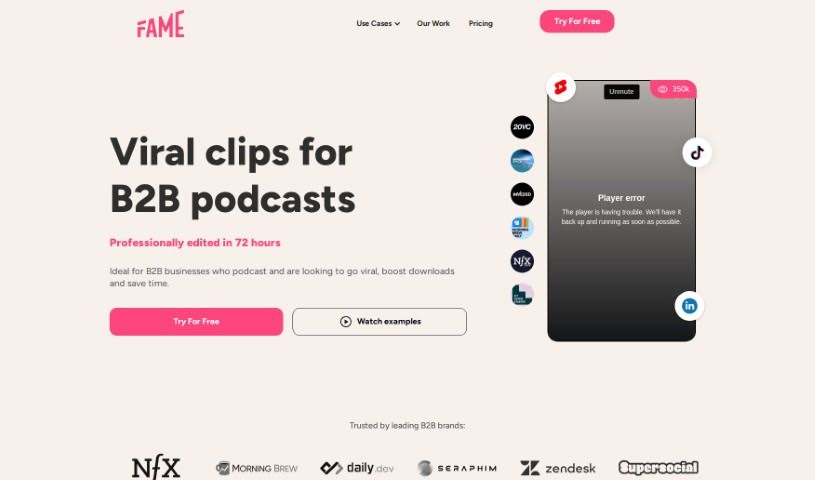
Screenshot of Lychee

Lychee

Discover Lychee, a video editing platform designed for social media. Learn its features, how it compares to other video creation tools, and how to use it effectively in 2025.

Screenshot

What is Lychee?

Lychee is a service that helps you create engaging, professionally edited video clips specifically for social media. They really focus on finding those key moments that will grab your audience’s attention. They provide high-quality video editing to bring your stories to life, and importantly, they have human reviewers check everything to make sure it’s on-brand and safe. Lychee is all about making your content stand out on platforms like TikTok and Instagram by optimizing editing for short-form video.

Who created Lychee?

Tobias Reich, a developer known for his open-source work, created Lychee. While we don’t have specific company details for Lychee itself, Tobias Reich founded it in 2015. It started as a free tool for managing photos, letting you easily upload, track, and share them. Tobias’s goal was to build a straightforward yet powerful way to organize personal photos. People really liked Lychee because it was user-friendly and had customizable options, quickly becoming a favorite for photo lovers.

What is Lychee used for?

Lychee is great for a bunch of things, especially if you’re working with podcasts or want to boost your social media presence:

  • Podcast to Social Media: Turn your podcasts into tailored marketing content, convert Twitter Spaces into videos for TikTok and LinkedIn, or create platform-ready clips from your podcast sessions. They help produce short videos to grow your podcast on YouTube and reach more founders on social media.
  • Content Marketing: Enhance your social media presence with high-quality content, edit podcasts into visually appealing and engaging clips, and streamline your content marketing efforts. Lychee helps elevate your brand’s thought leadership and awareness by producing and distributing content that audiences genuinely love.
  • Efficiency & Optimization: They make it easy to convert podcast sessions into platform-ready videos and create tailored marketing content efficiently. You can offload tasks related to video format handling, manage your social media presence and audience engagement, and help podcasters reach more people on social media.
  • Customization & Quality: Create customized video content for different platforms, optimize editing for short-form video, and ensure quality through human review. This includes checking for typos, branding issues, and safety concerns. They offer unlimited revisions to make sure you’re happy.
  • Repurposing Content: Transform existing video and podcast content into engaging clips, streamline content marketing efforts, and produce and distribute content for audience engagement. This includes creating short-form video clips and converting podcast sessions into platform-ready videos.
  • Brand Building: Manage multiple podcasts under one package, enhance brand awareness and thought leadership, and tailor marketing content efficiently. They focus on creating high-quality content for social media, offering a scalable video editing service, and professionally editing videos for short-form platforms.
  • Human Review & Optimization: Their quality assurance process includes human content specialists reviewing clips for high standards, checking for typos, branding, and safety. They create video content optimized for social media, detect key moments to captivate the audience, and edit video content to make storylines come to life.
  • Creative Enhancements: They can contextually create b-rolls for videos, highlight VIP guests, and match visuals to each scene in your video content. They also focus on matching brand guidelines with colors, fonts, logos, and CTAs.
  • Workflow & Growth: Lychee provides a platform for podcasters and businesses to enhance their online presence with professionally edited video content. They create short-form clips for B2B companies’ podcasts, streamline repurposing workflows, and help you publish stunning social clips quickly. They also focus clips on specific speakers, including their title and logo, and handle increased workloads as your audience grows.

Who is Lychee for?

Lychee is a fantastic tool for anyone involved in creating and distributing video content, especially for social media. This includes:

  • Social Media Managers
  • Content Creators
  • Marketing Professionals
  • Influencers
  • Video Producers
  • Graphic Designers
  • Digital Marketers
  • Advertising Specialists
  • Brand Consultants
  • Videographers

How to use Lychee?

Using Lychee is pretty straightforward. Just follow these steps:

  1. Sign up: First, you’ll need to create an account. Head over to https://studio.lychee.so/signup to get started.
  2. Upload Videos: Once you’re logged in, upload the videos you want edited.
  3. Select Key Moments: Think about which parts of your video will really grab your audience. Focus on these crucial segments for the editing process.
  4. Video Editing: Lychee’s team offers professional video editing. They tailor it to work best on short-form platforms while keeping your unique brand and style intact.
  5. Quality Assurance: To make sure everything is top-notch, Lychee’s human QA teams review all the clips. This helps catch any typos, branding mistakes, or safety issues before the videos are finalized.
  6. Publishing: After the editing and review are done, you can confidently publish your videos, knowing they’re optimized for social media.

By following these steps, you can effectively use Lychee to edit and enhance your videos for social media platforms.

Related AI Tools

Discover more tools in similar categories that might interest you

Stay Updated with AI Tools

Get weekly updates on the latest AI tools, trends, and insights delivered to your inbox

Join 25,000+ AI enthusiasts. No spam, unsubscribe anytime.