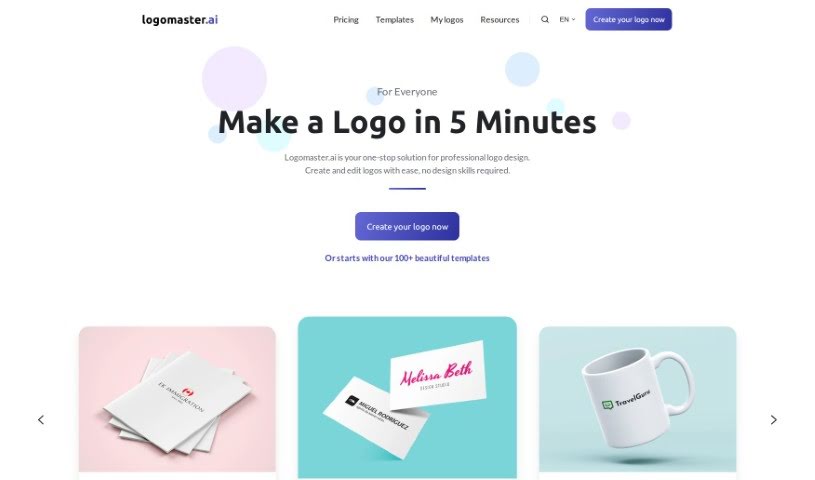
Screenshot of Logomaster.ai

Logomaster.ai

Discover what Logomaster.ai is and how to use it effectively in 2025. We'll explore its features and see how it stacks up against other popular logo generators.

Screenshot

What is Logomaster.ai?

Logomaster.ai is a handy online tool that lets you create professional-looking logos for your business, and it’s super quick and easy to use. You don’t need any design experience at all! The platform gives you over 100 logo ideas to choose from, which you can then tweak to perfectly match your brand. You can have a finished logo in about 5 minutes. They offer different pricing plans that give you high-resolution logo files in formats like PNG and SVG, ensuring your logo looks great everywhere, whether it’s on your website, business cards, or social media. Logomaster.ai really focuses on helping you be creative and provides a safe space for designing. They do suggest, however, that you avoid directly copying or imitating well-known brand logos. Once you download your logo files, you get a commercial license, which means you’re all set legally for business use.

Who created Logomaster.ai?

Logomaster.ai wasn’t created by just one person; it’s the product of a whole team. Their main goal is to make it simple for anyone to create professional logos quickly, even if they have zero design background. They offer a range of pricing options to suit different budgets and needs, making professional logo design accessible to everyone. The platform really champions creativity and uniqueness, and they’ve worked to make sure it’s a safe and reliable place to bring your logo ideas to life.

What is Logomaster.ai used for?

  • Quick & Easy Logo Creation: Get a professional logo in just 5 minutes, no design skills needed.
  • Plenty of Ideas: Choose from over 100 logo concepts, designed for all sorts of industries and styles.
  • Full Customization: Tweak every part of your logo design to make it truly yours and perfectly tailored to your brand.
  • Fast Results: Have a professional logo ready in minutes, skipping the days-long wait.
  • Tailored Templates: Find designs specifically made for personal brands, startups, small businesses, and larger enterprises.
  • High-Resolution Files: Create logos that look sharp and professional for any use.
  • Web-Ready Downloads: Get files optimized for your website and social media profiles.
  • Unlimited Edits: Make as many changes as you like and re-download your designs anytime.
  • Print-Ready Files: Access files perfect for business cards, banners, posters, and more.
  • Multiple Variations: Create and save up to 5 different logo versions, with editable colors, sizes, and element placement.

Who is Logomaster.ai for?

  • Startup Founders
  • Small Business Owners
  • Professionals

How to use Logomaster.ai?

Here’s how you can create your logo with Logomaster.ai:

  1. Head to the Website: Start by visiting the Logomaster.ai website.
  2. Create Your Logo:
    • Pick Logo Ideas: Browse through more than 100 logo options that fit different industries and styles, and select one you like.
    • Customize It: Once you’ve chosen an idea, you can customize everything about it – think colors, fonts, icons – to make it truly unique to your brand.
    • Make It Yours: Really tailor the design to reflect your brand’s identity by adjusting elements to your specific preferences.
  3. Download Your Logo:
    • Logomaster.ai Packages:
      • Basic Package ($39): This includes high-resolution logo files and web-ready files.
      • Premium Package ($99): On top of the basic features, you also get print-ready files and the ability to make unlimited changes and re-download your designs.
      • Enterprise Package ($159): This package has everything from the premium option, plus all color choices, the ability to create up to 5 logo variations, social media assets, realistic mockup images, font names, and the color palette, among other things.
  4. Payment and Licensing:
    • While you can design your logo for free, you’ll need to pay a fee to download the actual logo files. This payment includes a commercial license, giving you the legal right to use the logo for your business.
    • This commercial license makes sure you have all the necessary rights and permissions for your intended use of the logo.
  5. Legal Considerations:
    • It’s important to make sure your logo design doesn’t directly copy or closely imitate famous brand logos or any trademarked designs.
    • Logomaster.ai offers a safe platform for design, but it’s always a good idea to do your own research or chat with legal experts about trademark and copyright rules.

By following these simple steps, you can easily create a professional logo that truly represents your brand, even without any prior design experience.

Related AI Tools

Discover more tools in similar categories that might interest you

Stay Updated with AI Tools

Get weekly updates on the latest AI tools, trends, and insights delivered to your inbox

Join 25,000+ AI enthusiasts. No spam, unsubscribe anytime.