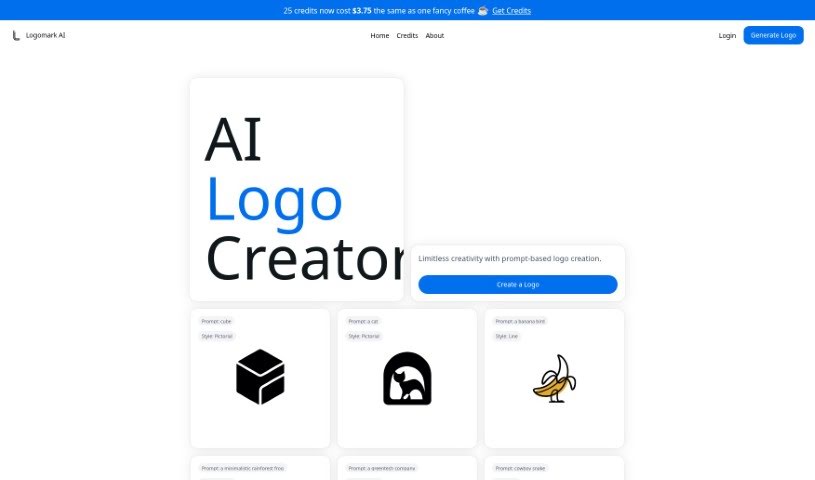
Screenshot of Logomark AI

Logomark AI

Discover what Logomark AI is and learn how to use it effectively in 2025. We'll explore its features, compare it to other logo generators, and guide you through creating your own unique logos.

Screenshot

What is Logomark AI?

Logomark AI is a platform designed for creating logos, brought to you by Kristjan. His goal was to offer cool, minimalist logo designs that are easy to turn into vector images, or SVGs. Kristjan noticed that many existing AI logo generators produced logos that felt a bit too similar or generic. So, he built Logomark AI to give users a way to be truly creative with their logo ideas. You can generate personalized logos quickly and easily just by describing what you want. If you find the service helpful, Kristjan would love for you to spread the word! He’s also happy to hear your thoughts or answer any questions you might have via social media or email.

Who created Logomark AI?

Kristjan Retter is the person behind Logomark AI. He’s not only the creator but also the one who keeps the platform running. Kristjan developed it specifically to generate those cool, minimalist logos that can be converted into vector (SVG) format, aiming to overcome the limitations he saw in other AI logo tools. If you’re curious to learn more or want to share your feedback, you can reach out to Kristjan on Twitter, LinkedIn, or send him an email.

Who is Logomark AI for?

  • Graphic Designers
  • Marketing Specialists
  • Small Business Owners
  • Entrepreneurs
  • Content Creators
  • Freelancers
  • Web Developers
  • Social Media Managers
  • Event Planners
  • App Developers
  • Photographers
  • Nonprofit Organizers

How to use Logomark AI?

Ready to create a unique logo with Logomark AI? It’s a straightforward process:

  1. First, head over to the Logomark AI website and find the section for creating logos.
  2. Next, you’ll enter a prompt – basically, a description of the logo you’re imagining. This is where the limitless creativity comes in; the more descriptive you are, the more personalized your logo will be.
  3. Take a look at the different design options the AI comes up with based on your prompt. There are usually quite a few to explore!
  4. Pick the design that feels closest to what you had in mind.
  5. If you want to tweak it further, you can customize elements like colors or fonts to really match your brand’s look and feel.
  6. Use the preview option to see your logo in action and make any final adjustments.
  7. Once you’re happy with how it looks, you can download it in your preferred format, like PNG or SVG.
  8. And that’s it! Your new logo is ready to be used for all your branding needs.

Logomark AI lets you create logos with very specific customization just by using descriptive words. It’s a really neat way to get a unique look. You can get these logos for about the price of a cup of coffee. The tool also offers different styles, such as Abstract Mark Logos, Line Mark Logos, and Pictorial Mark Logos, so you can find one that perfectly suits what your brand needs.

Related AI Tools

Discover more tools in similar categories that might interest you

Stay Updated with AI Tools

Get weekly updates on the latest AI tools, trends, and insights delivered to your inbox

Join 25,000+ AI enthusiasts. No spam, unsubscribe anytime.