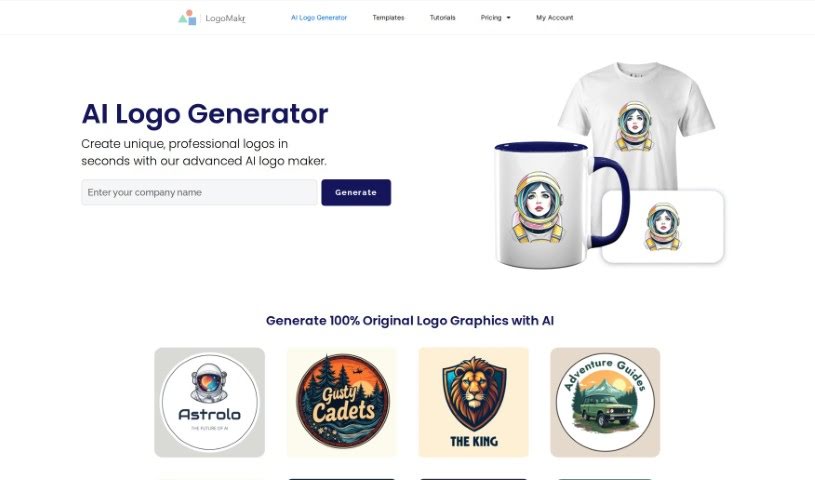
Screenshot of LogoMakr AI Logo Maker

LogoMakr AI Logo Maker

Discover what LogoMakr AI Logo Maker is all about and how to use it effectively in 2025. We'll walk through its features and see how it stacks up against other logo generators.

Screenshot

What Exactly is LogoMakr AI Logo Maker?

LogoMakr AI Logo Maker is a platform designed to help you create completely original logo graphics, all powered by artificial intelligence. It is your personal AI design assistant. It’s built so you can craft unique logos that really match what you need and how you want your brand to look. Because it uses AI, you can be sure the logos it generates are original and stand out. For anyone, whether you’re an individual or a business, who needs a professional-looking logo but doesn’t have a ton of design experience or resources, LogoMakr AI Logo Maker offers a really convenient and efficient way to get it done. The AI gives you access to a variety of design choices and graphics, making it easier to create a logo that truly represents your brand effectively.

Who Created LogoMakr AI Logo Maker?

The specific individual or team behind LogoMakr AI Logo Maker isn’t clearly stated in the information available. However, LogoMakr itself is a well-known online platform that helps people design logos using AI. The company’s main focus is on making it easy for users to create original logo graphics, leveraging artificial intelligence algorithms to do the heavy lifting.

Who Should Use LogoMakr AI Logo Maker?

This tool is a great fit for a wide range of people and businesses, including:

  • Entrepreneurs just starting out.
  • Small Business Owners looking for a professional brand identity.
  • Freelancers who need a strong visual presence.
  • Graphic designers seeking quick AI-assisted concepts.
  • Marketing professionals developing campaign materials.
  • E-commerce sellers wanting to establish their brand online.
  • Event Planners needing event-specific branding.
  • Content creators building their personal brand.
  • Social media managers creating visual content.
  • Nonprofit organizers establishing their identity.

How Do I Use LogoMakr AI Logo Maker?

Getting started with LogoMakr AI Logo Maker is pretty straightforward. Here’s a simple breakdown of the steps:

  1. First, head over to the LogoMakr website and find the AI Logo Generator tool.
  2. You’ll see a spot to enter your logo’s name. Just type it in there.
  3. Once you’ve entered your name, hit the “Generate a Logo” button to get things rolling.
  4. In just a few seconds, the AI will whip up a bunch of unique, professional-looking logo options for you.
  5. Take a look through the different logo variations the AI has created. Find the one that you feel best represents your brand’s identity.
  6. After you’ve picked a design you like, you can tweak it even further. Feel free to adjust colors, change fonts, and play around with other elements until it’s just right.
  7. When you’re happy with your customized logo, you can download it in high resolution, ready for whatever you need it for.

Following these steps should help you create a custom logo efficiently using LogoMakr’s AI Logo Maker tool.

Related AI Tools

Discover more tools in similar categories that might interest you

Stay Updated with AI Tools

Get weekly updates on the latest AI tools, trends, and insights delivered to your inbox

Join 25,000+ AI enthusiasts. No spam, unsubscribe anytime.