What is Logo Diffusion?
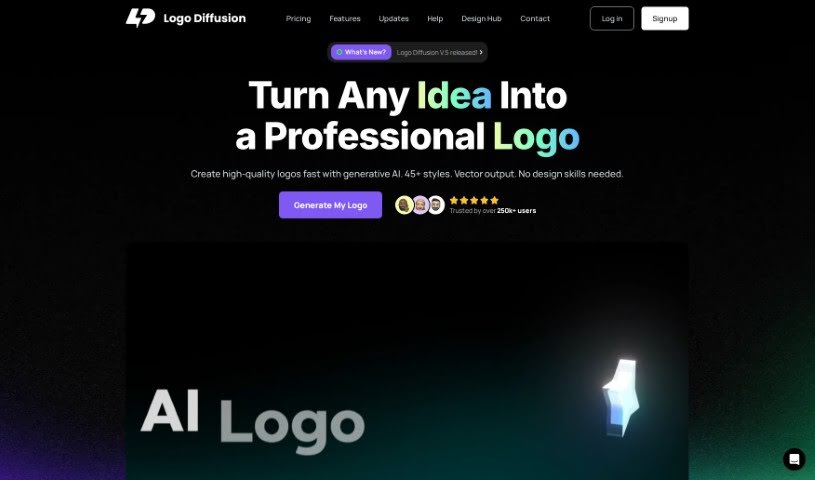
Logo Diffusion is a really cool tool that’s changing how we make logos, all thanks to generative AI. It lets anyone, whether you’re an individual or a business, create unique, custom logos super fast, without having to use generic stock designs. You’re in the driver’s seat for the whole process, using different AI features. You can turn text ideas into logos, give existing logos a makeover, transform rough sketches into polished designs, create 3D effects from 2D images, and even simplify pictures into logos or illustrations. Plus, the logos you create can be saved as standard vector files, and you can get transparent PNGs with removed backgrounds. They also have an editor right in your browser if you like to tweak things yourself. And here’s a great perk: you keep ownership of everything you create, even if you decide to cancel your subscription later.
Who created Logo Diffusion?
Logo Diffusion was started by a team that’s using generative AI to really shake up the logo creation process. Their platform makes it easy for people to generate custom logos quickly, steering clear of those common stock designs. It offers a bunch of AI-powered features for creating logos from scratch, redesigning existing ones, turning sketches into finished logos, and even converting 2D designs into 3D. A big plus is that you get to keep ownership of all the assets you create, and you can still access the platform even after your subscription ends.
What is Logo Diffusion used for?
- Turn text into logos: You can type in what you want, and in seconds, you’ll get several unique logo options.
- Redesign logos: Easily update any logo, whether it’s one you made with AI or an existing one, just by using new text prompts.
- Sketch to logo: Got a rough sketch? Use it as a starting point, and the AI will build detailed logos from it.
- 2D to 3D transformation: Make your 2D logos or images pop by turning them into 3D illustrations, which can really help your brand stand out.
- Image to 2D: Simplify photos into stylish logos or illustrations to give your brand a stronger visual identity.
- Logo design and brainstorming: It’s a fantastic tool for coming up with new logo ideas.
- Updating existing logos: Transform older logos into modern 3D graphics.
- Creating illustrations from images: Turn any picture into a 2D or 3D illustration.
- Visual identity creation: Craft unique visual identities using simplified logos or artistic illustrations.
Who is Logo Diffusion for?
- Graphic Designers
- Logo Designers
- Marketing Professionals
- Brand Strategists
- Business Owners
- Illustrators
- Freelance Designers
- Anyone in a creative field
- Businesses of all sizes
- Agencies
How to use Logo Diffusion?
Here’s a straightforward guide to using Logo Diffusion effectively:
- Sign Up and Choose Your Plan:
- Pick a plan that fits what you need. There’s a Free Plan if you just want to experiment, or a Pro Plan if you’re a freelance designer, for example.
- Explore the Tools:
- Dive into the different AI features available, like Text to Logo, Logo to Logo, Sketch to Logo, 2D to 3D, and Image to 2D, depending on what kind of logo you’re trying to create.
- Text to Logo:
- This is where you type in your ideas and watch them turn into unique logo designs. You’ll usually get several options to choose from.
- Logo to Logo:
- Want to refresh an existing logo? Just input new text prompts, and the AI will redesign it for you, giving it a whole new look.
- Sketch to Logo:
- If you’ve got a rough sketch, you can use it as the foundation. The AI will then generate detailed logos based on your drawing.
- 2D to 3D:
- Give your 2D logos or images a new dimension by converting them into eye-catching 3D illustrations. This can really boost how memorable your brand is.
- Image to 2D:
- You can simplify images into stylish logos or illustrations, which helps make your visual identity stronger and more distinct.
- Use the In-Browser Editor:
- If you like to get hands-on with your designs, the in-browser editor is perfect for making those final tweaks and customizations.
- Ownership and Access:
- Remember, you own the assets you create. You’ll also keep access to the platform until your current billing cycle ends, even if you cancel your subscription.
- Find More Tips:
- Check out their blog for the latest updates, helpful tips, and tricks on how to get the most out of Logo Diffusion.
By following these steps, you can really make the most of Logo Diffusion’s AI tools to create custom, unique logos quickly and easily, whether it’s for your personal projects or your business.