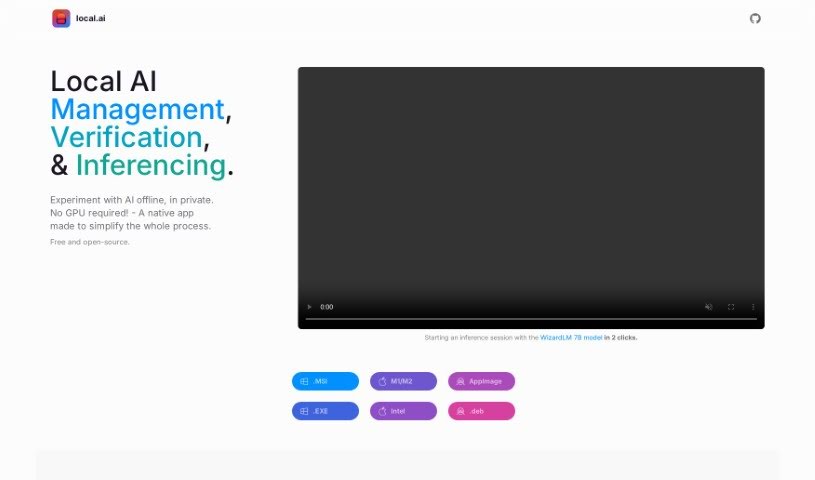
Screenshot of Local AI

Local AI

Discover what Local AI is and how you can effectively use it in 2025. We'll explore its features and see how it stacks up against other Software Development Tools.

Screenshot

What Exactly is Local AI?

Local AI Playground is a really user-friendly, native application that lets you play around with AI models right on your own computer. The best part? You don’t need any complicated technical setup or a powerful GPU to get started. This app is designed to be super memory-efficient and it’s surprisingly small, coming in at under 10MB. It packs in some great features, like easy model management, the ability to run AI models using just your CPU, and a neat way to verify your models using digest computation methods like BLAKE3 and SHA256. Plus, it even includes a streaming server feature, making local AI model inferencing a breeze. And guess what? It’s completely free, open-source, and works on popular platforms like Mac M2, Windows, and Linux .deb.

Who’s Behind Local AI?

Local AI was developed by a dedicated individual or team connected to the Local AI Playground application. While the specific founder’s details aren’t readily available in the information provided, the Local AI Playground itself is a native application built to let users experiment with AI models locally. It’s designed to be accessible, meaning you won’t need any special technical skills or a dedicated GPU. Key features include CPU inferencing, straightforward model management, and digest verification to ensure your models are sound. It’s a compact, memory-efficient, and free tool, making AI experimentation much more approachable for everyone.

What Can You Do With Local AI?

Local AI Playground opens up a lot of possibilities for working with AI models locally. Here’s a breakdown of what it’s used for:

  • Model Management: Keep all your AI models organized in one place.
  • Local AI Management: Easily handle your AI models directly on your machine.
  • Model Verification: Ensure your models are authentic and haven’t been tampered with.
  • Inferencing: Run AI models to get predictions or generate outputs.
  • CPU Inferencing: Process AI tasks using your computer’s CPU, making it accessible without a dedicated graphics card.
  • Digest Verification: Confirm model integrity using methods like BLAKE3 and SHA256.
  • AI Model Inferencing: Perform inference tasks with various AI models.
  • Streaming Server: Use a built-in server for local AI model inferencing.
  • Experimental AI Models Locally: Test out new and experimental AI models on your own system.
  • Centralized Tracking of AI Models: Keep a clear overview of all the AI models you’re using.
  • Streaming Server: A dedicated server for smooth inferencing.
  • Resumable Downloads: Download models without worry; you can pick up where you left off.
  • Centralized Model Tracking: A single hub to manage all your AI models.
  • Usage-Based Sorting: Organize models based on how often you use them.
  • BLAKE3 and SHA256 Digest Computation Features: Robust methods for verifying model integrity.
  • Offline AI Capabilities: Work with AI models even without an internet connection.
  • Memory-Efficient and Compact Solution: Runs smoothly without hogging your system’s resources.
  • Model Integrity Guarantee with Digest Computation Features: Trust that your models are as they should be.
  • AI Capabilities Harnessing Offline: Leverage AI power without needing to be online.
  • Streaming Server for Inferencing: Streamline your inferencing process.
  • Support for Various Platforms: Works on Mac M2, Windows, and Linux .deb systems.

Who Should Use Local AI?

Local AI Playground is a fantastic tool for a variety of users interested in AI:

  • AI Professionals: For quick testing and development.
  • Data Scientists: To experiment with models without cloud dependencies.
  • Developers: To integrate AI capabilities into applications locally.
  • Researchers: To explore AI models and their behaviors.
  • Students: To learn about AI and practice with models in an accessible way.

How Do I Get Started with Local AI?

Using the Local AI Playground is pretty straightforward. Just follow these simple steps:

  1. Download and Install It:
    • First, grab the Local AI Playground application directly from its official website. It’s designed to be easy to install on your system, whether you’re using Mac M2, Windows, or a Linux .deb distribution.
  2. Check Out the Features:
    • Take a moment to get familiar with what the app can do. Features like CPU Inferencing, managing your models, and verifying their integrity with digest checks are really helpful.
  3. Begin Your Experiments:
    • Once installed, just open the application. You can immediately start experimenting with AI models offline, no GPU needed!
  4. Manage Your Models:
    • Make good use of the model management feature. It’s great for keeping all your AI models in one central spot, complete with resumable downloads and sorting options based on how much you use them.
  5. Try Inferencing:
    • Dive into AI inferencing using the CPU Inferencing feature. It’s smart enough to adapt to your system’s available threads and uses quantization methods to work efficiently.
  6. Use the Streaming Server:
    • Explore the streaming server feature. It makes local AI model inferencing incredibly simple – often just a couple of clicks.
  7. Keep an Eye Out for Updates:
    • Stay tuned for exciting upcoming features like GPU Inferencing and Parallel sessions, which will make your AI experimentation even more powerful.
  8. Consult FAQs and Support:
    • If you have any questions or need clarification on using the Local AI Playground tool, be sure to check out the provided FAQs.

By following these steps, you’ll be well on your way to effectively using the Local AI Playground for all your offline AI experimentation and model management needs.

Related AI Tools

Discover more tools in similar categories that might interest you

Stay Updated with AI Tools

Get weekly updates on the latest AI tools, trends, and insights delivered to your inbox

Join 25,000+ AI enthusiasts. No spam, unsubscribe anytime.