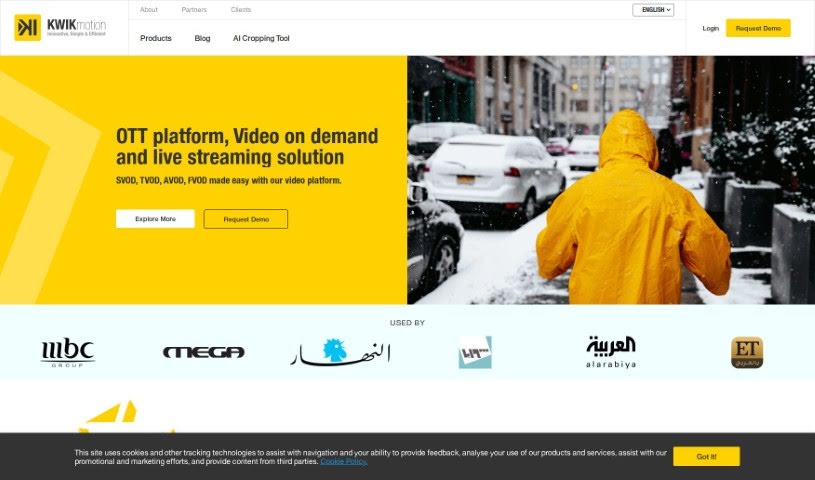
Screenshot of KwikMotion

KwikMotion

Discover what KwikMotion is and how to use it effectively in 2025. We'll explore its features and see how it stacks up against other video editing tools.

Screenshot

What is KwikMotion?

KwikMotion is a really neat tool designed to help you convert your landscape videos into portrait format. It’s built to make sure your videos still look great after the switch, keeping important visuals and text clear and engaging, which is perfect for social media. The AI cropping tool in KwikMotion is pretty smart; it optimizes how your video is cropped, keeps the quality high, and even has speech detection to make the whole viewing experience better. Plus, it saves you time and money because it automates a lot of the editing, and it works with MP4 videos up to 5 minutes long. While it’s great for making your social media content shine and helps with copyright checks, remember that you’re still responsible for making sure you have the rights to use the video content. KwikMotion’s AI Cropping tool doesn’t handle multiple languages or convert video formats, but you can easily connect it with other KWIK products if you need more power.

Who created KwikMotion?

White Peaks Solutions is the company behind KwikMotion. They got started on December 10, 2023. White Peaks Solutions is a tech company that focuses on video editing tools, and KwikMotion is one of their key offerings, featuring things like AI cropping, speech detection, and keeping video quality tip-top during conversions.

What is KwikMotion used for?

  • It’s a one-click operation – super simple!
  • It helps you make sure you’re following copyright rules.
  • It makes optimizing your videos for social media a breeze.
  • It automates a lot of the video editing work.
  • It can analyze the audio within your footage.
  • It’s made with content creators in mind.
  • It helps businesses adapt their video content.
  • It supports MP4 videos.
  • It can be integrated with other KWIK products.
  • It makes sure your video quality stays high.
  • It makes converting landscape videos to portrait effortless.
  • It maintains video quality during the conversion process.
  • It’s a time and cost-efficient solution for video editing.
  • It has speech detection capabilities to improve your edits.
  • It optimizes essential visual elements in your videos.
  • It ensures text remains visible in portrait videos.
  • It assists with copyright compliance.
  • It streamlines social media optimization for your videos.
  • It supports automating the video editing process.
  • It aids businesses in adapting their video content.

Who is KwikMotion for?

  • Content creators
  • Businesses
  • Social media managers

How to use KwikMotion?

Using the KWIKmotion AI Cropping tool to convert your videos is pretty straightforward. Here’s how you do it:

  1. First, upload your landscape video to the KWIKmotion website. It’s a simple upload process.
  2. The tool then automatically converts your video from landscape to portrait. Don’t worry, it works hard to keep the video quality high throughout this process.
  3. Just a quick reminder: make sure your uploaded video follows copyright laws and respects intellectual property rights. It’s important to be mindful of this.
  4. The tool can work with the audio in your videos and uses speech detection to help make the cropping process even better.
  5. Keep in mind there’s a limit of 5 minutes for video length when you’re using the tool.
  6. Once the conversion is done, you’ll see that the important visual elements and text are still clear and engaging, just as intended.
  7. It’s designed to be really user-friendly. You don’t need any special skills, just remember to follow those copyright and intellectual property guidelines.
  8. You can use the KWIKmotion AI Cropping tool to get your videos ready for social media. It converts them into a format that works well on different platforms.

Related AI Tools

Discover more tools in similar categories that might interest you

Stay Updated with AI Tools

Get weekly updates on the latest AI tools, trends, and insights delivered to your inbox

Join 25,000+ AI enthusiasts. No spam, unsubscribe anytime.