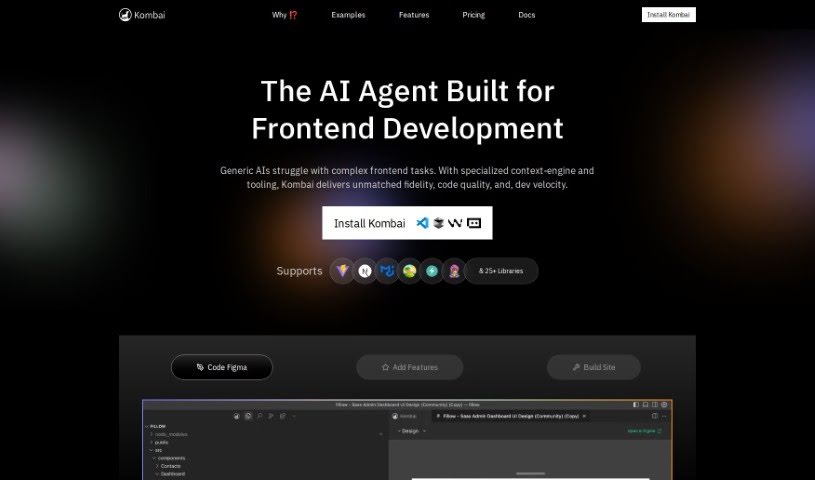
Screenshot of Kombai

Kombai

Discover what Kombai is and how to use it effectively in 2025. We'll explore its features and see how it stacks up against other code generators.

Screenshot

What is Kombai?

Kombai is a really smart AI tool that turns your Figma designs into code. Instead of just pulling code directly from Figma, it uses special models built just for this job to understand your UI designs and create great code. Kombai can output code for React and HTML with CSS. For the CSS part, you can choose between plain CSS or Tailwind. Plus, it’s flexible enough to work with other frameworks like Vue, Svelte, Angular, and Django. The best part? You don’t need to do any special tagging or naming in Figma. Kombai figures out how to generate code just by looking at how the design appears to a developer. If you run into any issues with the code it generates, you can always try regenerating it. You can also use something called ‘design prompt engineering’ to give the AI more specific instructions for better results.

Who created Kombai?

Kombai was developed by a tech company called Kombai.com. They’re experts at creating AI tools that make it much easier to convert Figma designs into front-end code, like HTML, CSS, and React. Kombai’s technology is pretty innovative; it really simplifies how developers turn email and web designs into working code, keeping the look and feel very close to the original design. The company’s main goal is to boost productivity. They want developers to spend less time on the repetitive tasks of UI coding and more time on the complex, important business logic.

What is Kombai used for?

  • It converts your Figma designs straight into front-end code (HTML, CSS, React).
  • It generates sensible div structures and React components, even giving them logical names.
  • You get support for responsive design using flex properties, without needing to hardcode dimensions.
  • It produces high-quality JavaScript code, including things like loops, conditions, and mock data.
  • Functional form elements like buttons, inputs, and selects are supported as functional components.
  • It really boosts productivity by making the development process simpler for both designers and developers.
  • You can create code that works well with many different email clients, including Outlook.
  • It uses deep learning and heuristic models to understand UI designs and generate code.
  • It’s adaptable for use with various front-end frameworks such as React, Vue, Svelte, Angular, and Django.
  • You have the option to get your output in vanilla CSS or Tailwind.
  • It can generate email code directly from your Figma designs.
  • You can copy the generated code easily.
  • Preview emails can be sent directly.
  • There are no limits on code downloads.
  • You can manage your email fonts within the tool.
  • It allows you to define font fallbacks.
  • Customization for dark mode is available.
  • It offers ESP integration for campaigns and templates.
  • You can leverage segmentation and personalization features on ESPs.
  • Customize how your designs behave responsively.
  • It translates Figma designs into front-end code with impressive accuracy.
  • It converts both email and web designs into functional HTML, CSS, or React code.
  • It’s particularly helpful for creating code that’s compatible with various email clients, including Outlook.
  • Kombai supports React and HTML + CSS code outputs, with choices for vanilla CSS or Tailwind.
  • It really enhances productivity by simplifying the development process for designers and developers.
  • You don’t need any special preparation in Figma.
  • It generates logical div structures and React components in a way that feels natural.
  • It handles responsive CSS without needing hardcoded dimensions.
  • It produces high-quality JavaScript code, complete with loops, conditions, and mock data.
  • Form elements like buttons, inputs, and selects are supported as functional components.
  • You can convert Figma designs to front-end code (HTML, CSS, React).
  • It generates logical div structures and React components from your designs.
  • It produces high-quality JavaScript code, including loops, conditions, and mock data.
  • Form elements like buttons, inputs, and selects are supported as functional components.
  • It enhances productivity for developers by simplifying the development process.
  • You can create code that’s compatible with various email clients, including Outlook.
  • It interprets UI designs and generates code without needing specific structuring or naming conventions.
  • It lets developers focus on complex business logic instead of routine UI coding.
  • It handles flex properties without hardcoded dimensions, ensuring responsive design.
  • It integrates deep learning and heuristic models for generating UI code.
  • It simplifies the development process for both designers and developers.
  • It converts email and web designs into HTML, CSS, or React code with just one click.
  • It enhances productivity by allowing you to focus on complex business logic rather than UI coding.
  • It generates logical div structures and React components with intuitive class and component names.
  • Form elements like buttons, inputs, and selects are supported as functional components.
  • It uses a combination of specialized deep learning and heuristic models to understand UI designs and generate code.
  • It can minify your code.
  • You can set the language for your project.
  • It can autogenerate alt-text for images.

Who is Kombai for?

  • Developers
  • Designers
  • Front-end developers
  • Email Developers
  • Marketers

How to use Kombai?

To get the most out of Kombai, just follow these simple steps:

  1. Upload Your Design File: Start by uploading your design files into the Kombai tool.
  2. Generate Code: Let the AI-powered tool work its magic, processing your design to generate high-quality HTML, CSS, or React code.
  3. Review the Output: Take a look at the code that’s generated. Make sure it’s accurate and works well with your design.
  4. Refine if Needed: If the code doesn’t look quite right, don’t worry! You can try regenerating it using the ‘regenerate button.’ Alternatively, you can explore ‘design prompt engineering’ to give the model more specific guidance.
  5. Customize It: Feel free to tweak the code as needed to perfectly match your specific requirements or framework.
  6. Download Your Code: Once you’re happy with the generated code, download it to use in your project.
  7. Explore Extra Features: Make sure to check out other helpful features, like defining font fallbacks, generating alt-text for images, and customizing how your designs respond to different screen sizes.
  8. Check Out the Pricing Plans: Depending on what you need, you can choose from our Basic, Pro, Premium, or Business plans, which offer different functionalities and support levels.

By following these steps, you can really speed up how you convert your Figma designs into functional front-end code with Kombai’s advanced technology. It’s a great way to streamline your development process and boost your productivity.

Related AI Tools

Discover more tools in similar categories that might interest you

Stay Updated with AI Tools

Get weekly updates on the latest AI tools, trends, and insights delivered to your inbox

Join 25,000+ AI enthusiasts. No spam, unsubscribe anytime.