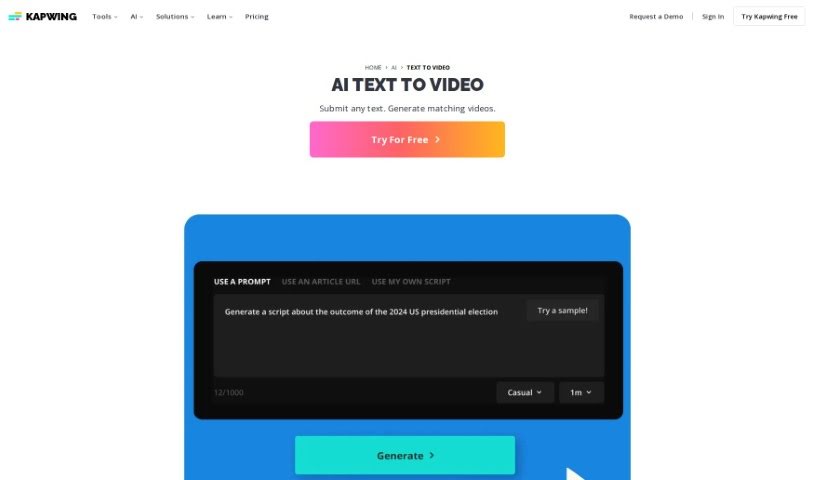
Screenshot of Kapwing AI Text to Video

Kapwing AI Text to Video

Discover what Kapwing's AI Text to Video tool is all about and how you can use it effectively in 2025. We'll cover its features and see how it stacks up against other video creation tools.

Screenshot

What is Kapwing AI Text to Video?

Kapwing’s AI Text to Video tool is a neat way to turn your documents, essays, scripts, or blog posts into short, engaging video summaries, all thanks to artificial intelligence. Just pop your text into the platform, and it’ll whip up a professional-looking video for you. Think stock footage, background music, text overlays, subtitles, and smooth transitions – it handles all that automatically. You can even just copy and paste your text, and poof, instant video! Plus, you’re not stuck with what the AI creates. You can tweak it right there on the platform. Want to add a voiceover? Apply filters or effects? Translate it into another language? You’ve got full creative control to make the video exactly how you envision it.

Who created Kapwing AI Text to Video?

Kapwing AI Text to Video was brought to life by Julia Enthoven, Eric Lu, and Joshua Bart. The company behind it, Kapwing, was actually founded by Julia Enthoven and Eric Lu. Kapwing offers a whole suite of AI tools, including their AI Video Generator, which makes converting text into videos a breeze – super easy and efficient.

How to use Kapwing AI Text to Video?

Ready to give it a try? Here’s how you can use Kapwing AI Text to Video:

  1. Pop Your Text into the Converter:
    • You can easily import a text document by copying and pasting longer pieces of text into the ‘Document to Video’ tool. It’s a straightforward way to get started.
    • Alternatively, if you have a specific idea in mind, you can start fresh. Just open a blank project and choose the “Create a video about
” tool located at the bottom of the editor. This lets you guide the AI with a new prompt.
  2. Tweak Your AI-Generated Video:
    • Once you’ve chosen your video dimensions and any other initial settings, the tool will generate your video based on the text you provided. It’s pretty quick!
    • Now comes the fun part: editing! You can work directly in the editor. Need to make changes? You can create a transcript, trim or cut sections by editing the text itself, add cool effects, overlays, and so much more. Keep refining it until it looks just right.
  3. Export and Download Your Masterpiece:
    • When you’re happy with your edits, just hit the ‘Export Project’ button, which you’ll find in the top right corner of the editor.
    • You can download your brand-new AI-created video in resolutions up to 4k. Your video is all set to be published and shared wherever you like!

Following these simple steps means you can easily use Kapwing’s AI Text to Video tool to create polished, professional-looking videos directly from your written content.

Related AI Tools

Discover more tools in similar categories that might interest you

Stay Updated with AI Tools

Get weekly updates on the latest AI tools, trends, and insights delivered to your inbox

Join 25,000+ AI enthusiasts. No spam, unsubscribe anytime.