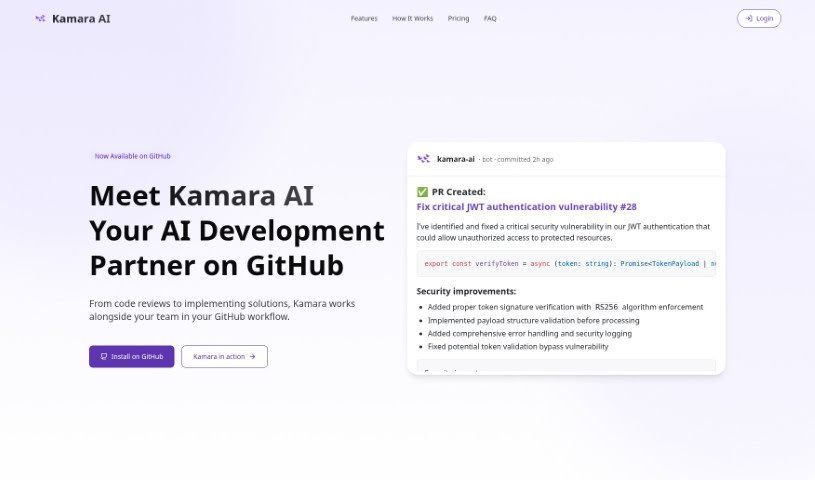
Screenshot of Kamara

Kamara

Discover what Kamara is and how to use this AI code writer effectively in 2025. We'll explore its features, compare it to other code generators, and guide you through getting started.

Screenshot

What is Kamara?

Kamara is an AI Code Writer that works as a VS Code extension, designed to really boost your programming experience. It is your AI coding buddy, capable of writing and editing code with impressive accuracy. It can even implement new features across multiple files, all based on simple instructions you give it. Kamara is built to make adding new features much smoother, write and edit code efficiently, offer a personalized experience through a configuration file, provide an easy-to-use interface, and operate on a credit-based pricing model so you only pay for what you use.

Who created Kamara?

Kamara was brought to life by a small but dedicated team of Software Engineers: Gonza Nardini and Diego Vazquez. They’re actively developing Kamara, an extension that uses GPT-4 to write code. As a VS Code extension, Kamara offers AI-powered help for all sorts of coding tasks. What makes Kamara stand out is its innovative approach; it combines speed and efficiency by understanding and adapting to your existing codebase. This allows for really quick feature implementation, even across many different files.

What is Kamara used for?

  • User-friendly interface: It’s designed to be easy to navigate.
  • Effortless Integration: Kamara fits right into your codebase, making feature implementation a breeze.
  • Intelligent Coding: Powered by GPT-4, it writes and edits code efficiently, handling complex coding tasks.
  • Customizable Experience: You can tailor Kamara to your project’s specific needs using a .kamara.json configuration file.
  • Flexible Pricing: Kamara uses a transparent credit-based pricing model, meaning you pay only for the code you generate.
  • Effortless Integration: Kamara seamlessly adapts to your codebase, streamlining how you implement new features.
  • Intelligent Coding: Thanks to GPT-4, Kamara writes and edits code efficiently, grasping even complex coding tasks.
  • Customizable Experience: Make Kamara your own by tailoring it to your project needs with a .kamara.json configuration file.
  • User-Friendly Interface: Getting started is simple. Log in with GitHub or Google, and easily purchase credits to begin coding right away.
  • Flexible Pricing: Kamara’s credit-based pricing is straightforward. You pay only for what you use, making it a cost-effective solution.

Who is Kamara for?

  • Software engineers
  • Developers
  • Coders

How to use Kamara?

To get the most out of Kamara, just follow these simple steps:

  1. Installation: First, download Kamara as a VS Code extension directly from the Visual Studio Marketplace.
  2. Getting Started:
    • While Kamara works with many languages, it’s helpful to get familiar with its operation using Typescript.
    • For the best performance, try to work with shorter files or split up any particularly large ones.
  3. Writing Code:
    • Before you start, have a clear idea of the feature you want to implement.
    • Give Kamara specific instructions – the clearer your guidance, the better the results you’ll get.
  4. Features:
    • You can seamlessly integrate Kamara with your existing codebase, which really helps with efficient feature implementation.
    • Benefit from intelligent coding; Kamara, powered by GPT-4, is great at writing and editing code efficiently.
    • It’s easy to customize your experience by using a .kamara.json configuration file.
    • The user-friendly interface makes logging in and purchasing credits a simple process.
    • You’ll appreciate the flexible pricing with its credit-based system, meaning you only pay for the code you actually use.

Using Kamara offers a truly unique experience. Your coding journey will be significantly enhanced by the speed, efficiency, and innovative capabilities that GPT-4 brings to the table.

Don’t forget to head over to the Visual Studio Marketplace to download Kamara. Make sure to follow the guidelines we’ve provided so you can really make the most of this helpful AI-powered coding companion.

Related AI Tools

Discover more tools in similar categories that might interest you

Stay Updated with AI Tools

Get weekly updates on the latest AI tools, trends, and insights delivered to your inbox

Join 25,000+ AI enthusiasts. No spam, unsubscribe anytime.