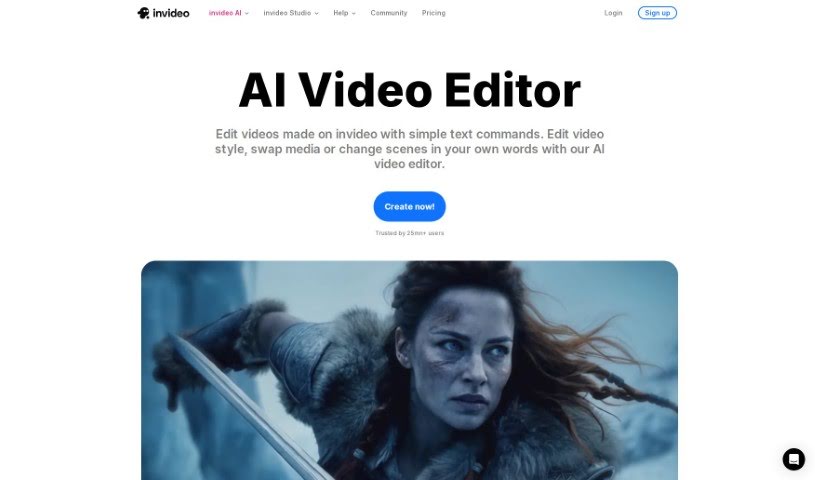
Screenshot of Invideo AI AI Video Editor

Invideo AI AI Video Editor

Discover what the InVideo AI Video Editor is and how to use it effectively in 2025. We'll explore its features and see how it stacks up against other video editing tools.

Screenshot

What is InVideo AI Video Editor?

An AI video editor like InVideo is your personal video creation assistant. It lets you make and edit videos just by typing in what you want. You give it a topic, and this smart AI tool can whip up a script, put together scenes, and even add a voiceover for you. It’s a super quick way to get professional-looking videos made in minutes, without all the usual hassle of writing scripts or doing manual edits. InVideo’s AI editor really speeds things up by using AI to understand what you’re asking for, pick out the right video clips and images, create the voiceover, and add things like transitions to make your final video look polished.

Who created InVideo AI Video Editor?

This handy AI Video Editor was actually made by InVideo. The company was started by Sanket Shah and Harsh Vakharia. InVideo is already well-known for its AI-powered video editing tools. They offer features that let you use text prompts, generate scripts, add media, create voiceovers, add transitions, background music, and a whole lot more. Basically, they help users create polished videos really efficiently.

How to use InVideo AI Video Editor?

Using an AI Video Editor like this is pretty straightforward. Here’s a quick rundown of the steps:

  1. Sign up or Log in: First, head over to the AI video editor’s website. You’ll need to either sign up for a new account or log in if you already have one.
  2. Pick a Workflow & Describe Your Idea: Once you’re in, you can choose a workflow from a dropdown menu. Then, just describe what you want your video to be about. After that, hit “Generate” to get things started.
  3. Set Your Parameters: Now, tell the AI a bit more about your video. Who is your audience? What platform will it be for? What kind of look are you going for? Click “Generate” again, and let the AI work its magic.
  4. Edit with AI Prompts: You can keep refining your video using the AI’s editing features. Just type in prompts like “delete this scene” or “add narration about X” to make changes.
  5. Export and Share: When you’re happy with how everything looks, you can export your video. Then, share it on your favorite platforms to get it out to your audience.

This AI Video Editor really simplifies making videos. It generates scripts, scenes, voiceovers, and more, all from a simple text prompt. It’s a great way to be more efficient and produce videos quickly with professional-quality results.

Related AI Tools

Discover more tools in similar categories that might interest you

Stay Updated with AI Tools

Get weekly updates on the latest AI tools, trends, and insights delivered to your inbox

Join 25,000+ AI enthusiasts. No spam, unsubscribe anytime.