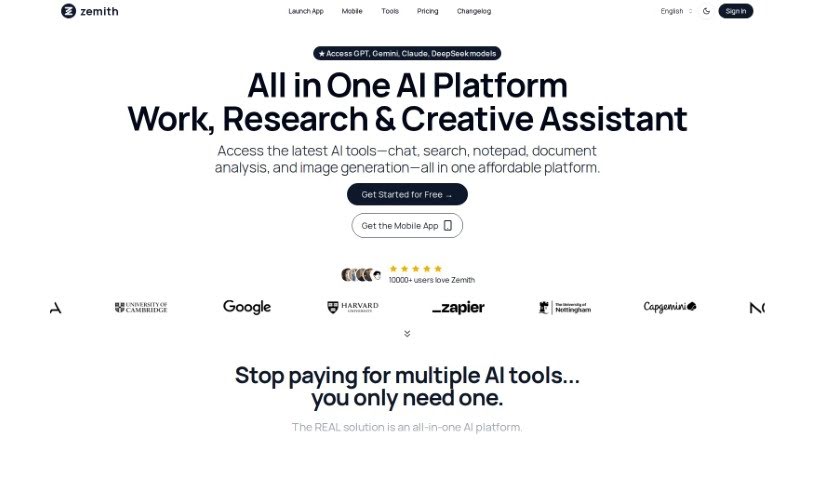
Screenshot of InfoBaseAI

InfoBaseAI

Discover what InfoBaseAI is and how to use it effectively in 2025. We'll explore its features and see how it stacks up against other AI note-taking tools.

Screenshot

What is InfoBaseAI?

InfoBaseAI is a really smart platform that’s changing how we manage information by bringing AI right into the mix. It is your AI-powered research buddy. You can use its features like AI chats, organizing your content, and taking notes to get more done and make your research process smoother. With InfoBaseAI, you can upload documents and get immediate insights, ask questions in a conversational way with AI to really dig into a topic, and even check if your facts are solid thanks to built-in source validation. It helps you annotate your thoughts with AI’s help, switch between different AI models to get just the results you need, and juggle multiple tasks without losing track, all while keeping your workspace neat and easy to navigate. Plus, there’s a special Launch Week Promo happening – you can get 10% off using the code LAUNCHWEEK10. It’s a great chance to rethink how you handle information with the help of AI. Why not try it for free today and see for yourself how InfoBaseAI can transform your workflow?

Who created InfoBaseAI?

Rishit Patel is the founder behind InfoBaseAI. He developed this platform to really shake up how we manage information by weaving AI into everything to boost productivity and make our workdays flow better. With InfoBaseAI, you can have AI-driven conversations, add notes to your documents, and check your sources without any hassle. New users can also grab a 10% discount during the Launch Week Promo using the code LAUNCHWEEK10.

What is InfoBaseAI used for?

  • Boost Your Workflow with AI: Seamlessly blend AI chat, content organization, and note-taking to really amp up your productivity.
  • Stay Organized: Keep everything tidy with dedicated folders that neatly store your chats, files, and notes.
  • Your AI, Your Rules: Easily switch between different AI models, tell the AI exactly what you need, and get a variety of personalized answers.
  • Work Smarter, Not Harder: Master multitasking with a layout that lets you see your research, conversations, content, and notes side-by-side.
  • AI-Powered Multitasking: Dive into documents with AI insights, consult your resources, and capture ideas with smart prompts, all in one place.
  • Your Go-To Research Assistant: Make smarter decisions by letting the AI analyze data, create summaries, and give you actionable insights.
  • Write with Confidence: Improve your writing skills with personalized help for all sorts of tasks.
  • A Better Way Than ChatGPT: Chat with AI directly within InfoBaseAI, whether you’re discussing documents or just having a general conversation, without needing to switch tabs.
  • Organize with Ease: Keep all your information neatly organized in dedicated folders and collaborate smoothly with your team in shared workspaces.
  • Quick Access to Info: Find what you need fast with intuitive search and instant access to global chats within your workspaces.
  • Get More for Your Money: Try out InfoBaseAI’s features for free and don’t miss the Launch Week promotion.
  • Your Research Partner: Make better-informed decisions by having the AI analyze data, generate summaries, and provide practical insights.
  • Interact with AI Seamlessly: Talk to AI about your documents or just chat generally, all within InfoBaseAI.
  • Effortless Organization: Keep your information tidy with dedicated folders and work together effectively in your workspaces.

Who is InfoBaseAI for?

  • Researchers
  • Students
  • Academics
  • Content creators
  • Journalists
  • Developers
  • Marketers
  • Data Analysts
  • Business Executives
  • Librarians

How to use InfoBaseAI?

Here’s how you can get the most out of InfoBaseAI:

  1. Explore the Features: Start by using the AI chats, content organization tools, and note-taking capabilities to boost your productivity.
  2. Upload Your Documents: Begin by uploading your documents to instantly unlock valuable insights.
  3. Chat with AI: Ask your questions and gain a deeper understanding through conversations guided by AI.
  4. Validate Your Sources: Make sure your facts are accurate by using the integrated source validation feature within your chats.
  5. Annotate Your Ideas: Use AI assistance to effectively add notes and annotations to your thoughts.
  6. Switch AI Models: Personalize your AI experience by easily switching between different AI models.
  7. Stay Organized: Keep your chats, content, and notes structured and easily accessible, which really helps with multitasking.
  8. Don’t Forget the Promo: Take advantage of the Launch Week Promo to get a 10% discount using the code LAUNCHWEEK10.
  9. Try it Free: Start using InfoBaseAI for free today and discover how it can truly change the way you manage information with AI.

By following these simple steps, you can effectively use InfoBaseAI’s AI-powered features to make your information management and research process much smoother.

Related AI Tools

Discover more tools in similar categories that might interest you

Stay Updated with AI Tools

Get weekly updates on the latest AI tools, trends, and insights delivered to your inbox

Join 25,000+ AI enthusiasts. No spam, unsubscribe anytime.